Best answer

Unexpected token .... is not valid JSON

  • March 16, 2026
  • 9 replies
  • 25 views

Forum|alt.badge.img

Hi,
We’re using Zapier to connect the Meta Business Suite with a Gravity Forms form on our website.
Everything worked fine and now we got this error message:
“This Gravity Forms step hit an error
Unexpected token '<', "<!DOCTYPE "... is not valid JSON”

We changed nothing.
How can I get rid of this message?

Best answer by okeller

Hello everyone,
Thank you very much for all the responses.
I think I’ve solved the problem.
In Gravity Forms, I had apparently selected a custom landing page as the confirmation page.
But when I set this option to “Text,” I no longer received any error messages via email after testing, and everything seems to be working fine in the interface as well.

9 replies

Forum|alt.badge.img+1

That error usually means Zapier was expecting JSON back from Gravity Forms, but got an HTML page instead that’s why it starts with <!DOCTYPE ....

So usually it’s not the form data itself. It’s more like:

  • the Gravity Forms API endpoint is returning a login page, error page, or security block

  • the site changed something around caching / firewall / maintenance

  • Zapier is hitting a URL that no longer returns the normal JSON response

Since you didn’t change anything, I’d first check whether the Gravity Forms connection/API is still reachable and whether any security plugin, Cloudflare, or maintenance page is intercepting the request.

So in short: this is usually a site response issue, not a Zap logic issue.


Forum|alt.badge.img
  • Author
  • Beginner
  • March 16, 2026

Thank you very much for the quick response.
Could it be because I embedded the Gravity Forms form on a WordPress page?
I could also simply send the data from the meta form to the Gravity Forms form without having it on a page.
Then no HTML page would be returned.


Troy Tessalone
Zapier Orchestrator & Solution Partner
Forum|alt.badge.img+14
  • Zapier Orchestrator & Solution Partner
  • March 16, 2026

Hi ​@okeller 

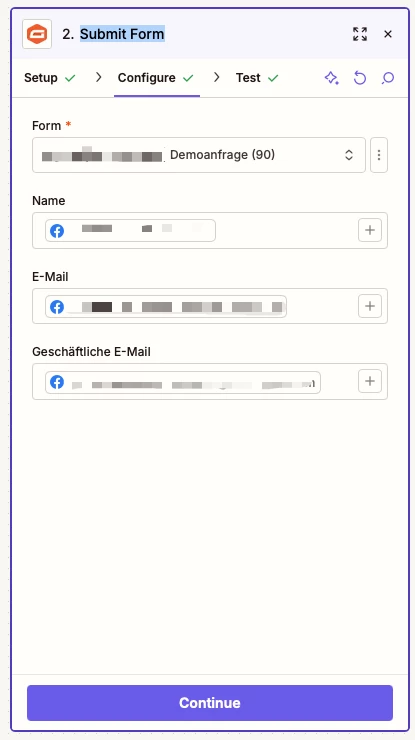
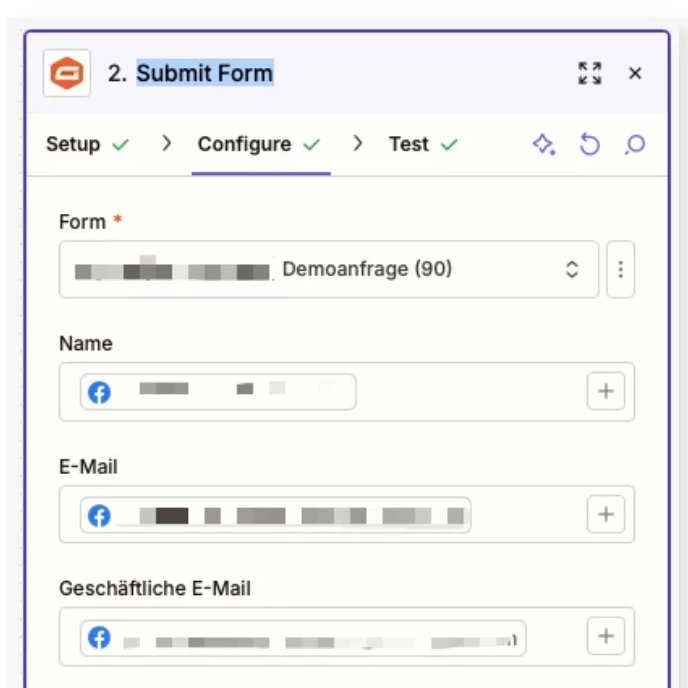
Post screenshots showing how your Gravity Forms step is configured in the CONFIGURE tab while in EDIT mode to give us more context.


Forum|alt.badge.img
  • Author
  • Beginner
  • March 16, 2026


Troy Tessalone
Zapier Orchestrator & Solution Partner
Forum|alt.badge.img+14
  • Zapier Orchestrator & Solution Partner
  • March 16, 2026

@okeller 

Help links for using Gravity Forms in Zaps: https://zapier.com/apps/gravity-forms/integrations#help


Error may be the result of a value having an invalid character or a character that breaks JSON structure such a ‘  or “, which would need to be escaped via a Formatter > Text > Encode step.


Things to check/try:

  • Make sure the selected Form (90) still exists
  • Click the refresh button shown in the screenshot to see if any fields are added/removed/adjusted
  • Make sure valid values are being sent for each field


Forum|alt.badge.img
  • New
  • March 16, 2026

Hi ​@okeller 

Here's the Zapier doc that might help: https://help.zapier.com/hc/en-us/articles/8495987809933-How-to-get-started-with-Gravity-Forms-on-Zapier#Prerequisites

The Prerequisites and Limitations sections cover the most common causes of the "Unexpected token" error (like security plugins blocking the connection or authorization header issues).

If you’re still having trouble, happy to take a look!

And if you'd rather just get it sorted quickly, I offer a free 20-min Zapier troubleshooting call. Book it under Resources on my Zapier Directory profile: https://zapier.com/partnerdirectory/automatemybiz


Forum|alt.badge.img
  • Author
  • Beginner
  • Answer
  • March 17, 2026

Hello everyone,
Thank you very much for all the responses.
I think I’ve solved the problem.
In Gravity Forms, I had apparently selected a custom landing page as the confirmation page.
But when I set this option to “Text,” I no longer received any error messages via email after testing, and everything seems to be working fine in the interface as well.


Forum|alt.badge.img+1

This error usually means Zapier asked Gravity Forms for data, but instead of getting data back, it got a normal web page.

The <!DOCTYPE part is the clue. That usually means:

  • a login page

  • an error page

  • a security block

  • a maintenance page

So the problem is probably not your Zap.

I’d check:

  • if the Gravity Forms connection is still working

  • if a security plugin or Cloudflare is blocking Zapier

  • if the site is showing a login or maintenance page instead of the form data

So in simple terms: Zapier is expecting data, but your site is sending back a webpage instead.


SamB
Community Manager
Forum|alt.badge.img+11
  • Community Manager
  • March 18, 2026

Glad you got it sorted ​@okeller, and thanks for coming back to share what the fix was! 🙌 Thanks as well to ​@devtrestllc, ​@Troy Tessalone and ​@Fahad S for jumping in with suggestions here.

It seems like using custom landing pages for the confirmation page may not be supported right now, so it’s worth reaching out to our Support team to put in a feature request for them to be supported so you can use them in the future. In the meantime, happy Zapping! 😁⚡