Question

Unauthorized with Slack

  • March 2, 2025
  • 5 replies
  • 37 views

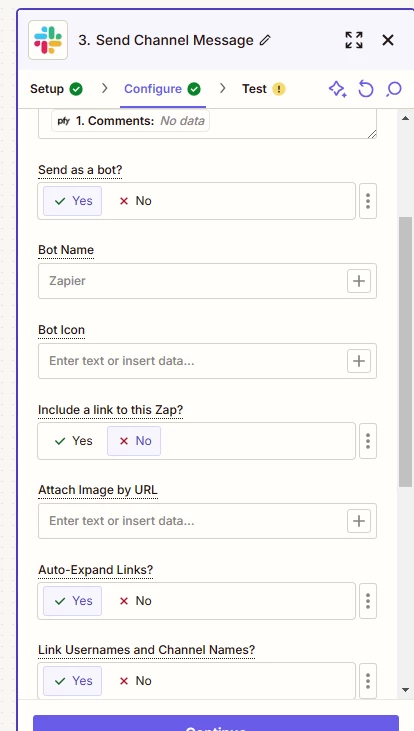
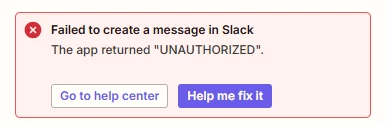
I’m having trouble with a Slack connection that keeps returning Unauthorized.

The only action being taken is posting a message in a channel (a public channel, not a private one).

I’ve tried updating my connection, replacing, using a different shared connection…

Any ideas how to fix this?


This post has been closed for comments. Please create a new post if you need help or have a question about this topic.

5 replies

SamB
Community Manager
Forum|alt.badge.img+11
  • Community Manager
  • March 3, 2025

Hi and welcome to the Community, ​@masryr! 🎉

So sorry to hear that you’re running into those errors here. I did some testing in my own Slack account and couldn’t replicate that error. As you’ve tried two different Slack accounts and both ran into the same error I’m wondering if there could be an issue with the channel that’s been selected. 🤔 

Did you select the channel from the list of available options for the Channel field, or did you use the Custom option to select the channel? If you used the custom value option did you enter the name for the channel or it’s ID number? If it’s name was entered that might be what’s causing the error. In which case, you’ll want to use the ID for the channel (copy it from the Channel Details in Slack) and see if that allows the message to be sent.

Looking forward to hearing from you!


  • Author
  • New
  • March 3, 2025

Thanks for the reply ​@SamB!

I’m using the static channel selection - selecting from a list of options.

Since then, one run has succeeded and another has failed… there doesn’t seem to be any difference between them.

How could I troubleshoot further?


SamB
Community Manager
Forum|alt.badge.img+11
  • Community Manager
  • March 4, 2025

That’s really strange, ​@masryr! Since one run succeeded but the other one failed, it sounds like it might be an intermittent issue. If you replay the Zap run that failed does it then go through successfully?

If the error persists, I’d recommend reaching out to our Support team so they can dig into the Zap logs to better identify what might be causing the issue.

Keep us posted on how it goes—keen to make sure this gets sorted! 


  • Author
  • New
  • March 4, 2025

Thanks ​@SamB - no, the replayed Zap run consistently fails.

All steps succeed prior to Slack - send channel message, which consistently fails.

I’ll contact the support team and see if we can figure it out. If there’s an answer that’s replicable, I’ll post here!


SamB
Community Manager
Forum|alt.badge.img+11
  • Community Manager
  • March 5, 2025

Thanks for the update, ​@masryr! Sorry to hear it didn’t work when replayed either. 

I look forward to hearing how it goes with the Support team! Do let me know if there’s anything else I can help with in the meantime. 🙂