Question

Unable to connect Facebook Pages with TikTok via buffer

  • January 19, 2026
  • 5 replies
  • 28 views

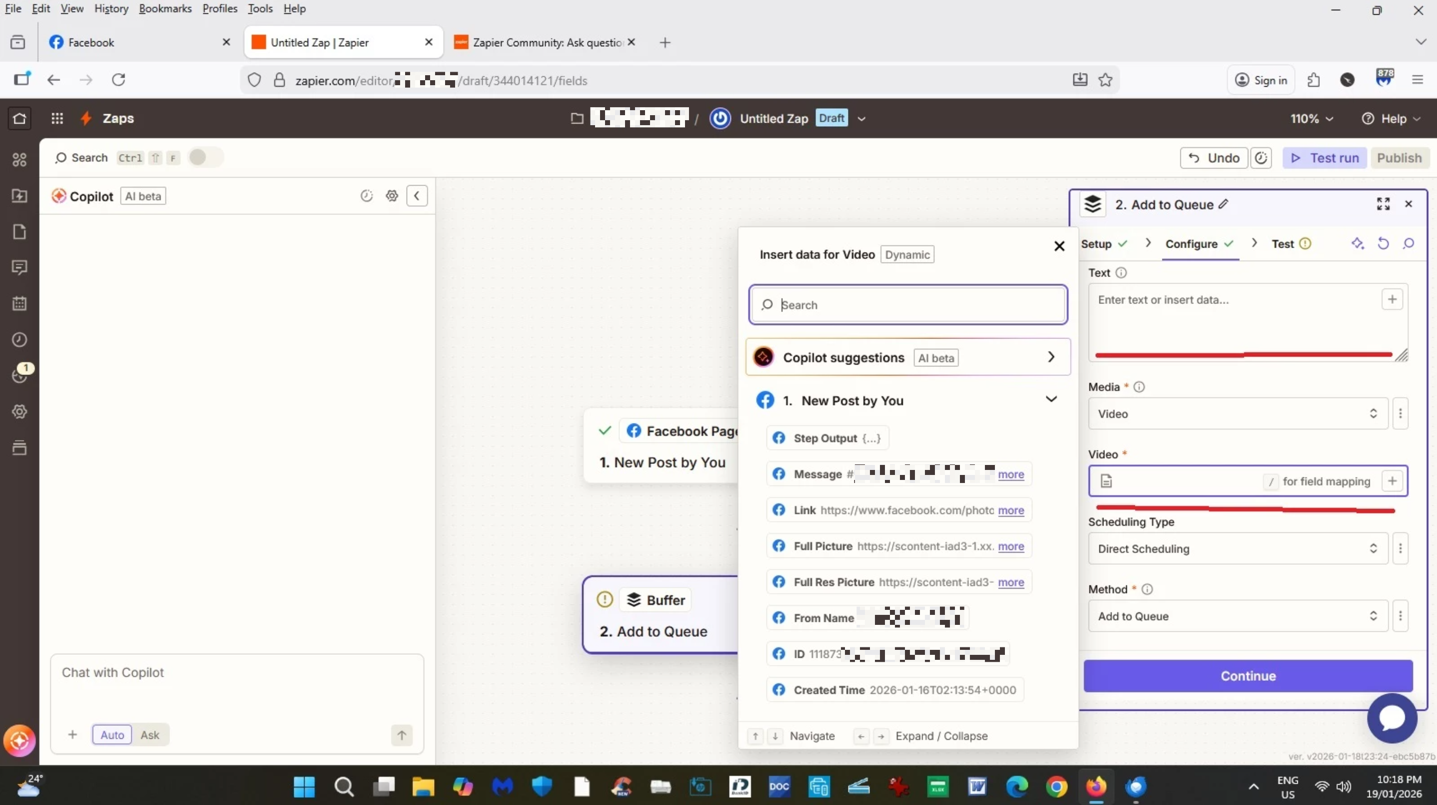
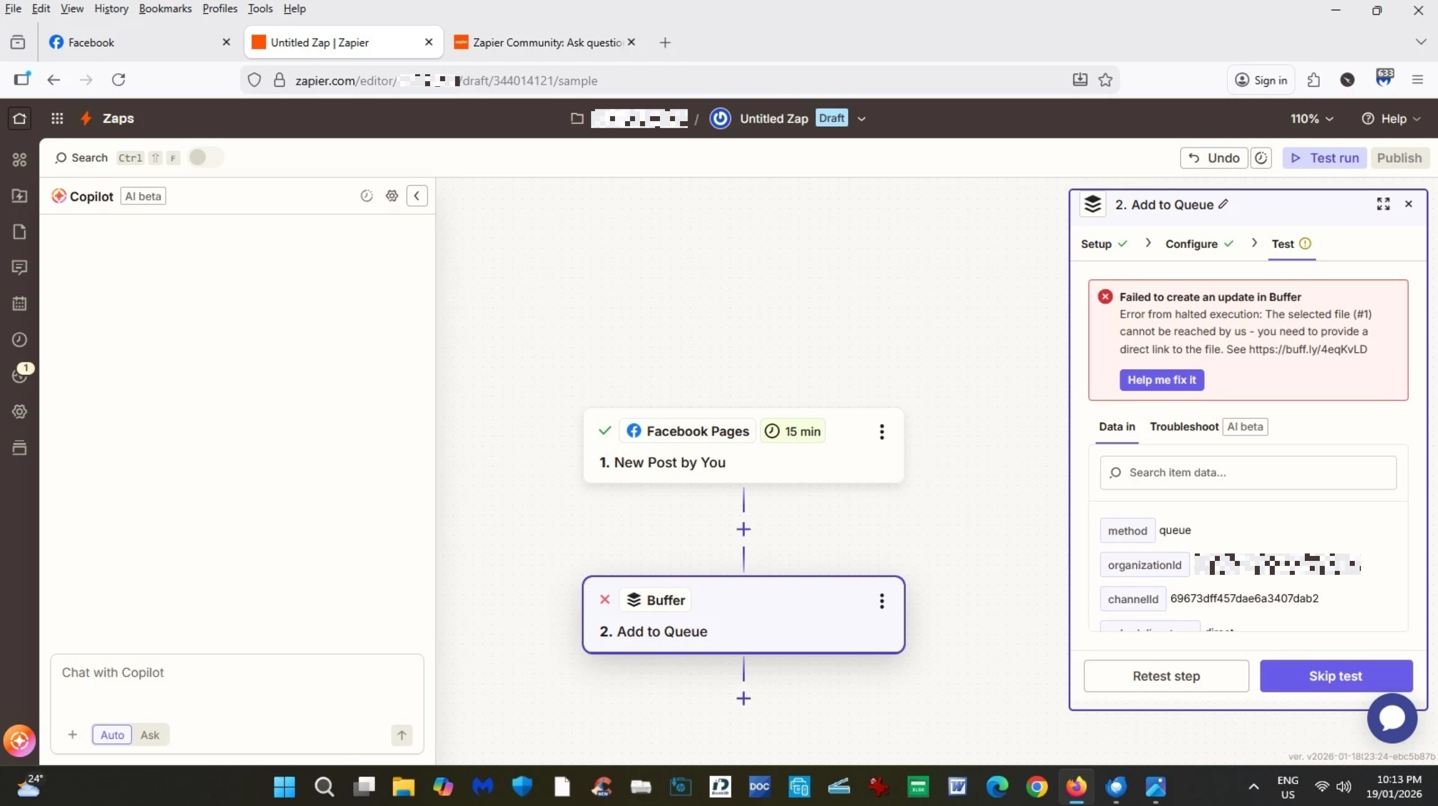
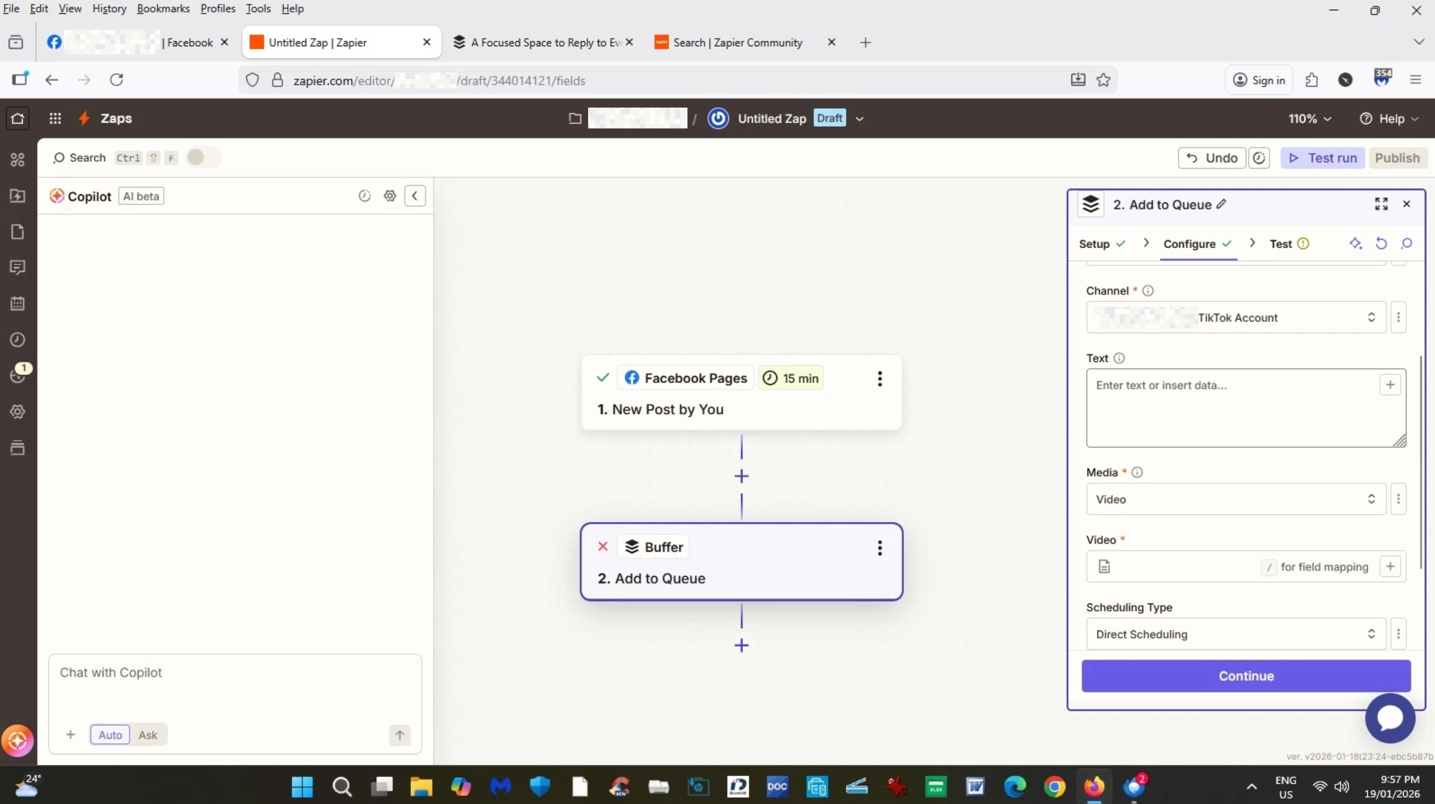
Unable to connect Facebook Pages with TikTok via Buffer. I have problems with the last step in configuring the Zap.The Zap fails in testing process. 


I am not sure what value I should put in the Text field and Video field as I am getting an error message., 

See the attached pics. 


Please advise. Thank you


This post has been edited by a moderator to remove sensitive/personally identifiable information (PII). Please remember that this is a public forum and avoid sharing personal or potentially sensitive details.


5 replies

Sparsh from Automation Jinn
Forum|alt.badge.img+6

Hey ​@Pawsitive Dogwalks,

What exactly are you trying to do?

For posting a video, you need a publicly accessible URL that you can dynamically pass to buffer action.

If there is no video and just an image, then choose pic instead of video and pass the URL. Hope it helps!

PS: If you need more active help, I’m happy to connect through my Zapier Solution Partner page if you’d like to reach out here- https://zapier.com/partnerdirectory/automation-jinn


Troy Tessalone
Zapier Orchestrator & Solution Partner
Forum|alt.badge.img+14
  • Zapier Orchestrator & Solution Partner
  • January 19, 2026

Hi ​@Pawsitive Dogwalks 

TIP: Click field labels to see tooltips with more info.

Required fields need a valid value.

Help links for using files in Zaps: https://help.zapier.com/hc/en-us/articles/8496288813453-Send-files-in-Zaps


SamB
Community Manager
Forum|alt.badge.img+11
  • Community Manager
  • January 26, 2026

Hi ​@Pawsitive Dogwalks 👋 Did the replies from Sparsh and Troy help you get the Zap working?

If not, I wanted to suggest that you might need to switch to a different test record, one that had a video rather than an image shared, as that should then allow you to select a URL for the video in the Buffer action. And also wanted to suggest adding a Filter to only allow the Zap to continue for posts that contain a video to avoid it running into issues when non-video posts trigger the Zap. 

Keep us posted on how you’re getting on, want to make sure you’re all set!


Hello Sam!

Thank you for your response.

I am unable to get the Zap to work. It appears that the problem lies with Buffer, that I want to use as a bridge between FB and TikTok.

Below is the error thread generated by the AI assistant:

-----------------------------------------------------------------------------------------------------

Checkpoint added
 
 
Unable to update 1 step
 
 
The image field isn't showing up. Let me get the current fields again to see what's actually required for images:
 
Get Fields For Steps called


I see the issue—when I change the attachment field to "image", Buffer should dynamically reveal the image field. But it's not showing in the list yet. Let me explain what's happening and ask a clarifying question:

The Challenge:

  • Buffer's TikTok integration has had issues handling image/video uploads through Zapier (as we discovered earlier)
  • Facebook posts are images, but TikTok is video-first—there's a format mismatch
  • Even when we select "Image" in the attachment field, Buffer API might reject it

Your realistic options:

  1. Keep it text-only (what's working now) – Posts just your captions/hashtags to TikTok. Simple, reliable.

  2. Try adding images – I can attempt it, but based on our earlier troubleshooting, it might fail again. Buffer may have limitations with TikTok image posting through Zapier.

  3. Record videos from your images – Use a separate automation tool or manual step to convert Facebook images to TikTok-style videos first (not ideal, adds complexity).

My recommendation: Start with text-only for now (it's working!). You can always manually add videos to TikTok later, or test image uploads later if you want.

Should I:

  • Publish the Zap as-is (text-only to TikTok)
  • 🧪 Try adding images (risky, might fail)
  • Keep troubleshooting (might take a while)


Please advise if you have any other input.  Thanks in advance

https://zapier.com/editor/XXXXXXXXX/draft/_GEN_XXXXXXXXXXXXX/fields

This post has been edited by a moderator to remove Zap link. Please remember that this is a public forum and avoid sharing private information such as Zap links.


SamB
Community Manager
Forum|alt.badge.img+11
  • Community Manager
  • January 30, 2026

Sorry for the delay in replying here ​@Pawsitive Dogwalks

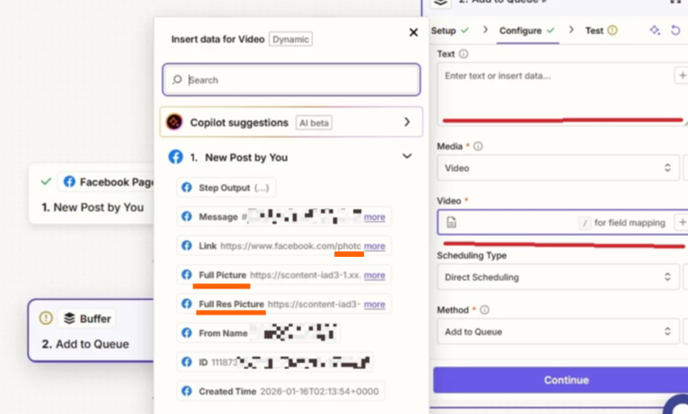
Hmm, I’m not sure I agree with the AI assistant on that. The issue seems to be more that a link to a video file isn’t output by the Facebook Pages trigger so you can’t select that in the Buffer action. 

I say that as it looks like the test record in your screenshot might be for a image post rather than a video post:

6261a534240aecd1b6272574a93bee4f.png

If it’s videos you’re wanting to publish on TikTok, then in Test section of the Facebook Pages trigger you’d need to select a different test record or, load in a new one. The test record should be one that’s specifically for a video that you’ve posted. Check out our Test triggers guide for more details on how to change the test record. 

That should then allow you to see whether any of the fields contains a link to the video that you can then use for the Video field on the Buffer action. 

Can you give that a try, and let me know if you’re able to see a link to the video in the new test record?