Question

Unable to add new records in Clay.com when a new message comes in a channel in Slack.

  • April 10, 2024
  • 7 replies
  • 64 views

I created two zaps to connect Slack and Clay.com. 

Trigger: When a new message comes in a channel
Action: Add a new record in clay

It was initially working (yesterday), but not it is not automatically working. I am able to do manual transfers

This post has been closed for comments. Please create a new post if you need help or have a question about this topic.


7 replies

Troy Tessalone
Zapier Orchestrator & Solution Partner
Forum|alt.badge.img+14
  • Zapier Orchestrator & Solution Partner
  • April 10, 2024

Hi @Erik Runbeck 

Check your Zap Runs history for activity/errors: https://zapier.com/app/history/


No error in history


Troy Tessalone
Zapier Orchestrator & Solution Partner
Forum|alt.badge.img+14
  • Zapier Orchestrator & Solution Partner
  • April 10, 2024

@Erik Runbeck 

Is there Zap Run history?

If yes, then you can view the details for a Zap Run to see the DATA IN/OUT for each step to help you trace the data flow to troubleshoot.

Slack Status page: https://slack-status.com/


Attaching a screenshot of my Zap history, there is no error in that. All the zaps listed in the history is a result of the manual transfer I did.


ken.a
Forum|alt.badge.img+6
  • Zapier Staff
  • April 11, 2024

Hi there @Erik Runbeck,

Before we dig deeper into this, could you please confirm if the Slack channel selected in the trigger is a public channel?

I'll be keeping an eye out for your response!


Forum|alt.badge.img

came across this and down see a resolution. I hav the same issue. zap was working (google sheet) but now its not, however I can manually transfer data. can't seem to find a solutions. 


ken.a
Forum|alt.badge.img+6
  • Zapier Staff
  • July 2, 2024

Hi @pristine clean,

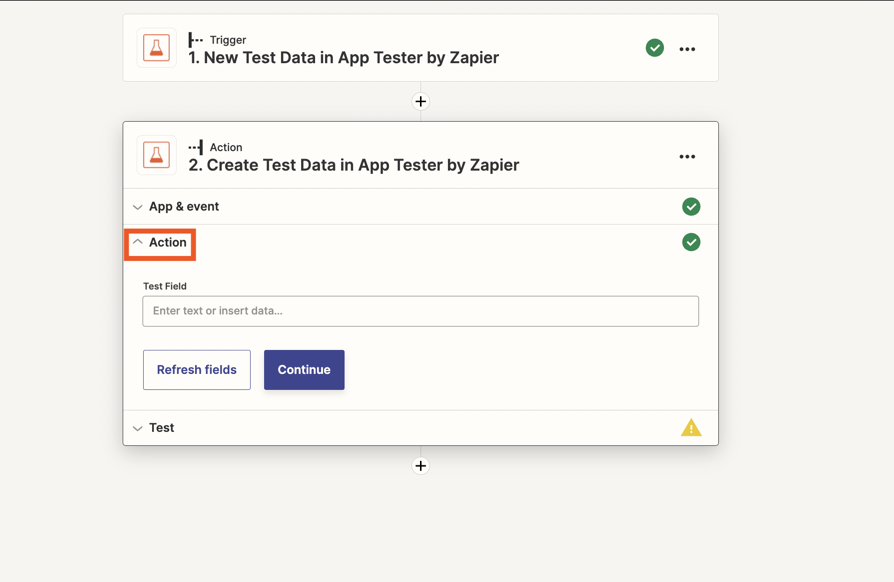
Before we dig deeper into this, would you mind sharing a detailed screenshot of how your Zap is configured? Also, please share a screenshot of the “Action” section of the action step that shows all of its fields. Like so:

46dd6c0979e3d815d621b8da43084ef1.png
(view larger)

Please don't include personal information in the screenshot, or be sure blur out any personal information.

Thanks!