Answer

Unable to add my Instagram for Business to Zapier.

  • February 16, 2024
  • 13 replies
  • 375 views

This post has been edited by a moderator to remove personal information. Please remember that this is a public forum and to remove any sensitive information prior to posting.

Hello Kind Zapier Support Team!


I been now trying in every imagined way to connect My instagram business accounts to zapier and till now, Zapier cannot detetct any of my Instagram for business accounts.


What I already Tried:

  -Facebook → Apps and websites  (not solving the problem)
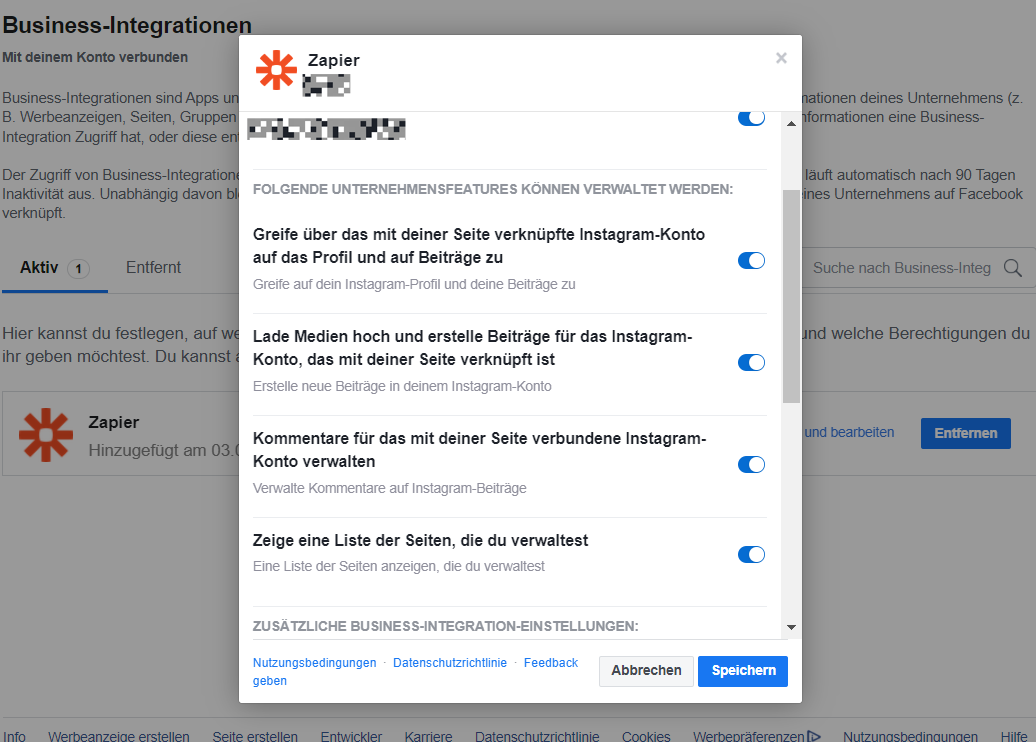


 - Then I tried it with open the Facebook Business suite and Allow it manually to connect with zapier 

      and this still didn’t solve the Problem. 

I cannot add picture, but it won’t even show in Meta business suite → Integrated apps. section.


I believe That the problem is issud by the meta business manager, But ofc i am now here to depend on the Zapier staff and I will hope that They will help me.


 

Best answer by ken.a

Hi @bdalziel,

You can use the Instagram account ID as a custom value in the “Instagram Account to Use” field as a workaround.

Kindly give it a try and let me know how it goes? I'll keep an eye out for your response!

This post has been closed for comments. Please create a new post if you need help or have a question about this topic.

13 replies

ken.a
Forum|alt.badge.img+6
  • Zapier Staff
  • February 19, 2024

Hi @Saed,

Welcome to the Community! 🎉

Before we dig deeper into this, could you please try reconnecting your Instagram for Business account here: https://zapier.com/app/connections/instagram-for-business

After that, please check if it’ll load your Instagram page in the “Instagram Account to Use” field.

Kindly give it a try and let me know how it goes? I'll keep an eye out for your response!


  • New
  • March 15, 2024

Hello, I have the exact same problem


ken.a
Forum|alt.badge.img+6
  • Zapier Staff
  • March 18, 2024

Hi @ivan_corr,

The first step to resolve this would be to check all permissions are right for the account, that it's a business account connected, and that you don't have more than 25 Facebook pages connected to the account.

If all of the above is in line, this issue can usually be solved by reconnecting the Instagram account to Zapier (in private browsing).

Hopefully, this helps!


I don’t think support is understanding the problem. We CANNOT check the permissions first, because the page isn’t listed in the first place. That’s the problem, zapier opens a pop-up and facebook is asking what pages to let zapier manage, but the IG account isn’t there. I’ve deleted all access, then literally get verified on IG and do it again but it still isn’t listed. Can you help?


SamB
Community Manager
Forum|alt.badge.img+11
  • Community Manager
  • June 20, 2024

Hey folks 👋

Just came across this thread and wanted to check in to see how everyone is getting on with this? 

If you’re still having some trouble can you check whether the account you’re attempting to connect is a Business Instagram Account (Creator accounts aren’t supported) and that the connected user for that account is either an Editor or Admin for the page that’s currently missing? 

If that’s the case, then you’ll want to ensure that Zapier has been granted all the necessary permissions in Facebook here: https://www.facebook.com/settings?tab=business_tools&ref=settings

If the correct permissions are already granted and the page still isn’t appearing then you may need to remove Zapier’s existing access and before re-attempting to add the Instagram for Business Account. You can remove it from the list of business integrations on your account. Please note it can take up to 12 hours for this connection to be removed.

Keen to help get this sorted so please do keep us updated on how things are progressing!


  • New
  • October 2, 2024

Hey @SamB - something is off for both the Instagram for Business and Facebook Pages app connections.

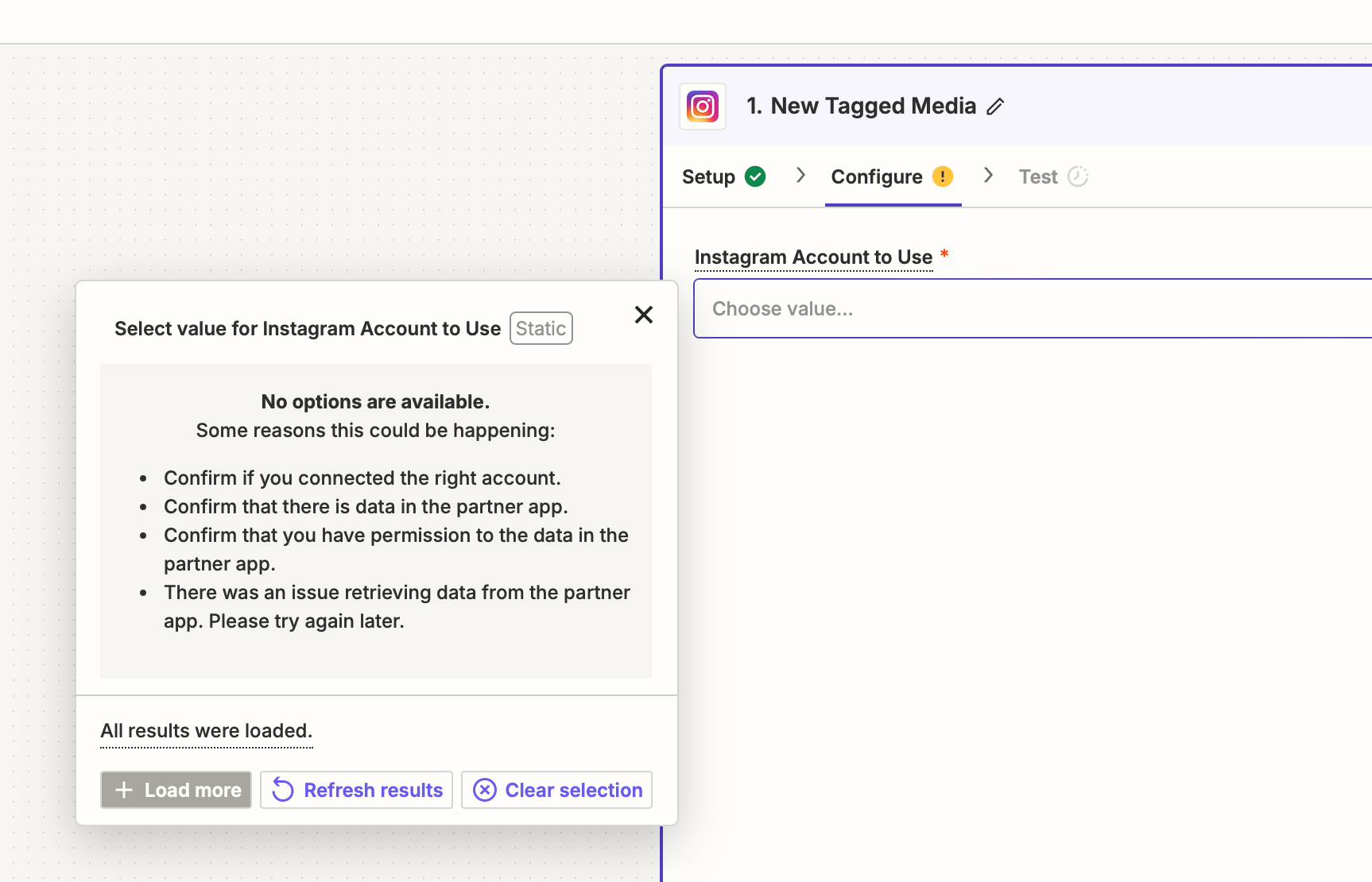
  • Instagram for Business: Connection is successful, but “Instagram Account to Use” is empty


No amount of reconnecting, or settings configuration is resolving this. I had a similar problem with the Facebook Pages app, but the workaround of manually (statically) entering a numeric Page ID worked for me. There is no such workaround here for the Instagram for Business integration, as far as I'm aware.


After having straight forward success with Google Sheets, Slack, Webhooks, etc. I figured social integrations would be just as straight forward. Based on the community posts - there are gotchas with the integration (most likely on the Meta side) which are making the Zapier experience suck. Hope you can shed some light on this.


(I will add that the standard Zapier Instagram app connection functions without issue, using the same meta/IG account)


Thanks


ken.a
Forum|alt.badge.img+6
  • Zapier Staff
  • Answer
  • October 3, 2024

Hi @bdalziel,

You can use the Instagram account ID as a custom value in the “Instagram Account to Use” field as a workaround.

Kindly give it a try and let me know how it goes? I'll keep an eye out for your response!


  • New
  • October 3, 2024

Confirmed @ken.a - that works! thank you for the response.

I used this to find my Instagram Business Account ID: https://docs.matillion.com/metl/docs/6957316/


ken.a
Forum|alt.badge.img+6
  • Zapier Staff
  • October 4, 2024

That’s great news @bdalziel

If you have any other questions, please don’t hesitate to reach out to the Community. We’re always happy to help! 🤗


  • New
  • November 28, 2024

Was facing same problem. thank you .


JammerS
Forum|alt.badge.img+6
  • Zapier Staff
  • November 29, 2024

Hi ​@ilan316,


Have you tried the work around that ​@ken.a posted? Let us know if that works for you. Thank you.


  • New
  • November 29, 2024

Yes worked.

😣 unfortunately i had to spend hours to figure out the problem, until i understood its a zapier side problem.


JammerS
Forum|alt.badge.img+6
  • Zapier Staff
  • December 3, 2024

Hi ​@ilan316,


We sincerely apologize for the inconvenience. Glad it work out fine. Thank you.