Question

Unable to access fields in both old and new Zapier editors.

  • August 31, 2023
  • 16 replies
  • 172 views

Forum|alt.badge.img+3

Zapier is very messed up tonight!!
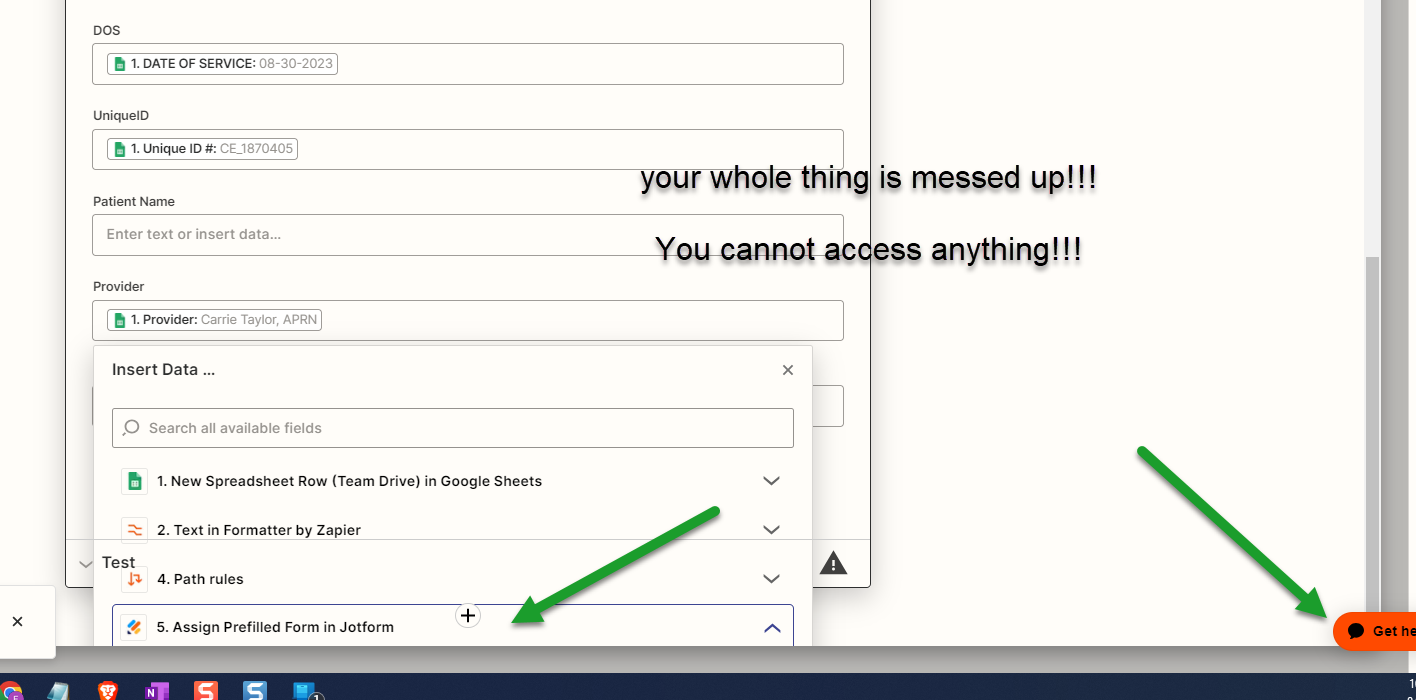
 

I post this in here because I am very tired with waiting 48 hours for customer service. The problem is that you cannot access the fields whether in the old editor or new visual editor.  In particular, when you get to the bottom of the form/ editor.

Help! 

Insights? 


gml

This post has been closed for comments. Please create a new post if you need help or have a question about this topic.

16 replies

Joshrcm
  • New
  • August 31, 2023

Following. Same issue.


Forum|alt.badge.img+3
  • Author
  • Beginner
  • August 31, 2023

yes. annoying!!


ken.a
Forum|alt.badge.img+6
  • Zapier Staff
  • August 31, 2023

Hi friends @blueguy and @Joshrcm,

I apologize for the difficulties you faced while mapping fields in your Zap. The good news is we've identified and rectified the issue in the Zap Editor. You should be able to select fields from the dropdowns smoothly now.

Should you encounter any more issues, please contact us directly at: https://zapier.com/app/get-help


This does seem very buggy - I’m trying to set up a step to write to Salesforce and I can’t select fields - I can see them and point to them but can’t enter anything.


Seeing same issue - visual editor doesn’t allow selecting of custom fields if the field requires you to scroll the editor. Selecting “Custom” tab causes auto scrolling to the top.. impossible to select anything. I’ve tried on Chrome, Firefox and Safari.. all the same story. Please fix!


Troy Tessalone
Zapier Orchestrator & Solution Partner
Forum|alt.badge.img+14
  • Zapier Orchestrator & Solution Partner
  • November 9, 2023

Hi @Brendan Mart and @PeteTheProcessGuy 

I’ve experienced recent issues with Zap Editor.

I anticipate those are temporary and will be addressed soon.


  • New
  • November 9, 2023

What are we meant to do here? I cant map any fields. I have tried to zoom out but when I click the field to map it I cant select options. Support have said they know of the issue but dont know when it will be fixed. This is critical. i cant use or edit my zaps!!!


Troy Tessalone
Zapier Orchestrator & Solution Partner
Forum|alt.badge.img+14
  • Zapier Orchestrator & Solution Partner
  • November 9, 2023

@jpearsoncss 

The Zapier team is aware and working a fix, so you’ll need to be patient for a resolution.


Following this thread currently as this is currently affecting our Zap Editor as well

Any custom field clicked into will send the scroll bar to the top of the page, making it impossible to create/edit Zaps


@Troy Tessalone This is a debilitating issue for me. Are you aware of any sort of workarounds that a user can utilize to stop the window from auto-scrolling to the top until a fix is in place?


Troy Tessalone
Zapier Orchestrator & Solution Partner
Forum|alt.badge.img+14
  • Zapier Orchestrator & Solution Partner
  • November 9, 2023

@SLO Partners 

You can try using new/different private browsers, but I’ve seen reports that only helps a bit.


  • November 9, 2023

Very eager to see this resolved after battling it all day. I’ve tried logging in/out, cache clearing, Incognito, other browsers, other devices, recreating Zaps—nothing works.


Troy Tessalone
Zapier Orchestrator & Solution Partner
Forum|alt.badge.img+14
  • Zapier Orchestrator & Solution Partner
  • November 9, 2023

@wNutt 

Zapier will likely sent out a notice when the issue is resolved, so for now...patience.


JoseMendioroz
Forum|alt.badge.img

@wNutt

Zapier will likely sent out a notice when the issue is resolved, so for now...patience.

Today I can’t even open a single Zap in the editor.

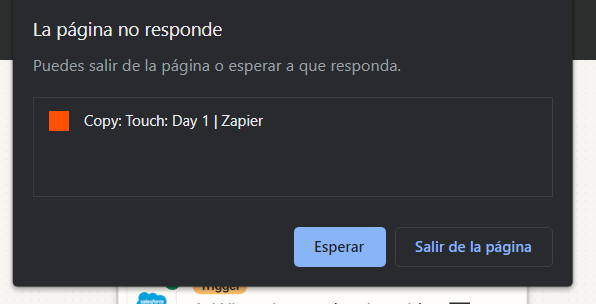
When I do, it stays loading forever, I even get the pop-up window to either “Wait” or “Exit Page”

(using Edge - Version 119.0.2151.58)


JoseMendioroz
Forum|alt.badge.img

@wNutt

Zapier will likely sent out a notice when the issue is resolved, so for now...patience.

Today I can’t even open a single Zap in the editor.

When I do, it stays loading forever, I even get the pop-up window to either “Wait” or “Exit Page”

(using Edge - Version 119.0.2151.58)

Same thing with Chrome Version 110.0.5481.178


Troy Tessalone
Zapier Orchestrator & Solution Partner
Forum|alt.badge.img+14
  • Zapier Orchestrator & Solution Partner
  • November 14, 2023

Hi @JoseMendioroz 

It would be best to report this via a ticket to Zapier Support: https://zapier.com/app/get-help