Best answer

Trying to send sms for missed calls

  • February 11, 2026
  • 7 replies
  • 21 views

Forum|alt.badge.img

Currently trying to like my twilio and zapier together as twilio is where I got my number from and I have made the first zap so that for every missed new call, it should send an sms. I have tested it but got no results when I actually got the number tested. At first the number was added to hubspot as a deal but I deleted it to try and reset it but still no progress with that.

Best answer by Dammy

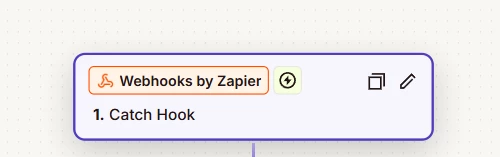
In my case, the fix might not apply to everyone because I’m using Twilio to get my virtual number, and the way things are set up on Twilio’s side affects how everything works in Zapier. On the Zapier side specifically, I originally tried to avoid using any premium features, which is why I ran into issues earlier. I eventually had to use Webhooks by Zapier instead of connecting the Twilio app directly, so I could properly catch the webhook that’s linked to my Twilio number. Hope this helps and if there is need for how to link with the twilio side as well, more than happy to explain.😊


7 replies

Troy Tessalone
Zapier Orchestrator & Solution Partner
Forum|alt.badge.img+14
  • Zapier Orchestrator & Solution Partner
  • February 11, 2026

Hi ​@Dammy 

For us to have more info, post screenshots showing how your Zap steps are configured in the CONFIGURE tab while in EDIT mode.


TIP: Make sure to update the HubSpot steps to the current HubSpot app version.


Sparsh from Automation Jinn
Forum|alt.badge.img+6

Hey ​@Dammy,

For live zaps, it’s better to see to see the Zap history(https://zapier.com/app/history) to see any issues there.

Check the filter is letting your Zap continue when you are checking for No Answer. Please note that Zapier contains is case sensitive. You may want to change the value to no-answer in the filter to see if it fixes your issue.

If it’s still not fixed, you have to see in the history and find out the action where it’s going wrong. Hope it helps!

PS: If you need more active help, I’m happy to connect through my Zapier Solution Partner page if you’d like to reach out here- https://zapier.com/partnerdirectory/automation-jinn


SamB
Community Manager
Forum|alt.badge.img+11
  • Community Manager
  • February 17, 2026

Hi there ​@Dammy! 👋 Were you able to get it working by updating the Zap to use the latest version of the HubSpot app? Or did updating the value that filter was checking for fix it?

Let us know how it went. Happy to lend a hand if you could do with some more help with this 🙂


Forum|alt.badge.img
  • Author
  • Beginner
  • February 20, 2026

Fixed it, Thanks for all the help 


SamB
Community Manager
Forum|alt.badge.img+11
  • Community Manager
  • February 23, 2026

Yay! 🎉 That’s great news ​@Dammy, I’m so glad you got it sorted.

If you have a minute, would you mind sharing what the fix was? It could really help out others who come across this in the future. 🙏


Forum|alt.badge.img
  • Author
  • Beginner
  • Answer
  • February 23, 2026

In my case, the fix might not apply to everyone because I’m using Twilio to get my virtual number, and the way things are set up on Twilio’s side affects how everything works in Zapier. On the Zapier side specifically, I originally tried to avoid using any premium features, which is why I ran into issues earlier. I eventually had to use Webhooks by Zapier instead of connecting the Twilio app directly, so I could properly catch the webhook that’s linked to my Twilio number. Hope this helps and if there is need for how to link with the twilio side as well, more than happy to explain.😊


SamB
Community Manager
Forum|alt.badge.img+11
  • Community Manager
  • February 24, 2026

Thanks so much for coming back to share that info ​@Dammy, really appreciate it! 🤗 Really useful to know that you resolved it by using Webhooks by Zapier instead of the Twilio app to catch the webhook that’s linked to your virtual number. Definitely something that may help others in a similar situation. Thanks again, and happy Zapping! 😁⚡