Question

Troubleshooting Ticket Tailor to Klaviyo profile mapping issues

  • June 15, 2026
  • 9 replies
  • 33 views

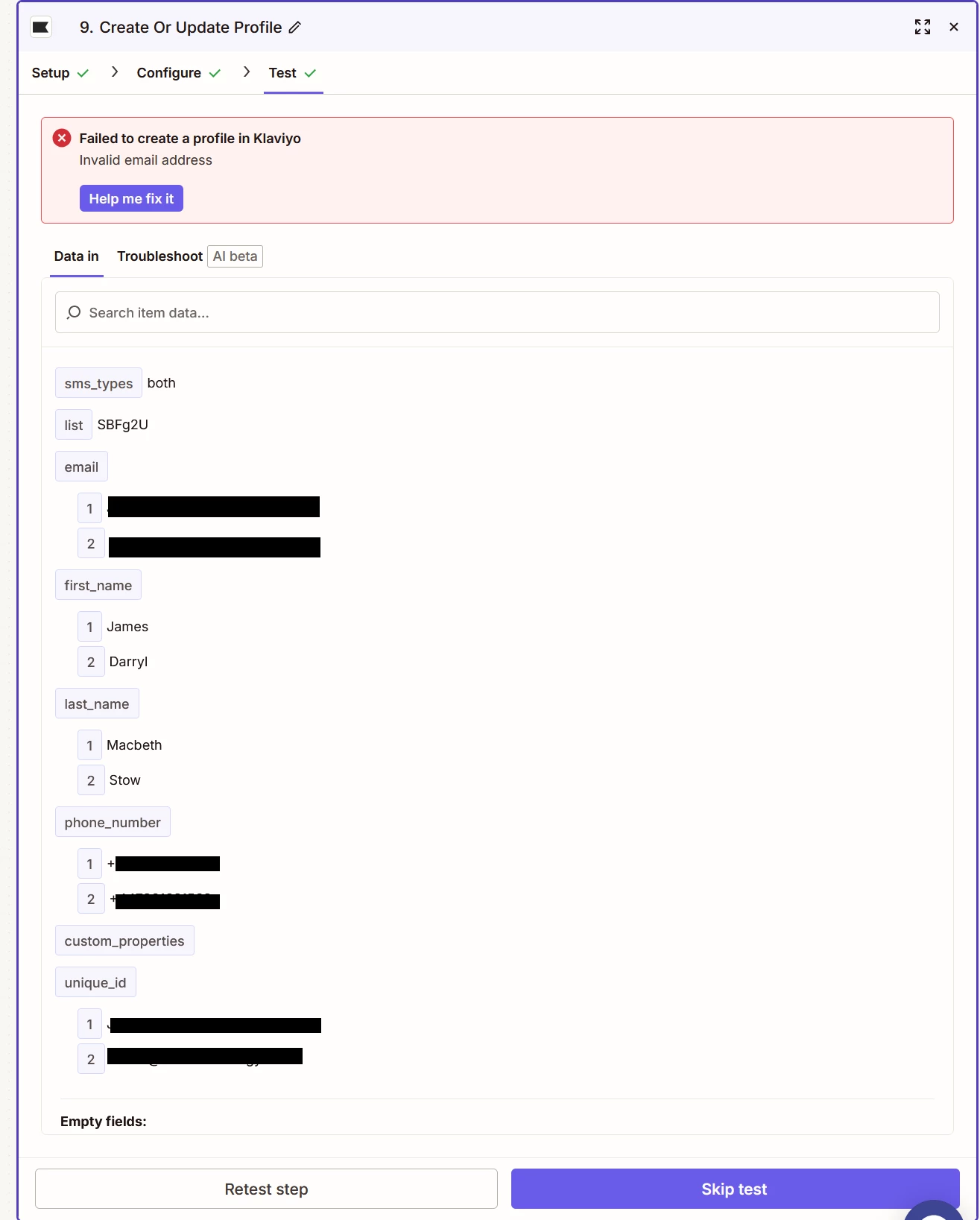
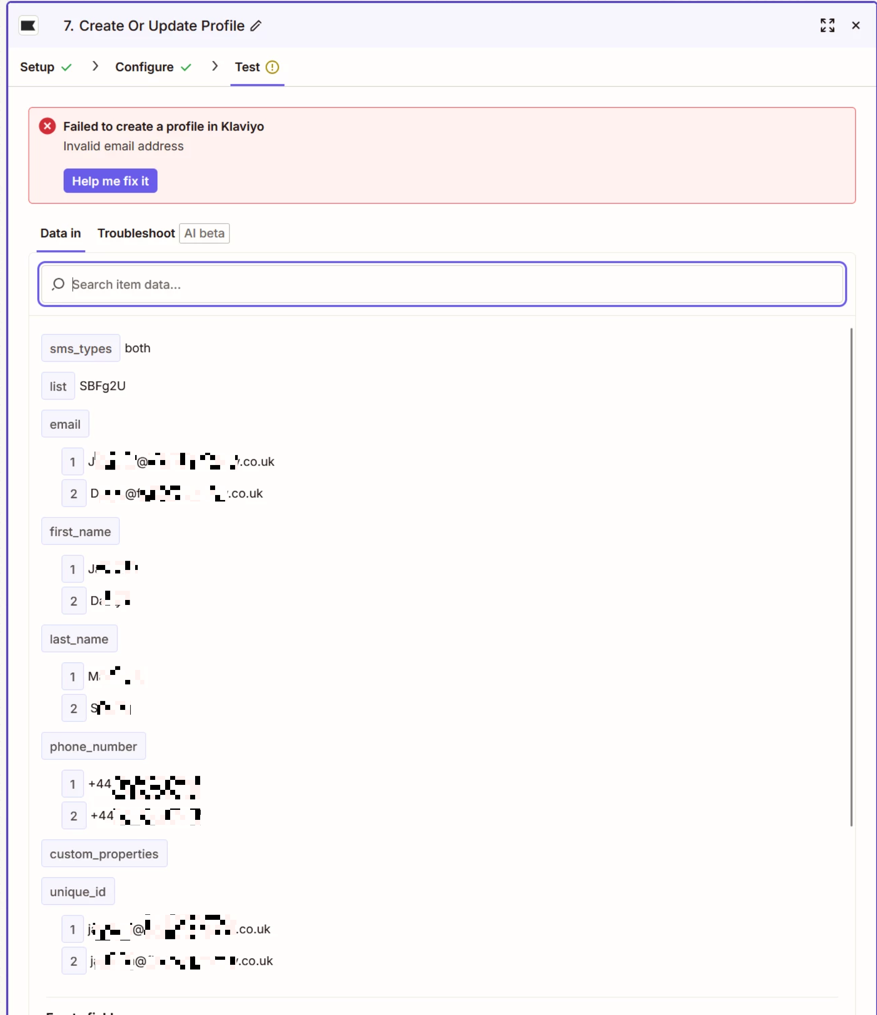
I am trying to get a list of issued tickets from a single order from Ticket Tailor to map to Klaviyo.  I have got the information being output to a Google Sheet in the correct format so I know the output is as expected, however, when I try to map this to Klaviyo is keeps coming back with Failed to create a profile in Klaviyo Invalid email address.

I have tried looping but that didn’t work either.  I really can’t see where the problem lies.  Any suggestions or advice would be appreciated.


This post has been edited by a moderator to remove personally identifiable information (PII). Please remember that this is a public forum and avoid sharing personal or potentially sensitive details.


9 replies

Troy Tessalone
Zapier Orchestrator & Solution Partner
Forum|alt.badge.img+14
  • Zapier Orchestrator & Solution Partner
  • June 15, 2026

Hi ​@boomerang65 

Based on the screenshot, it looks like there are multiple email addresses.

Each Klaviyo Profile has 1 email address.

Before the Klaviyo step, add this Zap action: Looping - Create Loop from Line Item

Map data into the Looping step, then out from the looping step to the Klaviyo step.

Help links for using Looping: https://zapier.com/apps/looping/integrations#help


Forum|alt.badge.img

Hi ​@boomerang65, Has this been resolved yet?

If not, My first guess is that the issue isn't the loop but the email value being passed to Klaviyo. Even if the Sheet looks correct, there could be hidden spaces, empty values, or formatting issues causing Klaviyo to reject it.

I'd inspect the exact email value in the Klaviyo step's test data.

If you'd like another set of eyes on it, happy to help:
—link removed by moderator--

This post has been edited by a moderator to remove self-promotional calendar booking link as per our Community Code of Conduct.


  • Author
  • New
  • June 15, 2026

Hi ​@Emmanuel olorunmuyiwa I did try filtering to remove whitespace on the email as that was my thought process to but that didn’t fix the issue either.


  • Author
  • New
  • June 15, 2026

Hi ​@boomerang65 

Based on the screenshot, it looks like there are multiple email addresses.

Each Klaviyo Profile has 1 email address.

Before the Klaviyo step, add this Zap action: Looping - Create Loop from Line Item

Map data into the Looping step, then out from the looping step to the Klaviyo step.

Help links for using Looping: https://zapier.com/apps/looping/integrations#help

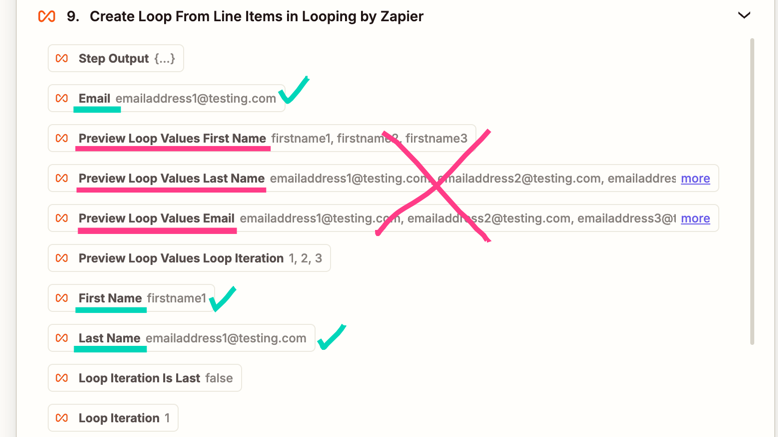
Hi ​@Troy Tessalone I do have a looping step and it is mapped from the looping output but again still no joy,


Troy Tessalone
Zapier Orchestrator & Solution Partner
Forum|alt.badge.img+14
  • Zapier Orchestrator & Solution Partner
  • June 15, 2026

@boomerang65 

For us to have true context, post screenshots showing how your Zap steps are outlined and configured in the CONFIGURE tab while in EDIT mode with the field mappings visible.

If you configured the Looping step correctly and the mapping to the Klaviyo step, then only 1 email would be sent to Klaviyo per loop iteration.


Forum|alt.badge.img

Hi ​@boomerang65

Thanks for checking that.

At that point, I'd be curious to see the actual value being sent to Klaviyo and the exact error details, as it sounds like something more subtle than whitespace.

Rather than going back and forth in the thread, feel free to reach out on WhatsApp at +XXX XXX XXX XXXX if you'd like. I'm happy to take a quick look and see if we can pinpoint it together.


This post has been edited by a moderator to remove personal contact information. Per our Community Code of Conduct, please keep conversations in the community so that everyone can benefit.


Forum|alt.badge.img

Since Klaviyo is rejecting the email field, I would debug the exact value that reaches the Klaviyo step, not only the value that looks correct in Google Sheets.


I would check this in order:

1. In the Looping step output, confirm that each loop iteration contains exactly one email address, not a comma-separated/list value.

2. Add a Formatter -> Text -> Trim step after the loop, then map that trimmed output to Klaviyo.

3. Add a temporary Filter before Klaviyo: continue only if the loop email contains `@` and does not contain a comma, semicolon, or line break.

4. In the Klaviyo test data, inspect the mapped email field from the current loop iteration. If it still shows multiple emails, the Klaviyo step is mapped from the original Sheet line item instead of the Looping output.

5. If a ticket order can include attendees without email addresses, add a path/filter to skip blank email rows and log them separately.


No personal email addresses need to be posted publicly. A redacted screenshot showing the Looping output field name and the Klaviyo mapped field is enough.


Forum|alt.badge.img

Hi ​@Emmanuel olorunmuyiwa I did try filtering to remove whitespace on the email as that was my thought process to but that didn’t fix the issue either.


Hi ​@boomerang65

Thanks for checking that.

At that point, I'd be curious to see the actual value being sent to Klaviyo and the exact error details, as it sounds like something more subtle than whitespace.

Rather than going back and forth in the thread, feel free to schedule a quick troubleshooting call here and I'll be happy to take a look with you:

--link removed by moderator--

This post has been edited by a moderator to remove self-promotional calendar booking link as per our Community Code of Conduct.


  • Author
  • New
  • June 16, 2026

OK by way of an update.  The zap works with just a single ticket purchase so I know that configuration to Klaviyo is correct.  Its when its two or more, and looking out the output it doesn’t appear to be separate the looping iterations.  I feel I am close though.