Question

Troubleshooting invoice amount formatting in Google Sheets from Simplybook invoices

  • May 3, 2026
  • 5 replies
  • 46 views

I’ve made a zap: for each new invoice generated on simplybook, add a row in a Google Sheet.

It works but I’ve problems with the format of the invoice amount: 15€ become 15.00.00, 120€ became 120:00.00.00 and I can’t use those data because Google sheets doesn’t recognise them as numbers.

Has anyone found a solution? 

Thank you

5 replies

Forum|alt.badge.img+3
  • Zapier Solution Partner
  • May 4, 2026

Hi ​@Invexendo 

Add a Formatter step between Simplybook and Google Sheets.

If your invoice amount includes € symbol

Then do this: Use Format Currency instead.

  • Formatter step → Numbers → Transform: Format Currency

  • Currency: Euro

  • Locale: Your country (e.g., de-DEfr-FRen-IE)

  • To Format: Select preferred display (e.g., €1,234.56)

This will clean 15.00.00€ → €15.00 as a proper number Google Sheets recognizes.

Hope this helps you get it sorted!

If you're still running into issues, drop a screenshot of the error and a quick description of what your Zap is doing, happy to take a look!

And if you'd rather just get it sorted quickly, I offer a free 20-min Zapier troubleshooting call. Book it under Resources on my Zapier Directory profile: https://zapier.com/partnerdirectory/automatemybiz

!-->


Troy Tessalone
Zapier Orchestrator & Solution Partner
Forum|alt.badge.img+14
  • Zapier Orchestrator & Solution Partner
  • May 4, 2026

Hi ​@Invexendo 

For us to have more info, post screenshots showing how your Zap steps are outlined/configured along with how your GSheet top 3 rows are configured.


This looks like Zapier/Sheets is treating the euro amount as a time or locale-formatted value. I’d add a Formatter step before Sheets: convert to text, strip the € symbol and any spaces, replace comma/decimal separators consistently, then send the cleaned number into a plain-number column. Also check the Google Sheet column format isn’t set to Duration or Time.


SamB
Community Manager
Forum|alt.badge.img+11
  • Community Manager
  • May 8, 2026

Hey there ​@Invexendo 👋

If SimplyBook is sending the amounts over as 15.00.00 and 120:00.00.00 then I’d recommend reaching out to our Support team to have that investigated in case it’s due to a bug.

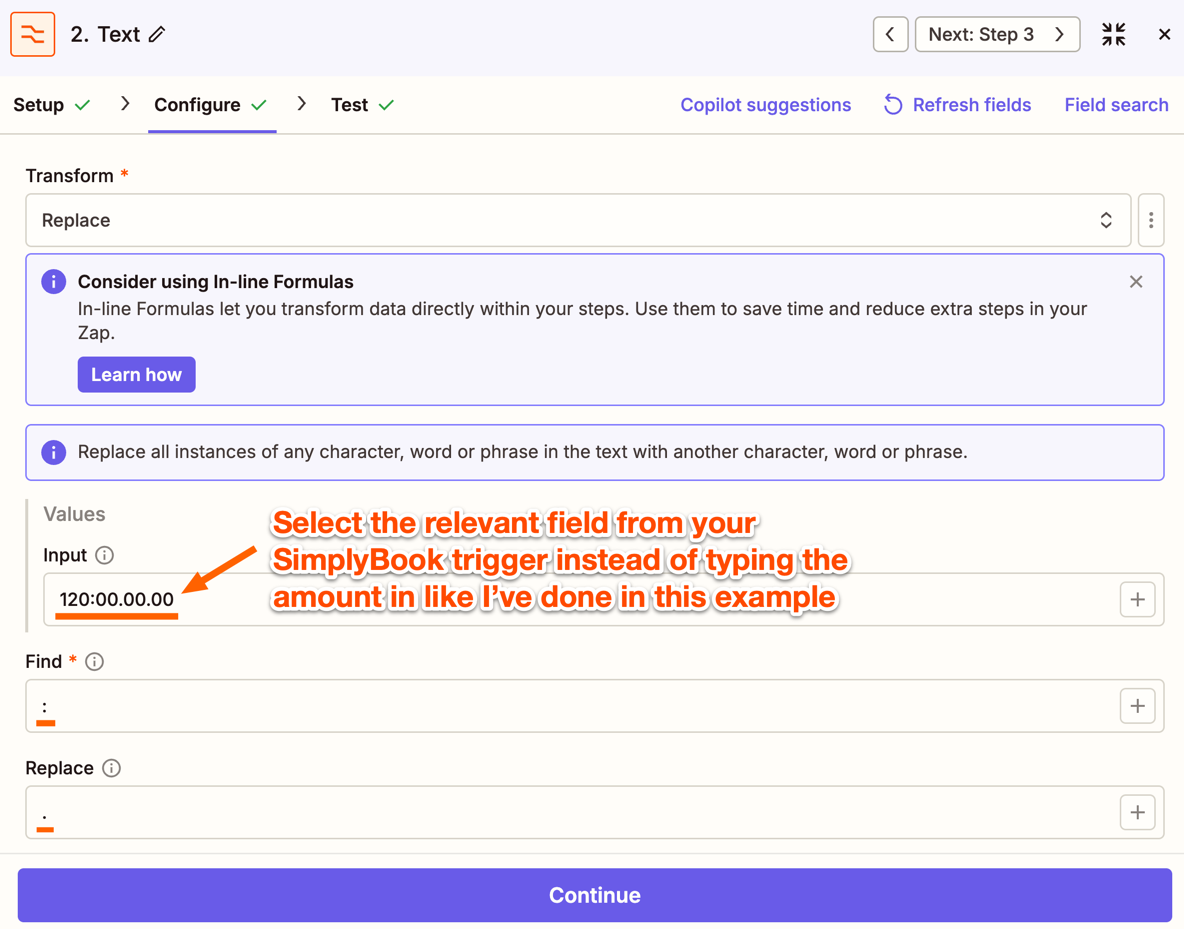
In the meantime, I think you’d need to use two Formatter actions to get the amount converted correctly. I don’t think a Formatter (Numbers > Format Currency) action would be able to convert the amounts correctly since it would expect to be receiving a number in a currency format not a time format to begin with. So you’d need one Formatter (Text > Replace) action to replace the colons (:) in larger amounts with a period (.).

For example:
5480b69e6c727ccd047a18c39a6baa0a.png
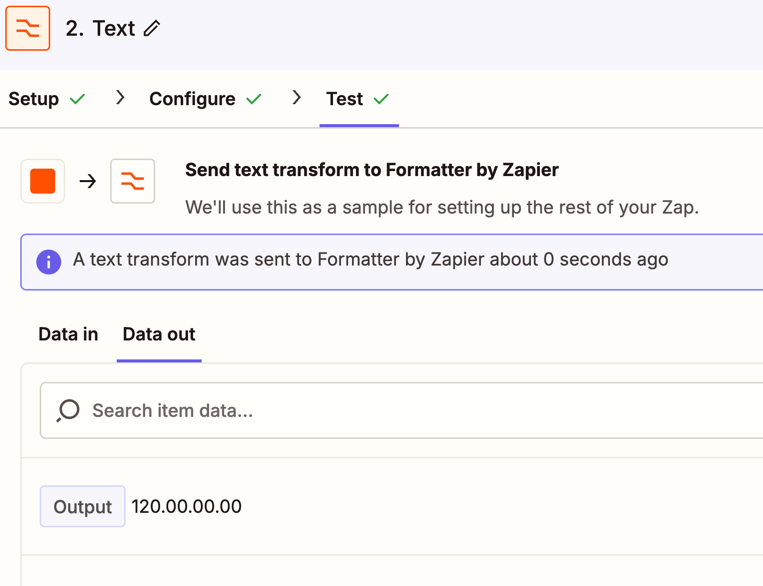
This would convert amounts like 120:00.00.00 into 120.00.00.00:
b0193516d25dc07a0fce0951ac866461.png
 

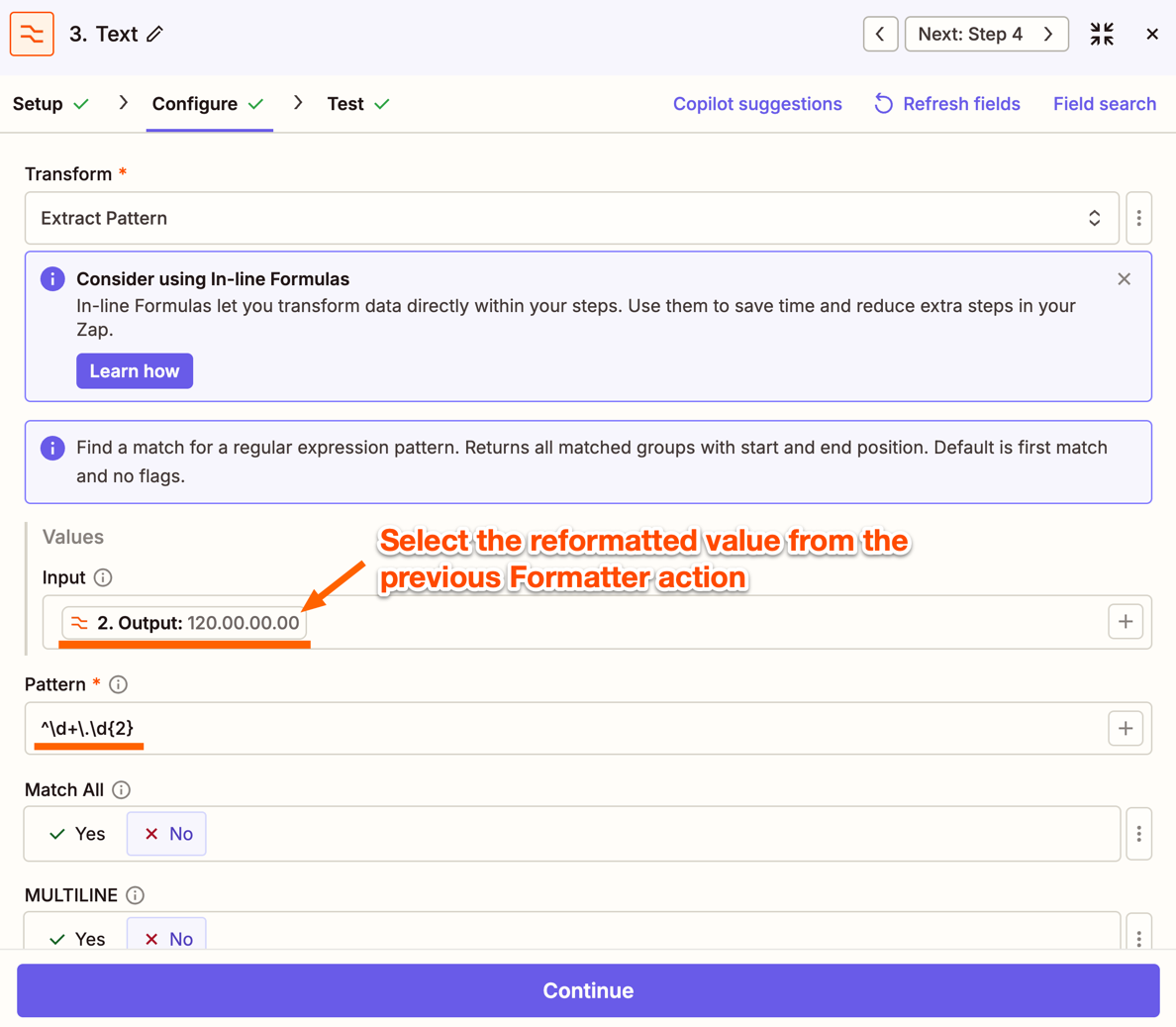
Then you’d have a second Formatter (Text > Extract Pattern) action to extract the the number up to two decimal places. Use ^\d+\.\d{2} in the Pattern field like so: 
7108880d6c19714276a8bc7e1a452f85.png
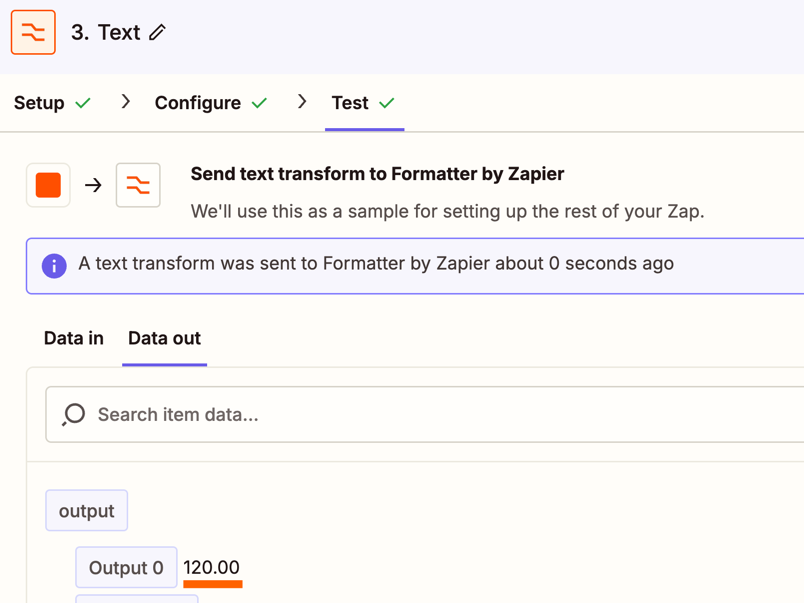
And that should output the value to two decimal places e.g. 120.00.00.00 becomes 120.00:
8756247f68b39b4ec6d64864d2b8bd66.png

Then in your Google Sheets action you’ll select the value output by that second Formatter action.

Let us know how it goes! 🙂


Forum|alt.badge.img+3
  • Zapier Solution Partner
  • May 11, 2026

Hey ​@Invexendo, just checking — did any of these fixes do the trick for you?






