[insufficient_quota] You exceeded your current quota, please check your plan and billing details. For more information on this error, read the docs:
If tried everything - OpenAI is payed, Payment is active, reconnect everything, rework everything, Key is working - but still this error comes.
Any body any help or idea?
Best answer by DennisWF
@blacknomb33r a couple of possibilities I can think of:
Your OpenAI account is funded, but the current request would exceed the remaining balance and you don’t have auto top-up enabled
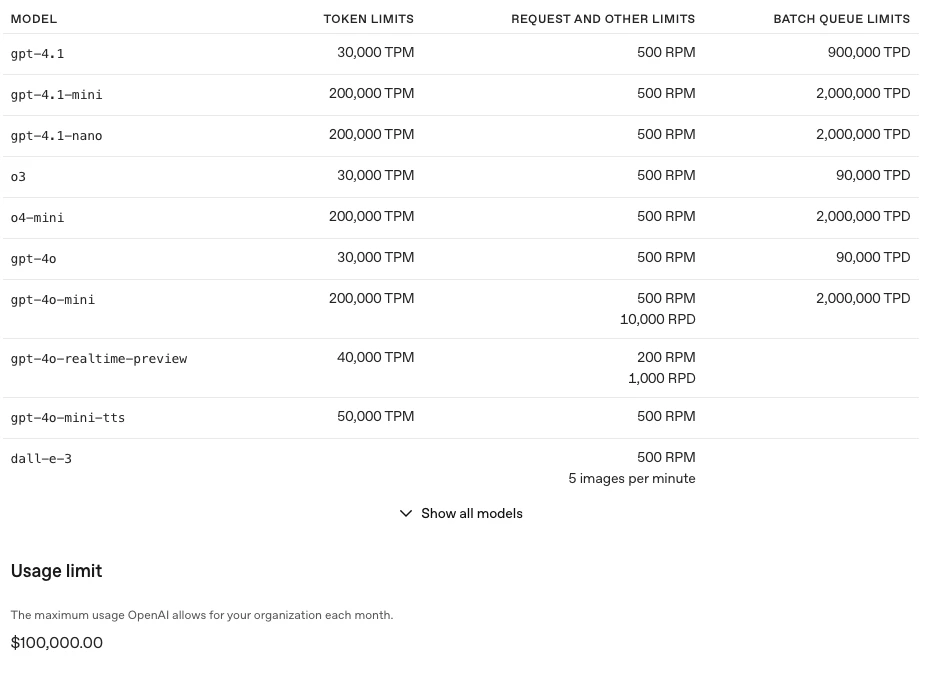
Even if your account is funded and auto top-up is enabled, there are still token and usage limits. I think if it were a token limit issue, you would get a different error message, but you might be hitting the usage limit, which I think you can configure in your OpenAI account settings.
@blacknomb33r a couple of possibilities I can think of:
Your OpenAI account is funded, but the current request would exceed the remaining balance and you don’t have auto top-up enabled
Even if your account is funded and auto top-up is enabled, there are still token and usage limits. I think if it were a token limit issue, you would get a different error message, but you might be hitting the usage limit, which I think you can configure in your OpenAI account settings.
@blacknomb33r great to hear - glad we were able to sort it out!
Early access
Next Gen Zaps
Build and deploy automations from AI tools you already use. With Agentic Management, if anything breaks, the agent diagnoses the issue and proposes a fix.