Question

Troubleshooting blank actions in a Zap between Dubsado and Asana

  • March 11, 2026
  • 6 replies
  • 29 views

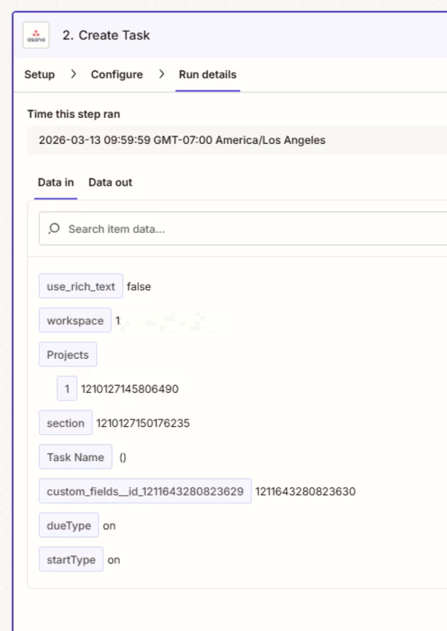
When configuring a Zap and testing fields are setup and completed as they should be. But when the zap runs on it’s own the fields don’t come over. 

Has anyone seen this before?
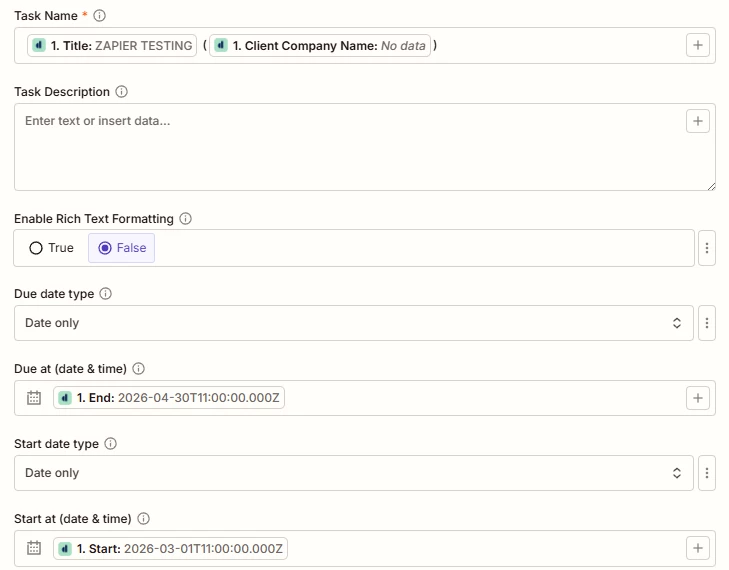
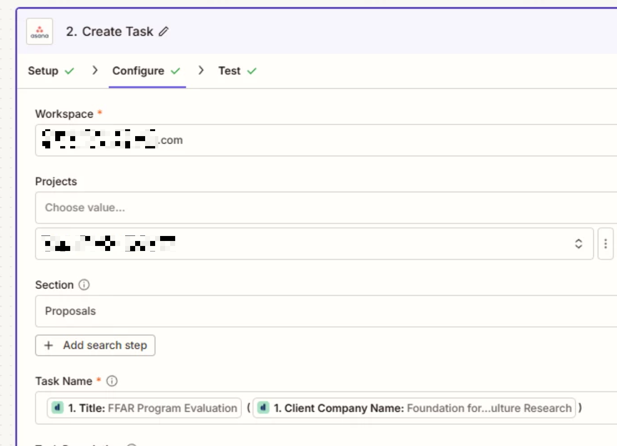
Zap configurations​​​
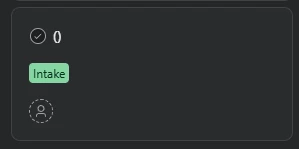
When the Zap runs on its own​​​​​​
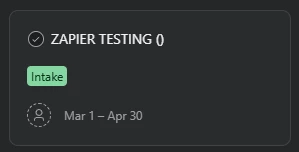
When I test the zap


6 replies

Troy Tessalone
Zapier Orchestrator & Solution Partner
Forum|alt.badge.img+14
  • Zapier Orchestrator & Solution Partner
  • March 11, 2026

Hi ​@BridgepointEvaluations 

Screenshot below shows a variable “Client Company Name” that has a value of “No Data” meaning the variable value is empty/blank/missing/null.


Make sure to test with a Zap trigger example record that has a value for the variable.


How to use a previous Zap Run as a Zap trigger example record to configure Zap action steps: https://help.zapier.com/hc/en-us/articles/35632951078029-Use-previous-Zap-runs-as-trigger-test-records


@Troy Tessalone thanks for pointing that out. So with that one field not having data it fails to add the title when the zap runs on it’s own?


Troy Tessalone
Zapier Orchestrator & Solution Partner
Forum|alt.badge.img+14
  • Zapier Orchestrator & Solution Partner
  • March 12, 2026

@BridgepointEvaluations 

Each time the Zap is triggered to run, it uses the data from that specific record.

So if a record is missing a value for a data point, and that data point is mapped as a variable in a Zap step, then the variable will resolve to nothing during the Zap Run.

In the Zap Run history, you can see the DATA IN/OUT for each step to trace the data flow: https://zapier.com/app/history/


Forum|alt.badge.img+1

Yeah, I’ve seen that happen when the test sample has data, but the live trigger record doesn’t actually contain those same fields.

So the Zap looks fine in setup, but when it runs for real, Asana gets blank values because Dubsado didn’t send anything for those fields on that specific record.

I’d check the actual live trigger data first, especially for the fields showing “No data” in your setup. A lot of the time it’s not the action step breaking it’s the trigger data being empty or different from the test sample.


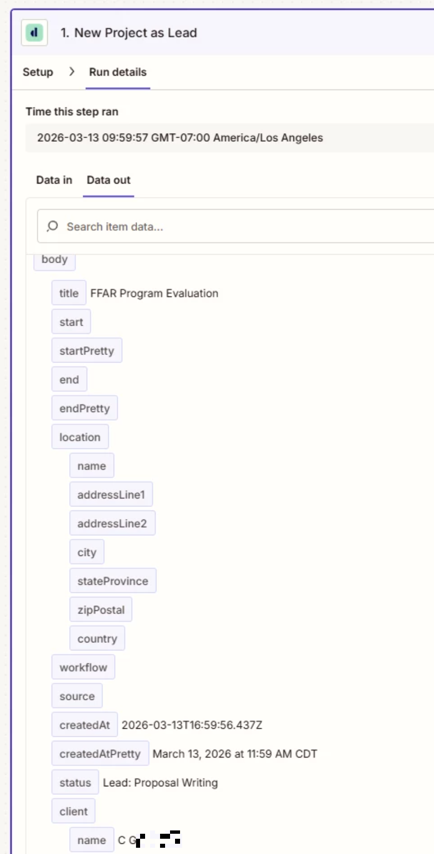
@devtrestllc when I’m looking at the Zap History on a run that happened this morning. It’s showing that there is Data Out from Dubsado but the Data In to Asana is just showing the static text I have. When I use this same data as a test the last picture shows it’s registering the proper fields. 

Is there anything I can do to fix this?


Troy Tessalone
Zapier Orchestrator & Solution Partner
Forum|alt.badge.img+14
  • Zapier Orchestrator & Solution Partner
  • March 13, 2026

@BridgepointEvaluations 

Screenshot from the Zap Run does NOT show a variable for Client Company Name.

Perhaps it is visible if you were to have scrolled down in the DATA OUT for Zap step 1 in the Zap Run history.

If that data point is not returned when the Zap Run, then that explains why there is no value populated in the Asana step for the mapped variable.


The example in the screenshot below will populate both variable values:

  • Title: FFAR Program Evaluation
  • Client Company Name: Foundation for...Research


The variables are mapped correctly.


The issue comes down to whether the data from Dubsado has a data point value at the time when the Zap is triggered to run, which you can see in the Zap Run history details of the DATA IN/OUT: https://zapier.com/app/history/