Question

Troubleshooting a Gmail label trigger in Zapier

  • June 15, 2026
  • 5 replies
  • 28 views

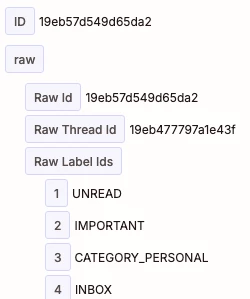
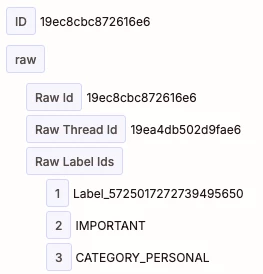
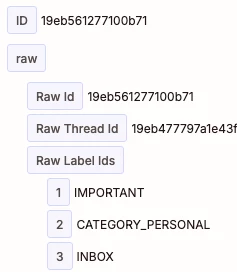
I have a zap that has been working really well on a label in gmail and running the steps, here’s an example from the Data out part of the zap run where it triggered on Label_5725017272739495650;
 

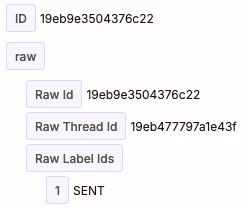
However the same zap is triggering on emails that are clearly not attached to that label and are still in the inbox. I have confirmed with the user that they never attached these to the label as well;
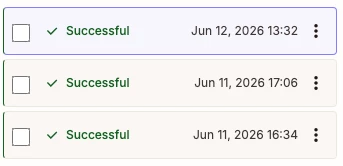
 

This is part of the zap that shows the flow;
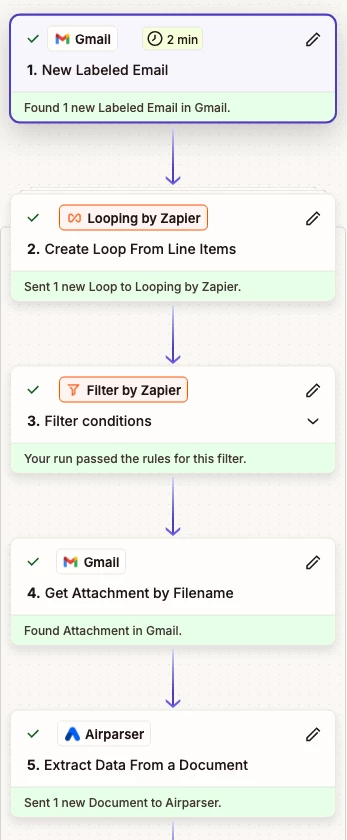
 

Basically I cannot determine why these are being picked up when they are not even having the labels attached.


5 replies

Troy Tessalone
Zapier Orchestrator & Solution Partner
Forum|alt.badge.img+14
  • Zapier Orchestrator & Solution Partner
  • June 15, 2026

Hi ​@MarkW 

Add a Filter as Zap step 2 that checks the Gmail Label exists.

Filter help: https://zapier.com/apps/filter/integrations#help


  • Author
  • Beginner
  • June 15, 2026

Thanks, will give that a go!


However to me that defeats the purpose of only checking against a certain label, and adds another billed step into the flow. It’s frustrating that getting actual support from the company you are paying is so hard to do.


Troy Tessalone
Zapier Orchestrator & Solution Partner
Forum|alt.badge.img+14
  • Zapier Orchestrator & Solution Partner
  • June 15, 2026

@MarkW 

Filter steps count as 0 Tasks in Zap Runs.


Help link that covers which native Zap apps count as 0 Tasks in Zap Runs: https://help.zapier.com/hc/en-us/articles/8496196837261-How-is-task-usage-measured-in-Zapier


FYI: Your previous screenshots do not show how your Zap trigger step is actually configured in the CONFIGURE tab.


  • Author
  • Beginner
  • June 15, 2026

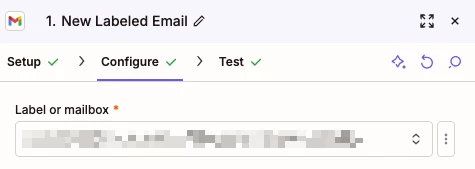
Here’s the configure screenshot, I’ve blurred out the text for privacy reasons.


The text is a similar format to “1 Checked/Supplier A”, that is it’s a label then a sub label.

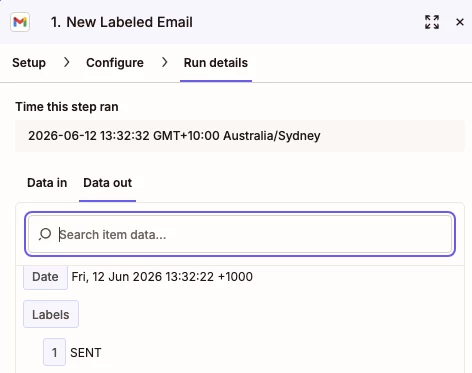
Here’s the run that shouldn’t have trigged;


Troy Tessalone
Zapier Orchestrator & Solution Partner
Forum|alt.badge.img+14
  • Zapier Orchestrator & Solution Partner
  • June 16, 2026

@MarkW 

Add a Filter as Zap step 2 to further control the data from the Zap step 1 trigger.


FYI...

Trigger: Gmail - New Labeled Email

Description: Triggers when an email is labeled. Also triggers when a reply is added to the conversation.