Question

Trouble with a looping Zap for donations and ticket orders

  • October 9, 2025
  • 6 replies
  • 39 views

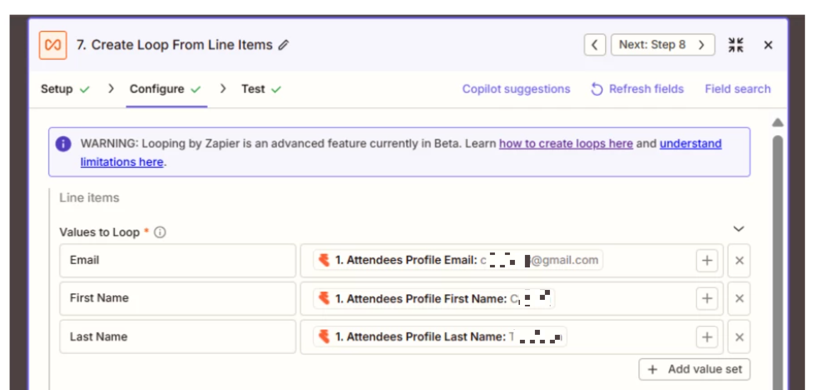
The intended result should be For a single order I need the donation and the amount of that to follow the purchaser. I would like to have an interaction for each of those who are registered as attendees for that order.

The result that I am receiving is this NO interaction is created Donation is created twice and each of these donations are multiplied by the number of tickets that are purchased. Example is this, I am ordering 3 tickets at $10 each, order total is $30, the donation that is created is for $90 set up as a split donation in bloomerang and those split donations are each $30. I have tried many iterations of this zap and am having little success.


This post has been closed for comments. Please create a new post if you need help or have a question about this topic.

6 replies

Troy Tessalone
Zapier Orchestrator & Solution Partner
Forum|alt.badge.img+14
  • Zapier Orchestrator & Solution Partner
  • October 9, 2025

Hi ​@molly4word 

For us to have more info, post screenshots showing:

  • how your Zap steps are outlined in order
    • so we can see the apps being used and the triggers/actions
  • how each Zap step is configured in the CONFIGURE tab while in EDIT mode so we can see the field mappings and field types

  • Author
  • Beginner
  • October 9, 2025

Here is my example


This post has been edited by a moderator to remove PDF attachment containing personally identifiable information (PII). Please remember that this is a public forum and avoid sharing personal or potentially sensitive details.


Troy Tessalone
Zapier Orchestrator & Solution Partner
Forum|alt.badge.img+14
  • Zapier Orchestrator & Solution Partner
  • October 9, 2025

@molly4word 
Zap step 3 was not shown in the screenshots.


Help links for using Looping in Zaps: https://zapier.com/apps/looping/integrations#help


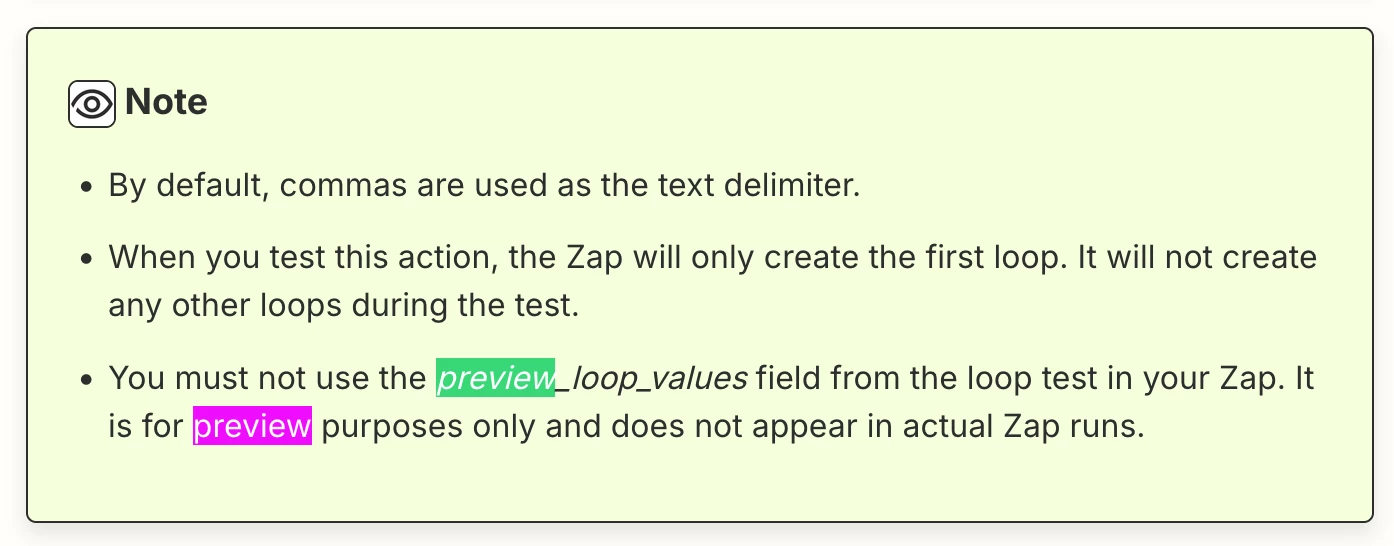
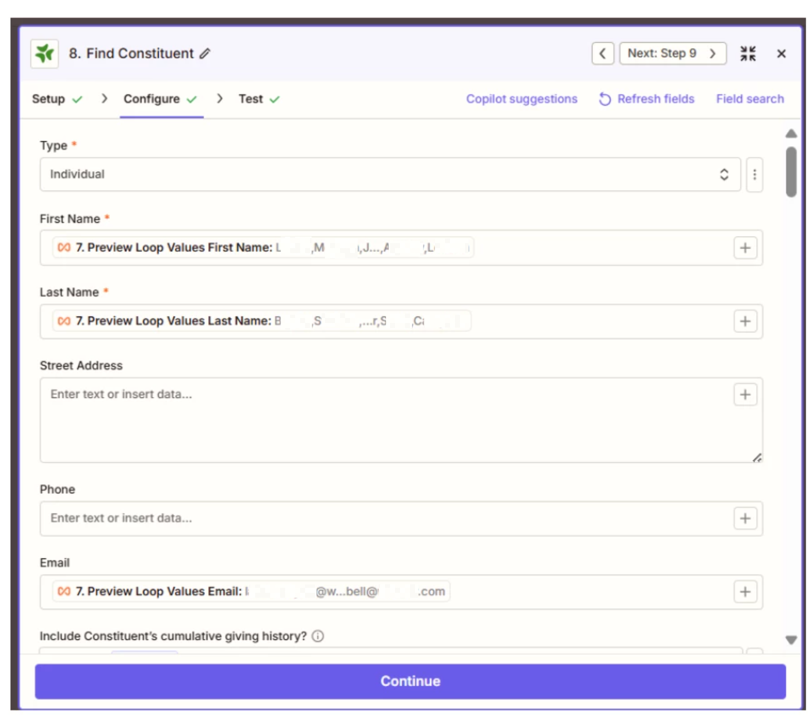
You should NOT be using the “Preview” variables from the Looping step.


This post has been edited by a moderator to remove personally identifiable information (PII). Please remember that this is a public forum and avoid sharing personal or potentially sensitive details.


  • Author
  • Beginner
  • October 9, 2025
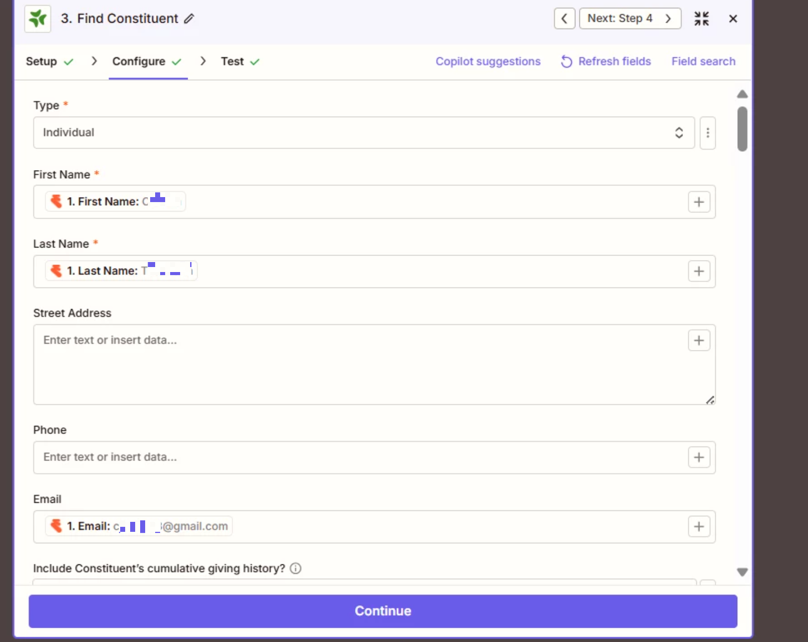
Here is details for step 3
Thank you so much for your review
 

This post has been edited by a moderator to remove personally identifiable information (PII). Please remember that this is a public forum and avoid sharing personal or potentially sensitive details.


  • Author
  • Beginner
  • October 9, 2025

@molly4word 
Zap step 3 was not shown in the screenshots.


Help links for using Looping in Zaps: https://zapier.com/apps/looping/integrations#help


You should NOT be using the “Preview” variables from the Looping step.


This post has been edited by a moderator to remove personally identifiable information (PII). Please remember that this is a public forum and avoid sharing personal or potentially sensitive details.


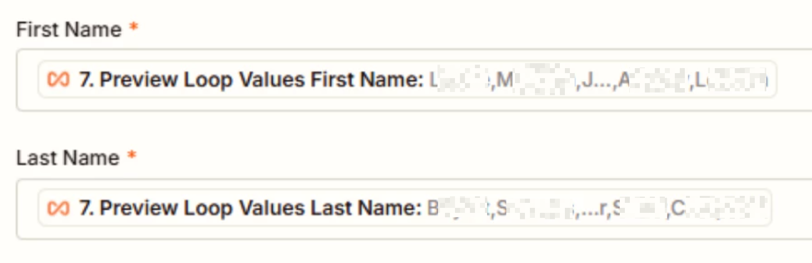
Should i be using the attendee_email and attendee_first_name? that is part of the loop? Zapier found error there and zapier support on my ticket suggested I update to use the preview loop. So I did that. 


Troy Tessalone
Zapier Orchestrator & Solution Partner
Forum|alt.badge.img+14
  • Zapier Orchestrator & Solution Partner
  • October 9, 2025

@molly4word 

Make sure to review the help links for using Looping in Zaps: https://zapier.com/apps/looping/integrations#help


Zap step 8 should NOT be using “Preview” variables from the Looping step.

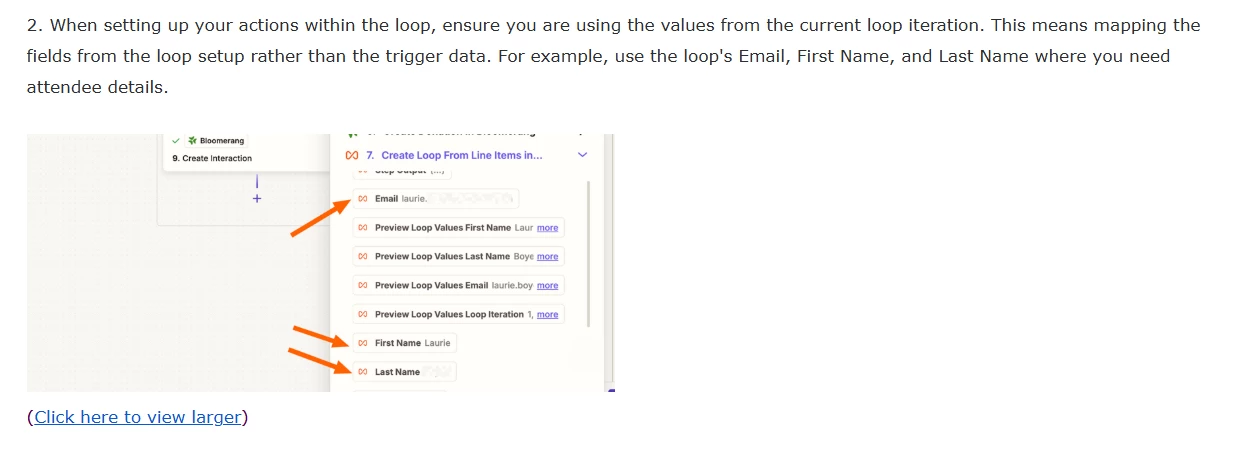
Use the variables as you named them in Looping Zap step 7.

  • Email
  • First Name
  • Last Name

This post has been edited by a moderator to remove personally identifiable information (PII). Please remember that this is a public forum and avoid sharing personal or potentially sensitive details.