Question

The Zap is not assigning webinar participants to Mailerlite groups properly

  • September 3, 2024
  • 4 replies
  • 18 views

Hey guys,

I really need your help.

I created 3 automations for my webinar between Webinaris and Mailerlite.

The automation does work when a participant registers, then they are assigned to the corresponding group on Mailerlite. Perfect job, Zapier! Thx!

But I also created the exact same automation for participants attending a webinar and participants who missed the webinar. 

But with these two automations, there is no connection to Mailerlite. The participants on Mailerlite are not assigned to the appropriate group. 

Why is that? How can I change that?

Thank you in advance!

Anna

P.S.: Attached you’ll find as an example a screenshot of the automation for attended webinar.

This post has been closed for comments. Please create a new post if you need help or have a question about this topic.

4 replies

Troy Tessalone
Zapier Orchestrator & Solution Partner
Forum|alt.badge.img+14
  • Zapier Orchestrator & Solution Partner
  • September 3, 2024

Hi @Anna123 

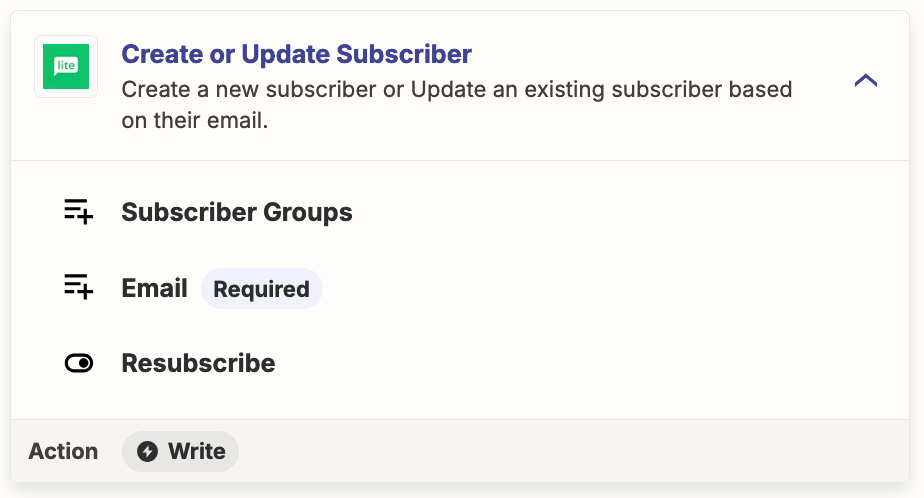
Instead, try using this Zap action: MailerLite - Create/Update Subscriber

You can specify the Groups.


  • Author
  • Beginner
  • September 3, 2024

Hi Troy, 


thank you for your quick reply.

I was trying to do that, but I was confused which 2 groups shall I indicate here: One for the registered and one of the missing? And which order? 

Thank you! All the best,

Anna


Troy Tessalone
Zapier Orchestrator & Solution Partner
Forum|alt.badge.img+14
  • Zapier Orchestrator & Solution Partner
  • September 3, 2024

SamB
Community Manager
Forum|alt.badge.img+11
  • Community Manager
  • September 19, 2024

Hey there, @Anna123! 👋

How did you get on with this? Did you manage to get the subscriber added to the correct group using a filter or path as Troy suggested?

Want to ensure things are all squared away here so let us know whether you need any further assistance at all. Looking forward to your reply! 🙂