Question

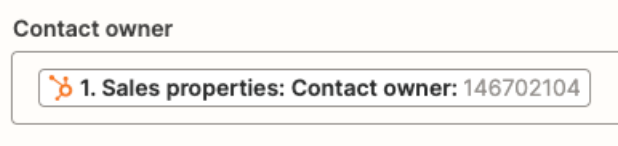
The contact name changed to owner ID in the Microsoft Excel update despite mapping correctly in HubSpot.

  • January 20, 2024
  • 3 replies
  • 37 views

Forum|alt.badge.img

Hi, 

I’ve made a zap that automatically updates information from contacts from HubSpot to Excel.

However, when the contact is updated, it changes the contact name to the owners ID. I have it mapped to contact name but doesn’t work.

Can you help.

Thanks

 

This post has been closed for comments. Please create a new post if you need help or have a question about this topic.

3 replies

Troy Tessalone
Zapier Orchestrator & Solution Partner
Forum|alt.badge.img+14
  • Zapier Orchestrator & Solution Partner
  • January 20, 2024

@lachie016 

We would need to see screenshots with how your Zap step 3 is configured to have full context.

You likely need to add another Zap step to get the Owner by ID.


Forum|alt.badge.img
  • Author
  • Beginner
  • January 20, 2024

Here you are. Where would I insert this get owner by ID action? After Step 2?


Troy Tessalone
Zapier Orchestrator & Solution Partner
Forum|alt.badge.img+14
  • Zapier Orchestrator & Solution Partner
  • January 20, 2024

@lachie016 

The new HubSpot step needs to be added before the last Excel step.

When in doubt, test it out.