
Answer

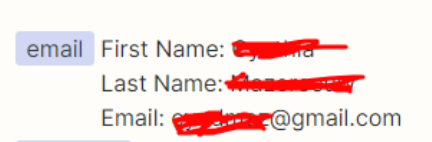
The app returned "The email field must be a valid email address." Mailerlite and Jotform

  • August 28, 2023
  • 3 replies
  • 813 views

crystald

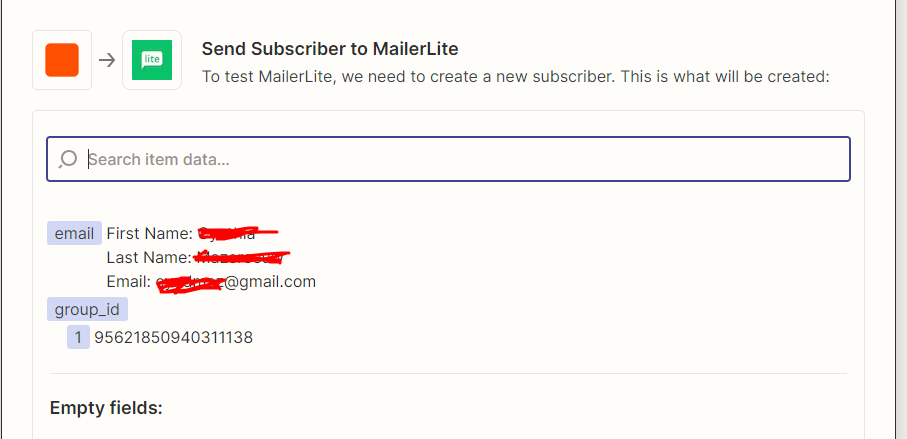
I am trying to send contacts who complete a jotform submission to Mailerlite. The zaps are saying they are going through when I have “Send Subscriber to MailerLite” and I click the portion of the jotform that has the emai lin it (It shows first name, last name and email). The subscribers weren’t being added so I realized maybe I did the incorrect zap. I have tried to switch it to the zap “Create or Update Subscriber” and I click the same exact portion of the jotform that has the email address in it, and I get an error that says:

The app returned "The email field must be a valid email address.".

Do I have to change my Jotform to have someone enter their email in one portion, and then their name in another part of the form? It’s a quiz, where someone puts their name and email to get the results, I don’t want to have to make them hit next just to enter their name on the next screen if it can be avoided. 
 

Best answer by Troy Tessalone

@crystald 

You can add another Zap step: Formatter > Text > Extract Email

This post has been closed for comments. Please create a new post if you need help or have a question about this topic.

3 replies

Troy Tessalone
Zapier Orchestrator & Solution Partner
Forum|alt.badge.img+14
  • Zapier Orchestrator & Solution Partner
  • August 28, 2023

Hi @crystald 

Good question.

The value provide for the email field includes first name, last name, and labels.


Troy Tessalone
Zapier Orchestrator & Solution Partner
Forum|alt.badge.img+14
  • Zapier Orchestrator & Solution Partner
  • Answer
  • August 28, 2023

@crystald 

You can add another Zap step: Formatter > Text > Extract Email


crystald
  • Author
  • Beginner
  • August 28, 2023

@Troy Tessalone You are an angel! Thank you!!