Question

Text from Google Sheets not pulling through to Slack in Zapier

  • November 11, 2024
  • 3 replies
  • 29 views

Hello, 


I am trying to integrate Zapier to use with Google Sheets and Slack. 

The ideal state:


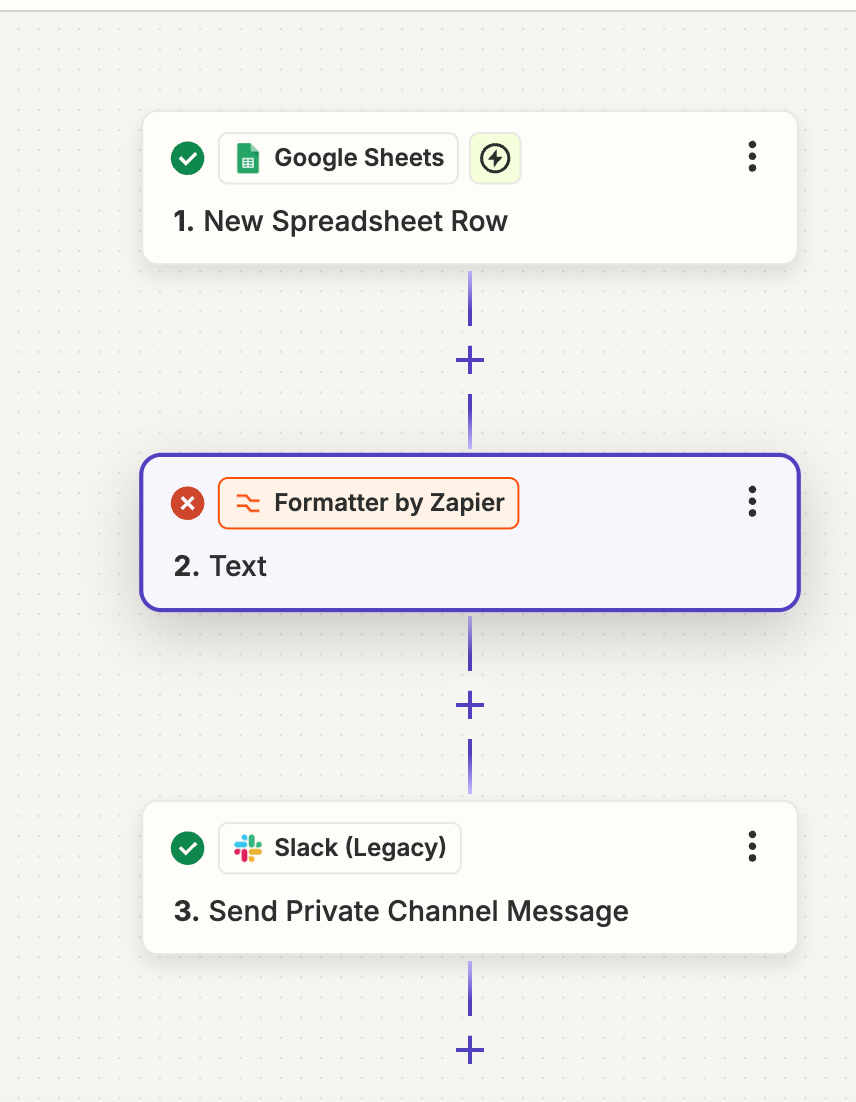
  1. Zapier bot send a message to a private channel once a new row (powered by a response to the google form it’s at the back end of)
  1. Zapier bot pulls through certain text (from a column) from the sheet to the channel (so the members can see whether the question is for them or not)
  2. They are then able to click onto a link taking them to the form if it is. 


I think I have steps 1 and 3 sorted, but 2 is confusing me. I’ve tried adding in the “Text” formatter and “pattern” is column E, however the text isn’t coming through


would appreciate help!

 

This post has been closed for comments. Please create a new post if you need help or have a question about this topic.

3 replies

jayeshkumarbhatia
Forum|alt.badge.img+7

Hey @SamWhittle ,


Can you share screenshot of 2nd action?


Troy Tessalone
Zapier Orchestrator & Solution Partner
Forum|alt.badge.img+14
  • Zapier Orchestrator & Solution Partner
  • November 11, 2024

Hi @SamWhittle 

For us to have more info, post screenshots showing how each Zap steps is configured in EDIT mode with the field mappings.


For Zap step 3, make sure to update to the newest Slack Zap app version.


SamB
Community Manager
Forum|alt.badge.img+11
  • Community Manager
  • November 14, 2024

Hey ​@SamWhittle, welcome to the Community! 🎉

What regex pattern are you using to extract the text? It could just be that it needs a little tweaking to get it extracting the necessary text. 🤔

If it helps, here’s a link to a guide on how to extract different types of content using regex which has some examples:


If you’re still stuck, as ​Jayesh and Troy mentioned, can you send over a quick screenshot showing the set up of the Formatter action so we can see what input has been selected and the pattern that is being used. Make sure to obscure/remove all personal information (names, emails, addresses etc.) from screenshots before sharing here.

Looking forward to hearing from you!