
Best answer

Testing and data is not being passed from the "Configure" step to the "Test" step, even though it shows data

  • July 12, 2026
  • 3 replies
  • 27 views

Testing and data is not being passed from the "Configure" step to the "Test" step, even though it shows data.

A couple of images will probably describe it better….

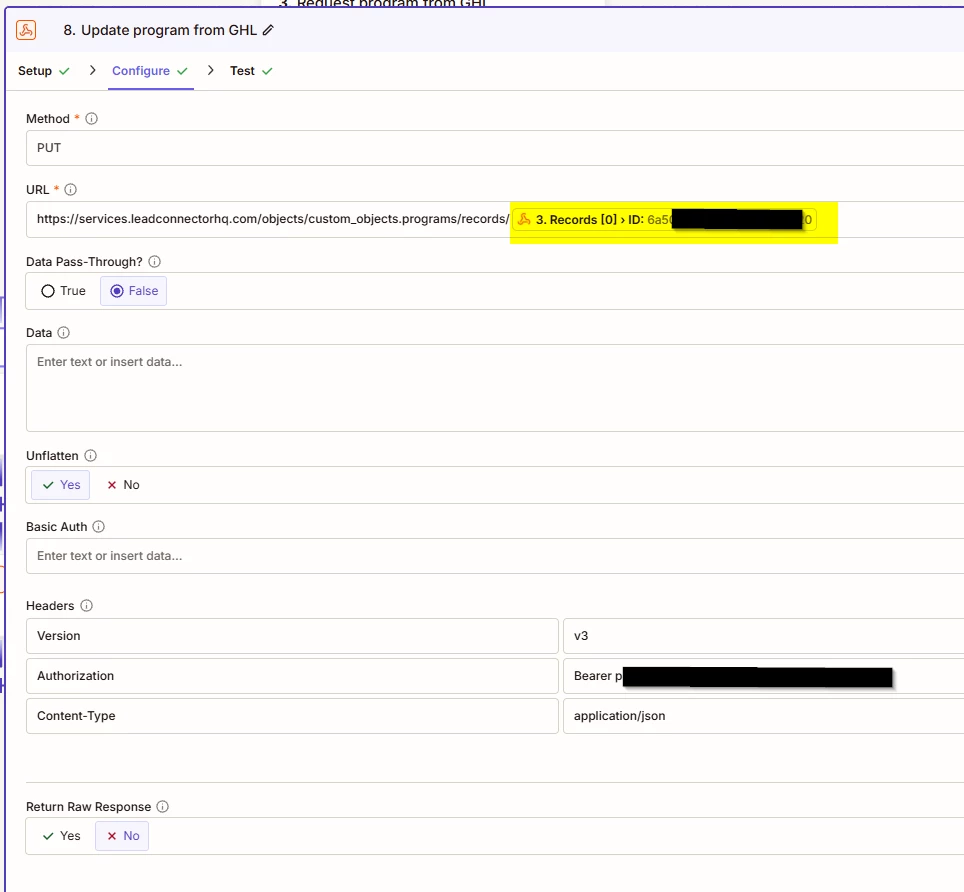
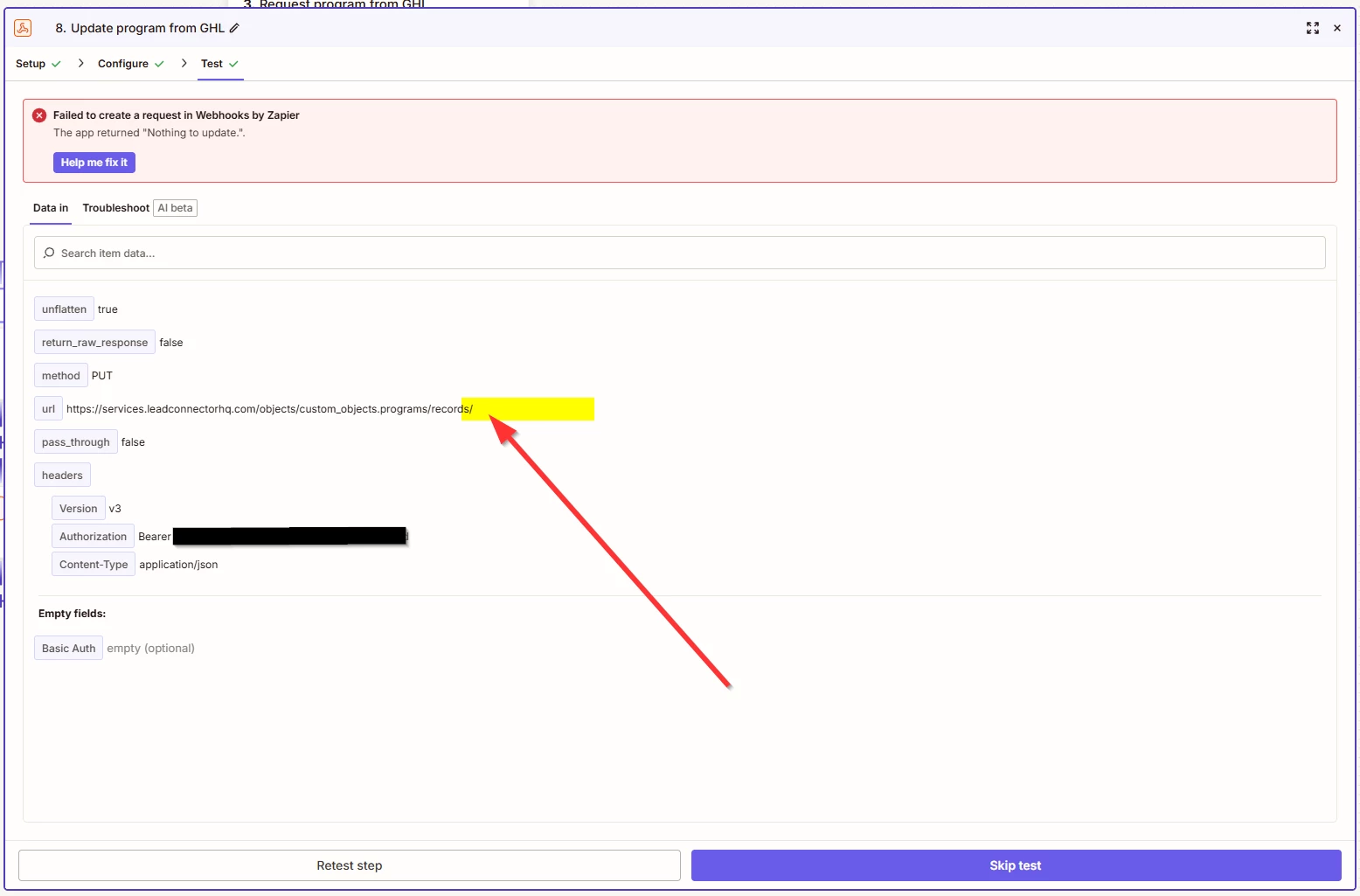
The value in the first image (Configure) 6a5...0, which is highlighted should be being passed through to the second image (Test) where the highlight is. 

(We can ignore the error in the second image, because it needs to have a ID to write to in the URL to know where to write data so until the URL is fixed, then it’ll never work)

In desperation, I have tried changing all the options on the screen. “Data Pass-Through”, “Unflatten”, “Return Raw Response” but nothing has helped!!! 

Please help me - it’s driving me mad making a process take a lot longer than it should!!!

PS. I do click the “Continue” button at the bottom of the “Configure” step to ensure that it should be being passed.


Best answer by Troy Tessalone

Hi ​@User1905 

When mapping variables between steps, try disabling the setting “Turn on enhanced field mappings”, then map the variable again.


Also, it looks like there may be an array of IDs.

If you need to loop thru those, use the Looping app: https://zapier.com/apps/looping/integrations#help


3 replies

Troy Tessalone
Zapier Orchestrator & Solution Partner
Forum|alt.badge.img+14
  • Zapier Orchestrator & Solution Partner
  • Answer
  • July 12, 2026

Hi ​@User1905 

When mapping variables between steps, try disabling the setting “Turn on enhanced field mappings”, then map the variable again.


Also, it looks like there may be an array of IDs.

If you need to loop thru those, use the Looping app: https://zapier.com/apps/looping/integrations#help


  • Author
  • New
  • July 13, 2026

AWESOME. Thank you so much, I have never noticed that check box there before but that did indeed resolve the problem!! I really appreciate your help.


Also, thanks for the looping tip - in this case there should always only be one but I will use that in the future.


All the best to you!!!


SamB
Community Manager
Forum|alt.badge.img+11
  • Community Manager
  • July 13, 2026

So glad you got it sorted, ​@User1905! 🎉 I'll go ahead and mark Troy's reply as the best answer since that did the trick. Thanks so much for helping out here ​@Troy Tessalone! 🙌






