Question

Test not working for Salesmsg text from Google Sheet

  • February 7, 2024
  • 4 replies
  • 37 views

I just created a zap connecting Google Sheets to Salesmsg. The sheet populates a new row when customers fill out a form on our website. I want the Zap to send a text message with their name field to the phone number they provide.

I cannot get the test to work.  On the Zapier side, it says the text is successful (“A Text Message was sent to Salesmsg about 1 minute ago” etc) but I used my own personal mobile number as the test, and I haven’t received anything.

Any advice for a Zapier novice? Thank you!

This post has been closed for comments. Please create a new post if you need help or have a question about this topic.

4 replies

Troy Tessalone
Zapier Orchestrator & Solution Partner
Forum|alt.badge.img+14
  • Zapier Orchestrator & Solution Partner
  • February 7, 2024

Hi @vgolden 

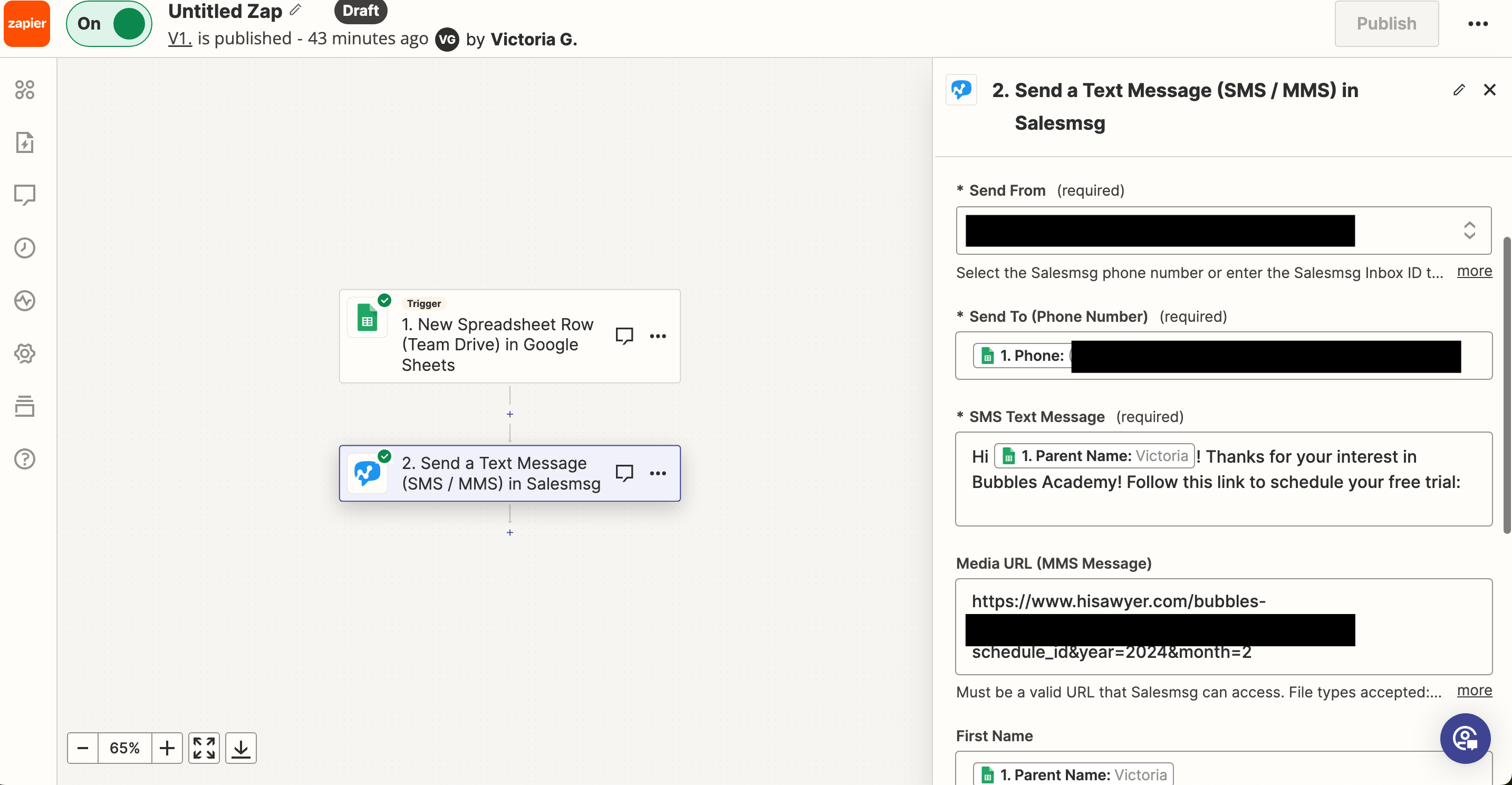
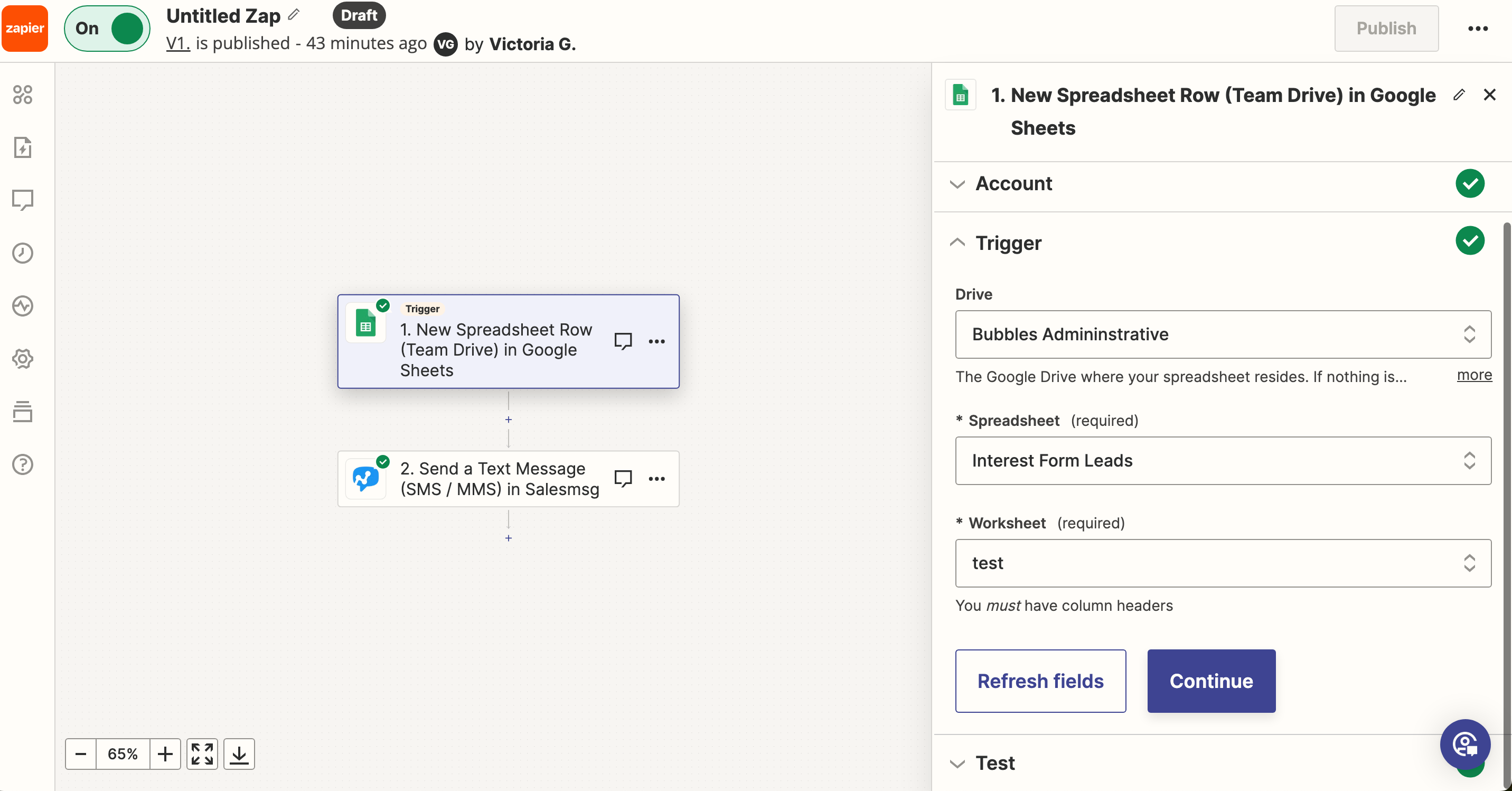
For us to have full context we would need to see screenshots with how your Zap steps are outlined and configured, thanks.


Troy Tessalone
Zapier Orchestrator & Solution Partner
Forum|alt.badge.img+14
  • Zapier Orchestrator & Solution Partner
  • February 7, 2024

@vgolden 

Check in Salesmsg for activity.

You may need to adjust settings.


Need Help? ✋🏻

Contact us on live chat or send an email to us at support@salesmessage.com.


  • Author
  • New
  • February 7, 2024

Thanks Troy! What’s helpful, screenshots like this? I did not see any activity in Salesmsg - not sure what settings there are to adjust.


Troy Tessalone
Zapier Orchestrator & Solution Partner
Forum|alt.badge.img+14
  • Zapier Orchestrator & Solution Partner
  • February 7, 2024

@vgolden 

One option to try is to turn the Zap ON and do a live test, then check your Zap Runs history details for activity and to see the DATA IN/OUT for each Zap step.


Still no luck?

Then I’d recommend reaching out to Salesmsg Support for help troubleshooting.

Contact us on live chat or send an email to us at support@salesmessage.com.