Hey There,
We are using Stripe with Zapier to to pull in data and place to a google doc.
It seems though two weird things are happening, Our order dates come in incorrectly more than half the time
Example:
2022-10-11 17:35:14 -- Correct
44845.3087152778. -- Failed
Then our customer addresses will come in and be missing everything but the Zipcode.
Has anyone encountered this, if i pull in the stripe Data on one that failed running a test, it appears to work just fine.

Best answer
Stripe Data missing
Best answer by Troy Tessalone
Hi
Good question.
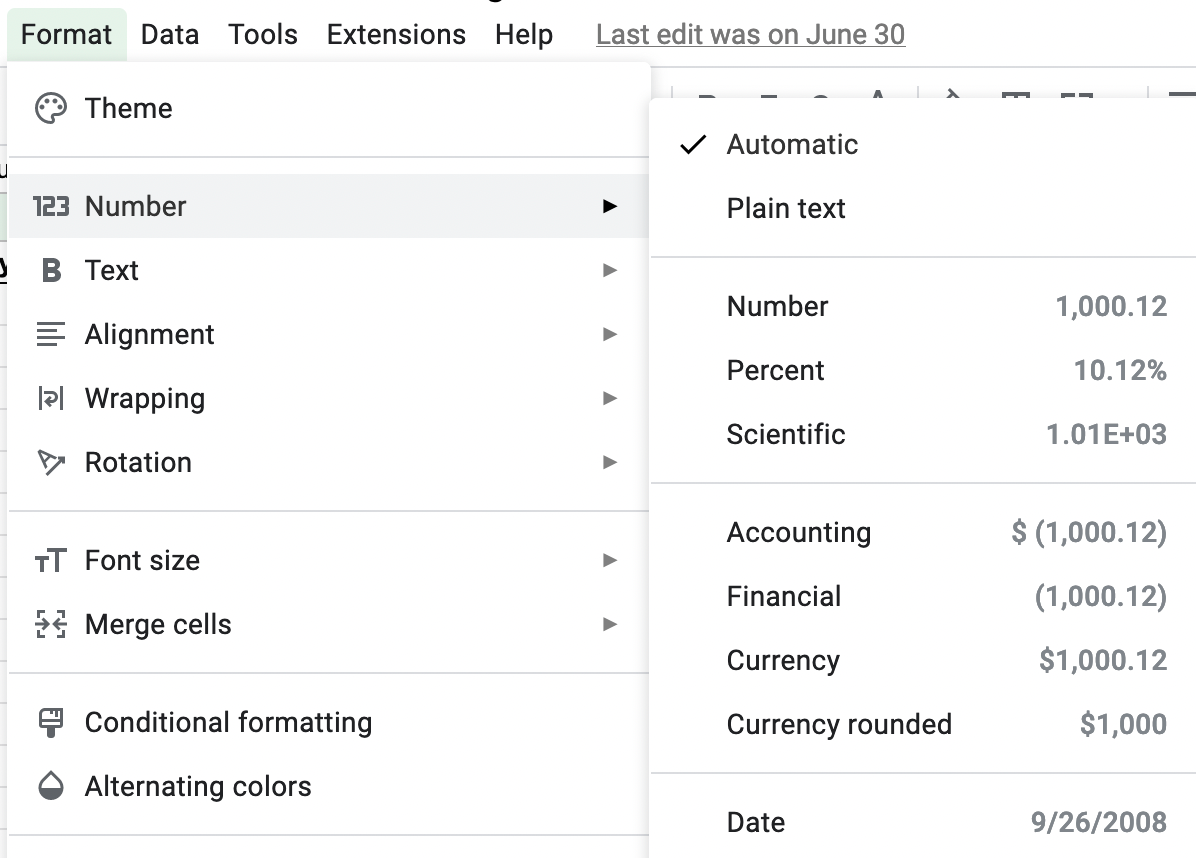
For the date formatting issue, you can adjust that in GSheets.
This post has been closed for comments. Please create a new post if you need help or have a question about this topic.







The Zappy Awards are back
We're celebrating the Zapier builders making AI transformation happen. Winners get a published story on zapier.com, a trophy, $5,000 cash, and a feature at ZapConnect. Nominate yourself or a peer by July 24th, 2026.
Log in to the Community
No account yet? Create an account
Use your Zapier credentials
Log in with ZapierEnter your E-mail address. We'll send you an e-mail with instructions to reset your password.