Question

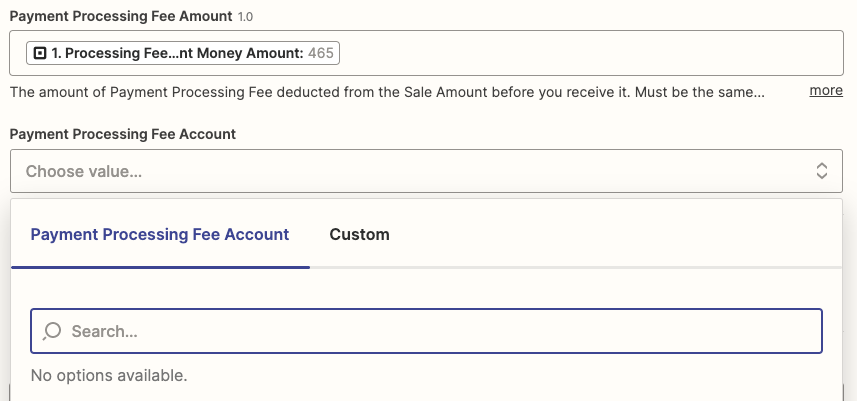
Square to Wave - problem with Payment Processing fee amount field

  • February 7, 2023
  • 4 replies
  • 78 views

This post has been split from 


I am having the exact same problem. Mine does not include a $ sign and is set to minor units. 
 

This post has been closed for comments. Please create a new post if you need help or have a question about this topic.

4 replies

Troy Tessalone
Zapier Orchestrator & Solution Partner
Forum|alt.badge.img+14
  • Zapier Orchestrator & Solution Partner
  • February 7, 2023

@Hypnoclarity 

You can use a Formatter > Numbers > Perform Math Operation step to divide by 100.


chanelle
Forum|alt.badge.img+8
  • Zapier Staff
  • February 10, 2023

@Hypnoclarity Just checking in! Did using the Formatter step help you out? 


  • Author
  • Beginner
  • February 21, 2023

@chanelle I tried, but I’m not tech savvy enough to understand the Formatter operation. I finally got it to Zap, but the dates were all the same (instead of occurring on the date the payment was actually taken), so I went in to try to fix it and am having error after error (again). The YouTube tutorials make it look so easy! And a totally different layout than what I’m coming across. 


Danvers
Forum|alt.badge.img+12
  • Zapier Staff
  • February 22, 2023

Hi @Hypnoclarity!

I’m sorry that you’ve been having trouble with your Zap, apps around payment processing or invoices are often really tricky to work with. 

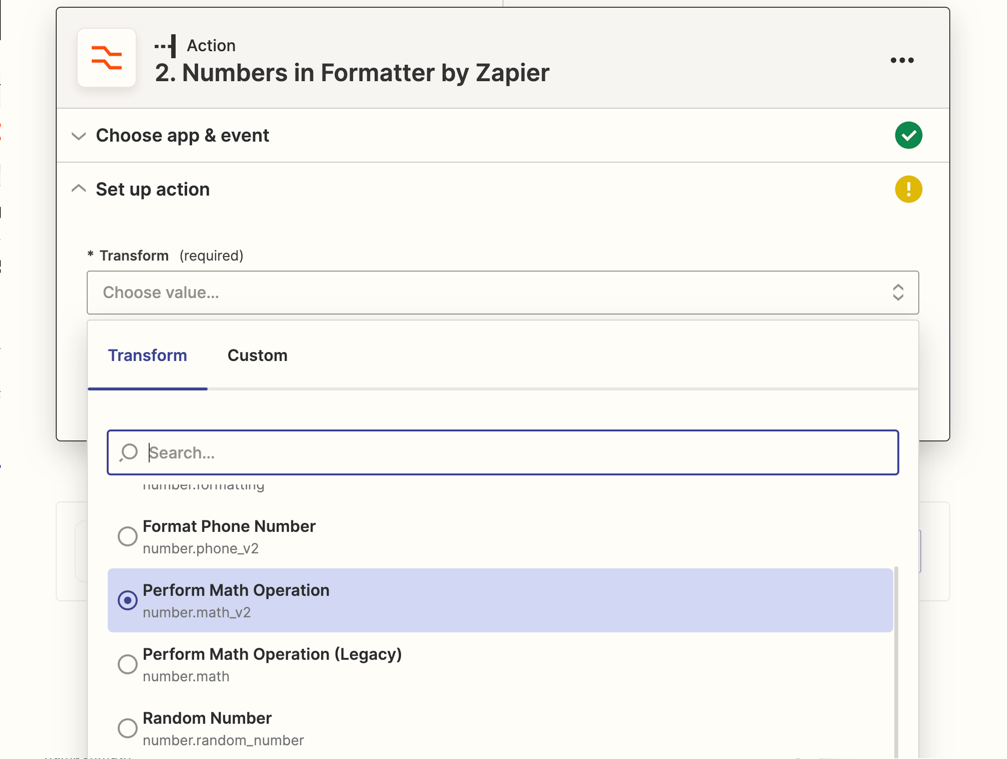
For the Formatter step, you need to add a Formatter action to your Zap, choose the ‘Numbers’ option and then ‘Math Operation’

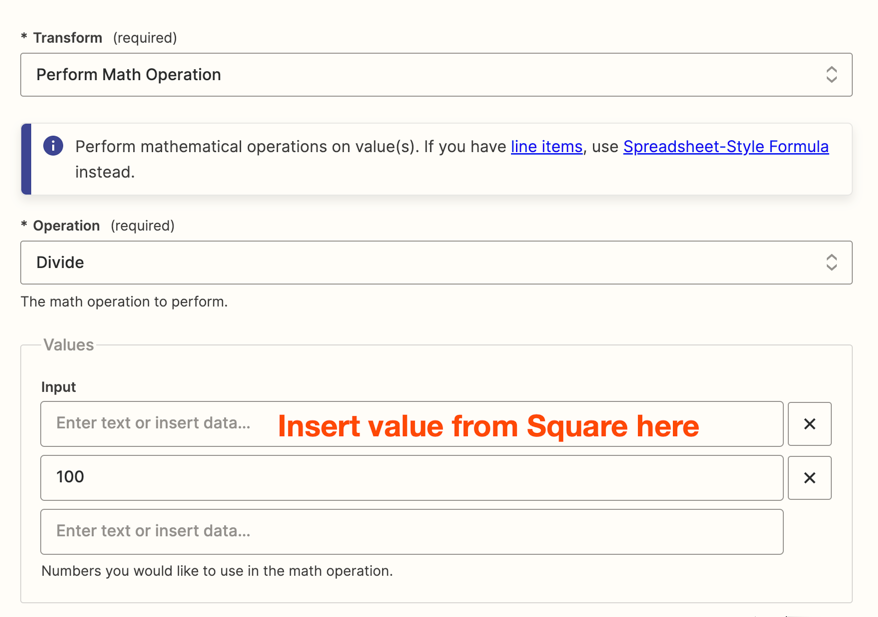
Select Divide from the dropdown list of operations. Put the value from Square in the first input box and add another, in the second box, type 100

When you test this step, it will give you the value from Square divided by 100, use that output in the Wave step. 


I hope that explains how to divide the processing fee correctly. Let us know if you have any questions about that!


Could you tell us more about the issues you’re having with the date field? It would be super helpful if you could share a screenshot of the Zap action that you’re having trouble with, showing what’s in each of the fields, as that will help us to better understand what’s going on. Don’t forget to remove or obscure any personal or private information in any screenshot you share in the community (eg full name, email address, etc).

Thanks!