Question

Some standard salesforce fields not showing data

  • December 6, 2024
  • 4 replies
  • 20 views

Hi,


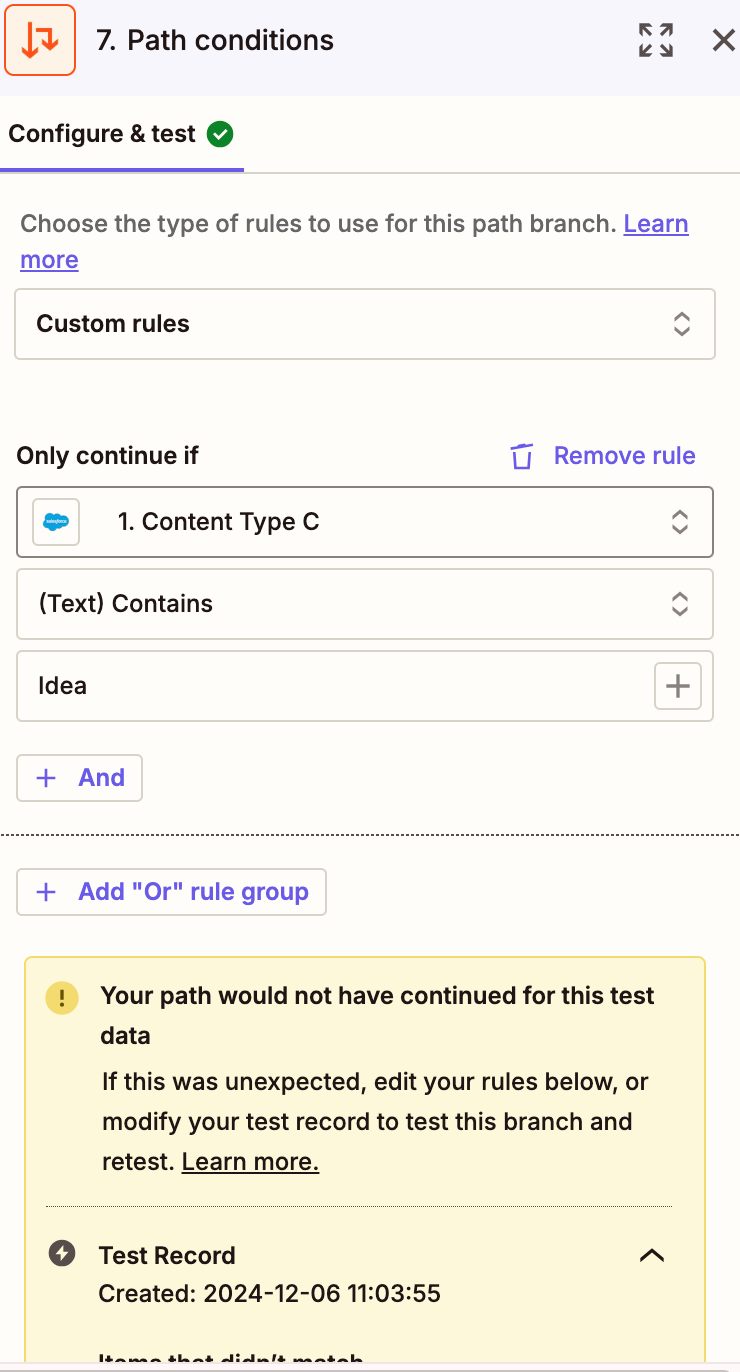
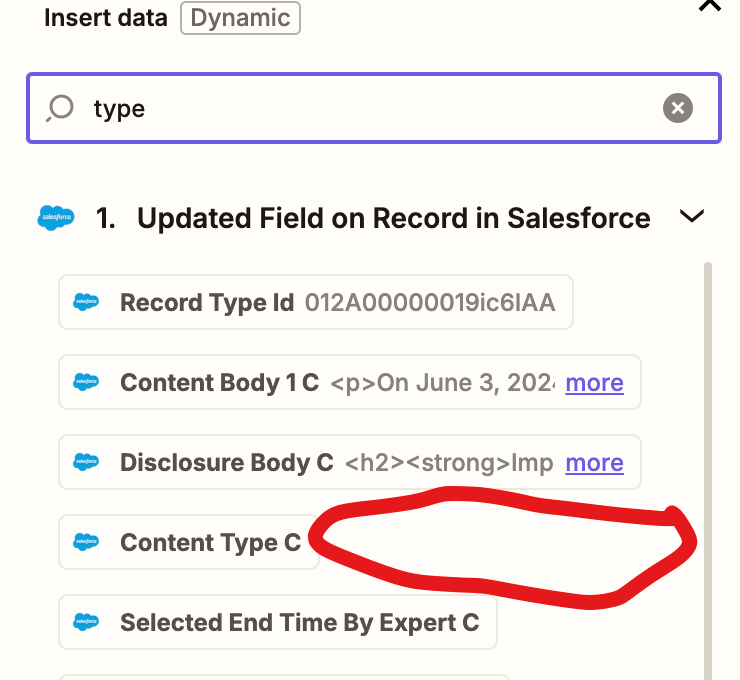
After selecting an object, I need to fitler which record types proceed and while the field is visible there is no associated data for that field and it fails the test. See below. Any thoughts?


This post has been closed for comments. Please create a new post if you need help or have a question about this topic.

4 replies

Troy Tessalone
Zapier Orchestrator & Solution Partner
Forum|alt.badge.img+14
  • Zapier Orchestrator & Solution Partner
  • December 6, 2024

Hi ​@DeMatteo Research 

Make sure to select a Zap trigger example record that has data for the desired field in Salesforce.

Help link for how to change the Zap trigger step test record: https://help.zapier.com/hc/en-us/articles/8496310366093-Change-the-test-record-in-your-Zap-trigger


Hi ​@Troy Tessalone ! Thanks for the link. All the records should have something appear for that field. It is a basic feature like record type. However, in looking at the page you sent, I am noticing that the test step is not visible. Clearly I am doing something wrong.


Troy Tessalone
Zapier Orchestrator & Solution Partner
Forum|alt.badge.img+14
  • Zapier Orchestrator & Solution Partner
  • December 6, 2024

@DeMatteo Research 

Since the data point comes from Zap step 1, you would need to use the TEST tab in Zap step 1.


JammerS
Forum|alt.badge.img+6
  • Zapier Staff
  • December 9, 2024

Hi ​@DeMatteo Research,
 
We just wanted to see how everything is going with your Zap. Did Troy's recommendation get the job done? Feel free to reach out if you need further assistance with your Zap. We're glad to address any concerns and assist you.
 
We're looking forward to your response.