
Question

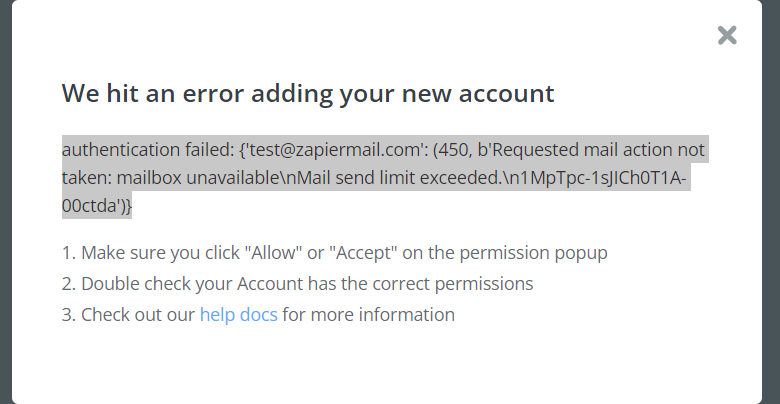
SMTP authentication failed: (450, b'Requested mail action not taken: mailbox unavailable\nMail send limit excedeeded

  • August 26, 2024
  • 4 replies
  • 71 views

I encountered the problem of error450 when trying to connect my SMTP account to Zapier. May I ask how to solve it?

 

This post has been closed for comments. Please create a new post if you need help or have a question about this topic.

4 replies

Troy Tessalone
Zapier Orchestrator & Solution Partner
Forum|alt.badge.img+14
  • Zapier Orchestrator & Solution Partner
  • August 26, 2024

Hi @xliu 

Help links for using SMTP by Zapier in Zap: https://zapier.com/apps/smtp/help


SamB
Community Manager
Forum|alt.badge.img+11
  • Community Manager
  • August 27, 2024

Hey @xliu 👋

Hmm, as the error mentions a test email (test@zapiermail.com) I wonder if you need to enter your email address into the From Email field when adding the connection? 🤔

53175c2d2db49ff1a1bdcc03c78661e9.png

Could you give that a try and let me know whether that allows it to be added successfully?


  • Author
  • Beginner
  • August 28, 2024

Hey @xliu 👋

Hmm, as the error mentions a test email (test@zapiermail.com) I wonder if you need to enter your email address into the From Email field when adding the connection? 🤔

53175c2d2db49ff1a1bdcc03c78661e9.png

Could you give that a try and let me know whether that allows it to be added successfully?

I included the from email but it doesn’t work.


SamB
Community Manager
Forum|alt.badge.img+11
  • Community Manager
  • August 28, 2024

Thanks for giving that a try @xliu, I’m sorry it didn’t fix the issue as hoped.
 

I did some checking on this end and that “450 Requested mail action not taken: mailbox unavailable Mail send limit exceeded.” error could potentially be due to your mailbox/mail server being temporarily unavailable or is over its storage/send quota.  

So at this point I’d suggest reaching out to your email administrator or email service provider’s support team to confirm the whether the mailbox is over it’s quota. And it would also be a good idea to contact our Support team to see if they can find any additional details or clues in the error logs for your Zap that could help to shed some further light on the cause of these errors.

Keen to ensure this gets sorted so please keep us updated on how you get on with this! 🙂





