

Best answer

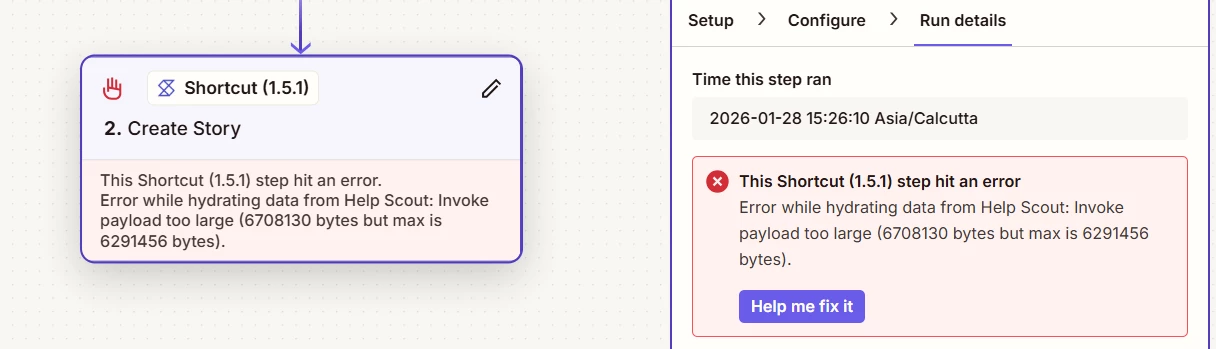
Shortcut "Error while hydrating data from Help Scout: payload size exceeds limit" error

  • January 28, 2026
  • 4 replies
  • 28 views

Is this a bug? Can someone please assist me on this?


Best answer by Troy Tessalone

Hi ​@Arun Vijayan 

Info about the encountered error:

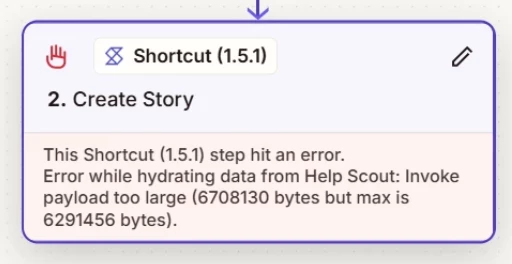
The step failed because too much data was sent from Help Scout.

The payload size was about 6.7 MB, but the system only allows about 6.3 MB.

Because the data exceeded the limit, the shortcut could not load or process it.


If possible, in Zap step 2 config, try to send/use less data.


Check to make sure you are using the current version of the Shortcut Zap app.

Help: https://help.zapier.com/hc/en-us/articles/18755649454989-App-versions-in-Zapier
 

4 replies

Troy Tessalone
Zapier Orchestrator & Solution Partner
Forum|alt.badge.img+14
  • Zapier Orchestrator & Solution Partner
  • Answer
  • January 28, 2026

Hi ​@Arun Vijayan 

Info about the encountered error:

The step failed because too much data was sent from Help Scout.

The payload size was about 6.7 MB, but the system only allows about 6.3 MB.

Because the data exceeded the limit, the shortcut could not load or process it.


If possible, in Zap step 2 config, try to send/use less data.


Check to make sure you are using the current version of the Shortcut Zap app.

Help: https://help.zapier.com/hc/en-us/articles/18755649454989-App-versions-in-Zapier



drtanvisachar
Forum|alt.badge.img+5
  • Zapier Solution Partner
  • January 29, 2026

Hello ​@Arun Vijayan  

This usually happens when the Help Scout step is returning more data than a Zapier Shortcut can handle. Shortcuts have a payload size limit, and this run went just over it.

Quick fixes to try:
• Only pass the fields you actually need into the Shortcut
• Exclude attachments, notes, or long conversation histories from Help Scout
• Use Formatter by Zapier to trim large text fields before the Shortcut
• If needed, move heavy data processing outside the Shortcut or split the flow

Checking the Help Scout step’s output to spot the largest field is often the fastest way to fix it.

Dr. Tanvi Sachar
Monday Certified Partner, Tuesday Wizard


  • Author
  • Beginner
  • January 29, 2026

Thanks ​@Troy Tessalone  and ​@drtanvisachar . I was able to resolve the issue with your inputs and the help of Zap AI Support. Your help is much appreciated!


SamB
Community Manager
Forum|alt.badge.img+11
  • Community Manager
  • February 2, 2026

Thanks for following up here to let us know you got it sorted ​@Arun Vijayan! 🤗 And a big thank you to ​@Troy Tessalone and ​@drtanvisachar for helping out here! 🧡

Seems like you’re all set for now but please do reach back out in Community if you need help with anything else. In the meantime, happy Zapping! ⚡







