Answer

Sending Google Drive file to OpenAI - “invalid_request_error” error

  • August 28, 2023
  • 5 replies
  • 145 views

Guillermo_Prana


Hi!

Joining the crew with the same error, the file is a 15.9MB .m4a

 

Best answer by Troy Tessalone

@Guillermo_Prana 

Try using the file object that is returned from the GDrive step.

It will look like this: File (Exists but not shown)

This post has been closed for comments. Please create a new post if you need help or have a question about this topic.

5 replies

Troy Tessalone
Zapier Orchestrator & Solution Partner
Forum|alt.badge.img+14
  • Zapier Orchestrator & Solution Partner
  • August 28, 2023

Hi @Guillermo_Prana 

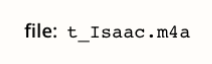
The File looks like it’s a file name, but the File field expects a file url or a file object.


Guillermo_Prana

Hi @Guillermo_Prana 

The File looks like it’s a file name, but the File field expects a file url or a file object.


You’re right, thanks!

I’ve changed it to the “Embed link” and now I got “Bargle! There was a problem with the data returned from this step! Please contact support.”


Troy Tessalone
Zapier Orchestrator & Solution Partner
Forum|alt.badge.img+14
  • Zapier Orchestrator & Solution Partner
  • Answer
  • August 28, 2023

@Guillermo_Prana 

Try using the file object that is returned from the GDrive step.

It will look like this: File (Exists but not shown)


Guillermo_Prana

@Guillermo_Prana

Try using the file object that is returned from the GDrive step.

It will look like this: File (Exists but not shown)

That did it!t

Thank you for the speedy support!


SamB
Community Manager
Forum|alt.badge.img+11
  • Community Manager
  • August 29, 2023

Glad to hear Troy’s suggestion of selecting the File Object helped to get rid of that error here, @Guillermo_Prana! 🎉🎉🎉

Please do reach out in the Community again if anything else pops up, we’re always here and eager to assist!