Hi everyone,
I’m building a workflow to analyze creative briefings (PDF/Docx) using a ChatGPT Assistant (File Search), but I’m stuck on a file-transfer issue between Slack and OpenAI.
Goal: Automatically send files from a Slack message to an OpenAI Assistant for deep analysis.
The Setup:
-
Trigger: Slack (New Message Posted to Channel).
-
Action: OpenAI "Upload File" using the
Url Private Downloadfrom Slack. -
Delay: 1 minute for indexing.
-
Action: "Conversation with Assistant" (File Search enabled).
The Problem: The Assistant gives very generic "hallucinated" output. When I check the Data Out of the "Upload File" step, it shows the file size is only 63,654 bytes. However, the actual file in Slack is 18,810,724 bytes (18.8MB).
It seems OpenAI is only "downloading" a Slack 403 error page or a login redirect instead of the actual binary PDF content.
What I’ve tried:
-
Using
Url Private Downloadinstead ofPermalink. -
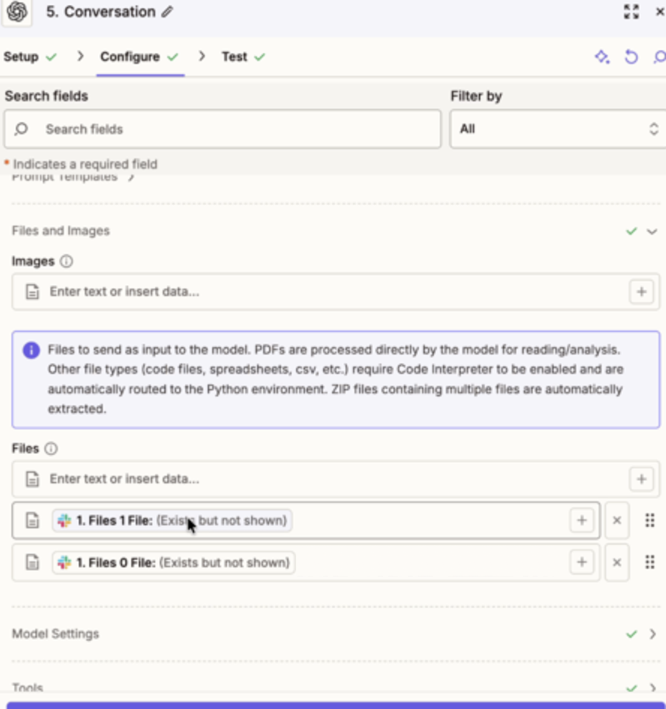
Both ChatGPT Assistant and regular Conversation give error regarding the files.
-
Clearing
Conversation IDto ensure a fresh session. -
Ensuring
File Searchis ON in the OpenAI Dashboard.
Question: How do I force Zapier to pass the actual binary File Object (stream) to OpenAI instead of just the URL string, so the Assistant receives all 18.8MB of data?
Any tips would be greatly appreciated!