Best answer

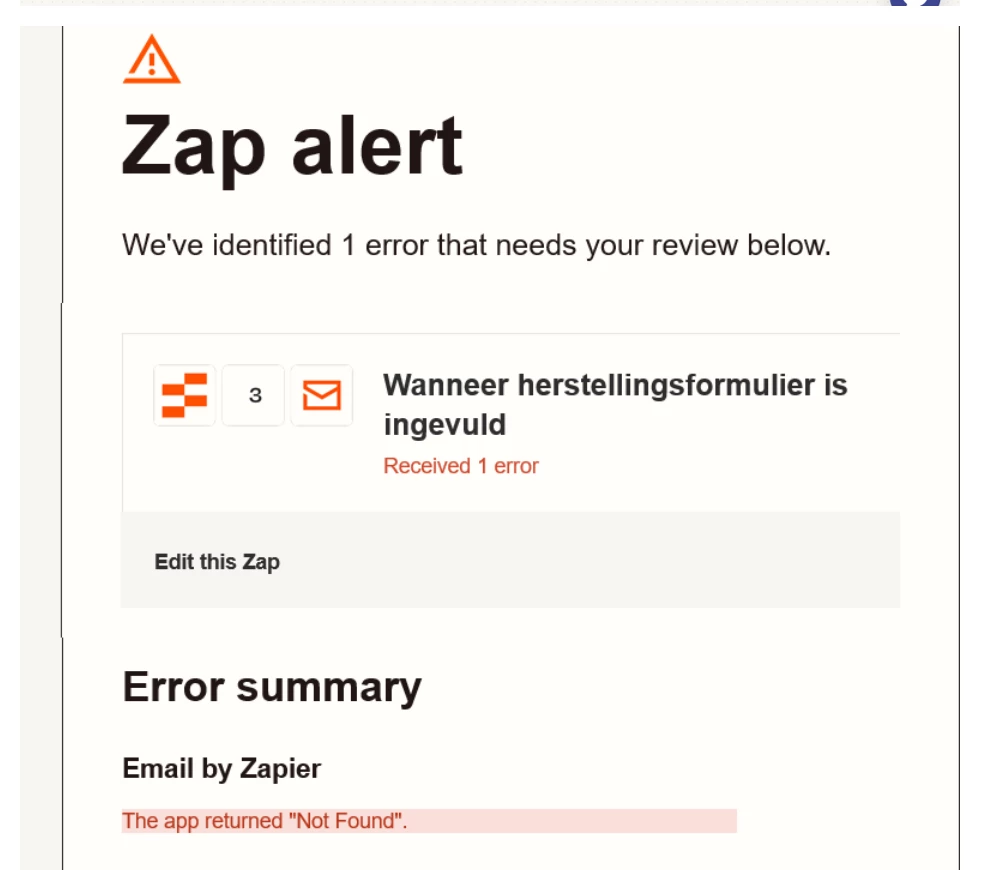
Send outbound email failed

  • September 3, 2025
  • 3 replies
  • 30 views

Forum|alt.badge.img

Hello

I have a zap that was working for a nice couple of months without any problem.

Suddenly i get an email that the app returned “not found”.

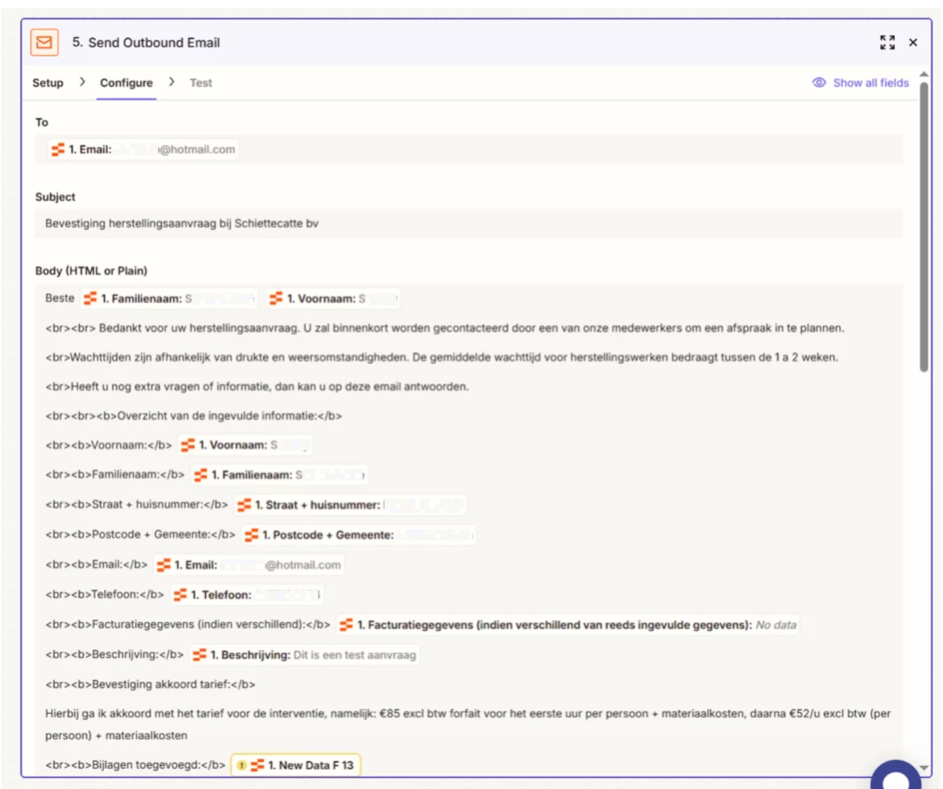
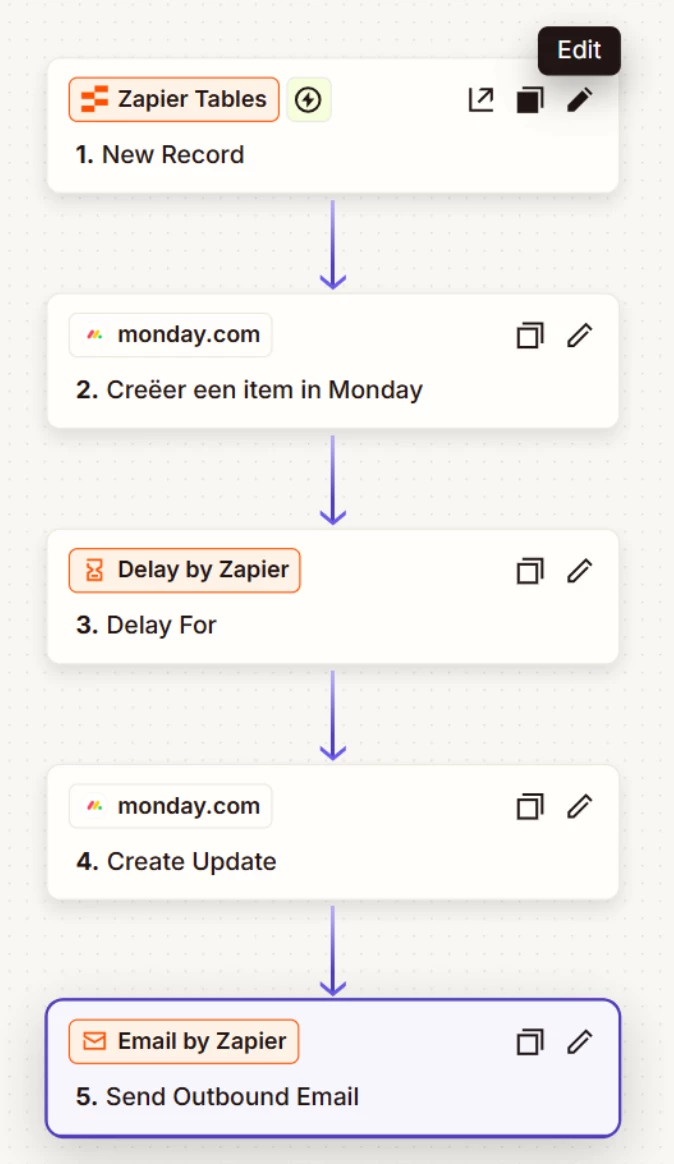
So basicly i have a form that clients can acces with a link. They fill in their information, press send and then this information comes in a zapier table + in my Monday app + the client gets a confirmation email, as well a confirmation email for me.

I have checked everyting, nothing had been changed. When i fill in the form myself with a correct email adres, still the same problem.

Anybody who can help me with this?

See attachment for some screenshots.

Thanks in afvance!

This post has been edited by a moderator to remove a file attachment that contained personally identifiable information (PII). Please remember that this is a public forum and avoid sharing personal or potentially sensitive details.


Best answer by SammyS

Ok thanks, i have found the problem, it was the attachment link that was not correct anymore due to rebuilding of our website.


This post has been closed for comments. Please create a new post if you need help or have a question about this topic.

3 replies

Troy Tessalone
Zapier Orchestrator & Solution Partner
Forum|alt.badge.img+14
  • Zapier Orchestrator & Solution Partner
  • September 3, 2025

Hi ​@SammyS 

First, it is best practice to use your own email app account to send emails. (e.g. Gmail, Outlook, etc.)


Help links for using Email by Zapier with limitations to be aware of: https://zapier.com/apps/email/integrations#help


Check your Zap Run history details to see the DATA IN/OUT for each step to help you trace the data flow and troubleshoot, and also see the underlying API request/response in the LOGS tab that often contains more context about the encountered error: https://zapier.com/app/history/


This post has been edited by a moderator to remove personally identifiable information (PII). Please remember that this is a public forum and avoid sharing personal or potentially sensitive details.



Forum|alt.badge.img
  • Author
  • Beginner
  • Answer
  • September 5, 2025

Ok thanks, i have found the problem, it was the attachment link that was not correct anymore due to rebuilding of our website.


SamB
Community Manager
Forum|alt.badge.img+11
  • Community Manager
  • September 9, 2025

Just came across this and wanted to thank you ​@SammyS for following up to share what the cause of the issue was. 🤗 Glad you were able to get it sorted by updating the attachment link. Also want to say a big thank you to ​@Troy Tessalone for helping out here! 🙌

Seems like you’re all set for now but please do reach back out in Community if you need help with anything else. We’re always happy to assist!