Best answer

Salesforce Pro feature issue: Understanding Zapier's Pro Plan limitations with multiple Zaps

  • June 17, 2025
  • 11 replies
  • 64 views

What the title says, I have one Zap that uses Salesforce as the first event, and it seems to be running correctly. However, I tried creating a second Zap where Salesforce is the second event, and I am getting told that because it’s a pro feature, I cannot create it. Why was Salesforce not deemed a pro feature with the first Zap?

Best answer by Troy Tessalone

@JBathke 

To use Premium Apps in Zaps requires a Zapier paid plan to turn the Zap ON.
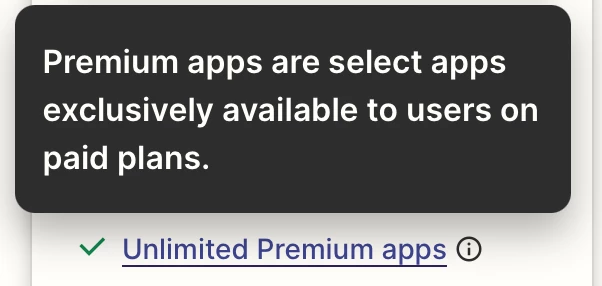
 

It might be because the Zap is using an older version of the Salesforce app that was turned ON during a Zapier paid plan trial.


You can try reaching out to Zapier Support for further clarification: https://zapier.com/app/get-help


This post has been closed for comments. Please create a new post if you need help or have a question about this topic.

11 replies

Troy Tessalone
Zapier Orchestrator & Solution Partner
Forum|alt.badge.img+14
  • Zapier Orchestrator & Solution Partner
  • June 17, 2025

Hi ​@JBathke 

Salesforce is a Premium Zap App that requires a Zapier paid plan to use in Zaps that are turned ON.


  • Author
  • New
  • June 17, 2025

Hi ​@JBathke 

Salesforce is a Premium Zap App that requires a Zapier paid plan to use in Zaps that are turned ON.


Thank you for the answer! My first Zap that uses Salesforce is turned on and running correctly. I don’t have a Pro account.


Troy Tessalone
Zapier Orchestrator & Solution Partner
Forum|alt.badge.img+14
  • Zapier Orchestrator & Solution Partner
  • June 17, 2025

@JBathke 

For us to have more info, post screenshots:

  • your Zapier plan
  • your Zap that is turned ON
  • your Zap using Salesforce that you can’t turn ON

  • Author
  • New
  • June 18, 2025

@JBathke 

For us to have more info, post screenshots:

  • your Zapier plan
  • your Zap that is turned ON
  • your Zap using Salesforce that you can’t turn ON

Sure thing,

Firstly, I have the free plan.

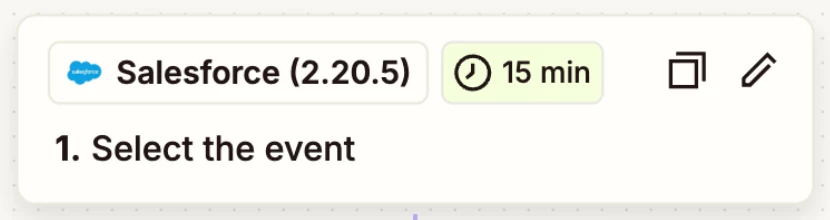
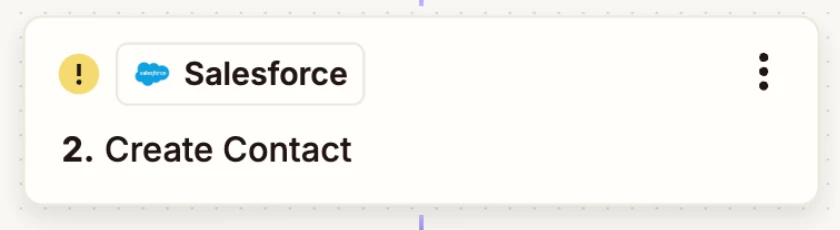
Attached are the screenshots of the two Zaps. The first one is the one where I get the notification saying it’s a “Pro Feature”. The second one is the Zap with Salesforce that works.


Troy Tessalone
Zapier Orchestrator & Solution Partner
Forum|alt.badge.img+14
  • Zapier Orchestrator & Solution Partner
  • June 18, 2025

@JBathke 

Does that Zap that is turned ON using the Salesforce trigger have any recent Zap Runs?


Wondering if you were able to turn that Zap ON during a Zapier Pro plan TRIAL.


  • Author
  • New
  • June 18, 2025

@JBathke 

Does that Zap that is turned ON using the Salesforce trigger have any recent Zap Runs?


Wondering if you were able to turn that Zap ON during a Zapier Pro plan TRIAL.


Yes, it has been running. 


Troy Tessalone
Zapier Orchestrator & Solution Partner
Forum|alt.badge.img+14
  • Zapier Orchestrator & Solution Partner
  • Answer
  • June 18, 2025

@JBathke 

To use Premium Apps in Zaps requires a Zapier paid plan to turn the Zap ON.


It might be because the Zap is using an older version of the Salesforce app that was turned ON during a Zapier paid plan trial.


You can try reaching out to Zapier Support for further clarification: https://zapier.com/app/get-help


  • New
  • June 20, 2025

I’m having this problem, too. I have a paid plan, and it just recently renewed for the year. But new Salesforce zaps aren’t connecting. The old ones are fin.


Troy Tessalone
Zapier Orchestrator & Solution Partner
Forum|alt.badge.img+14
  • Zapier Orchestrator & Solution Partner
  • June 20, 2025

@CynthiaR 

Try opening a ticket with Zapier Support: https://zapier.com/app/get-help


  • New
  • June 20, 2025

Did that first, but thanks. They’re investigating as a bug. 


JammerS
Forum|alt.badge.img+6
  • Zapier Staff
  • June 23, 2025

Hi ​@CynthiaR,


The team is investigating the issue as a potential bug, and in the meantime, it’s suggested to monitor support updates via email.