Question

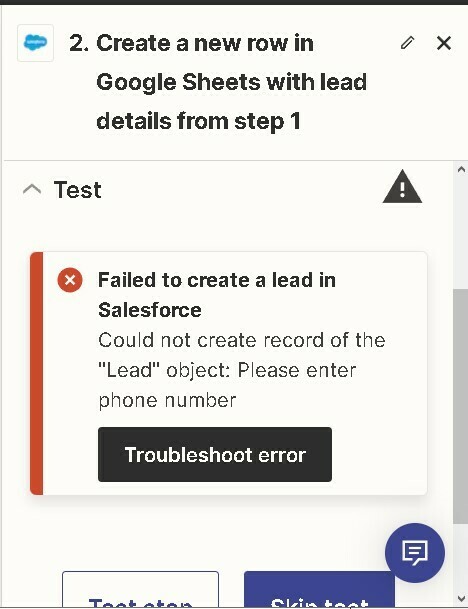
Salesforce error: Could not create record of the "Lead" object: Please enter phone number

  • September 30, 2023
  • 1 reply
  • 76 views


This post has been edited by a moderator to remove personal information. Please remember that this is a public forum and to remove any sensitive information prior to posting.

Hi Everyone!

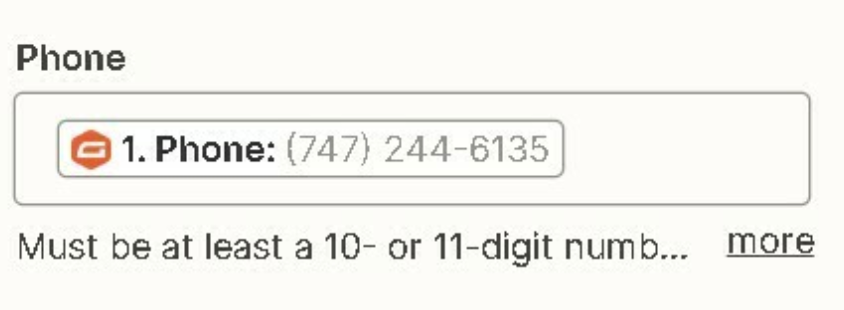
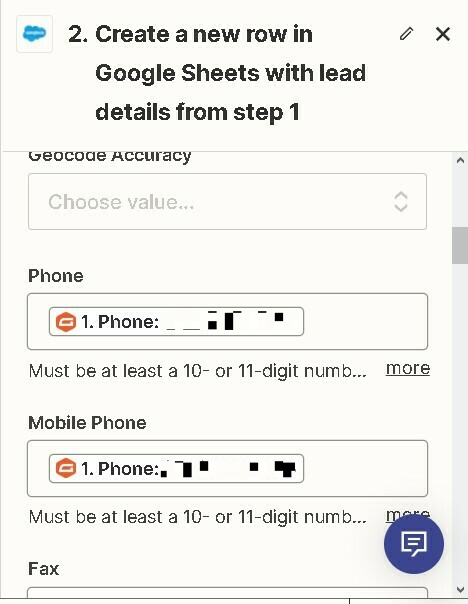
I am creating a zap to move data from my Gravity Form submissions to Salesforce Leads but when I try to create a lead in salesforce and I map everything and when I test it, zapier is always giving me this error saying please enter phone number however I have mapped phone number in correct field.

I have attached pictures to better explain what I mean.


Please help me resolve this issue.

Thanks :)


This post has been closed for comments. Please create a new post if you need help or have a question about this topic.

1 reply

Troy Tessalone
Zapier Orchestrator & Solution Partner
Forum|alt.badge.img+14
  • Zapier Orchestrator & Solution Partner
  • October 1, 2023

Hi @Muhammad Haris 

Good question.

Make sure to review the field description for guidance.

You may need to add this Zap action: Formatter > Numbers > Format Phone Number