Question

Re: Upload new Zoom recording to Google Drive

  • August 11, 2024
  • 7 replies
  • 52 views

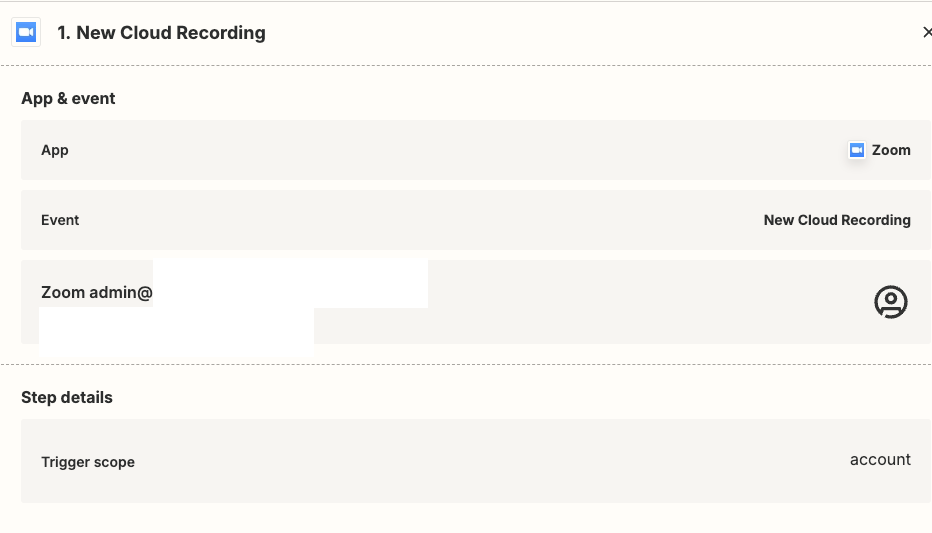
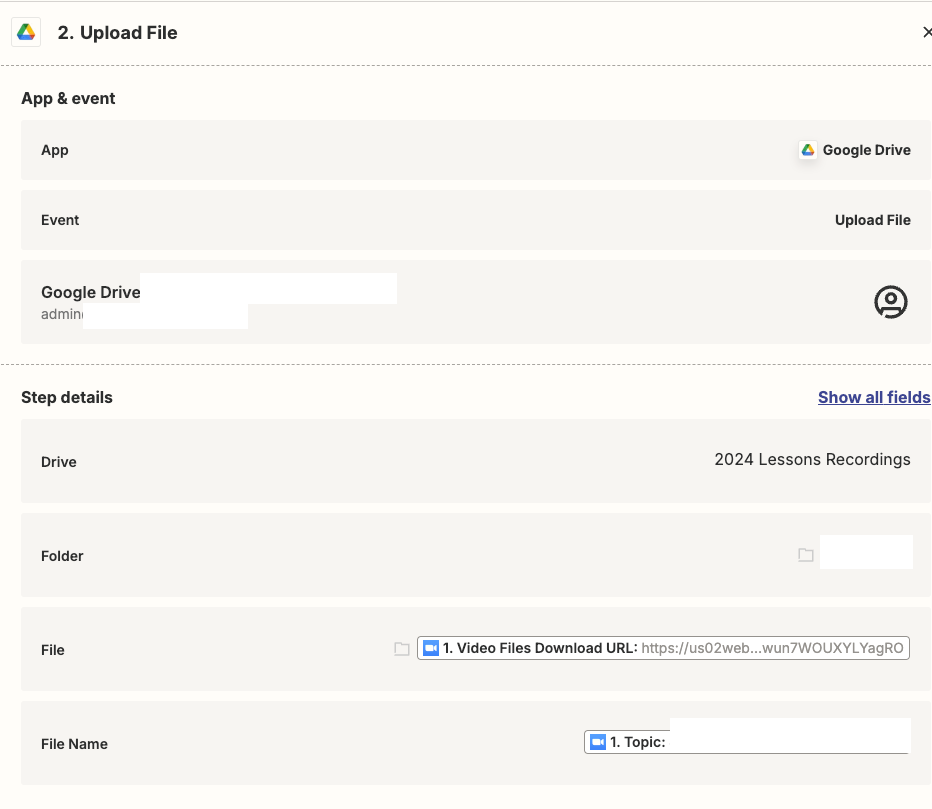
The file which was downloaded is not mp4. It is a binary file. 

What did I do wrong? 

This post has been closed for comments. Please create a new post if you need help or have a question about this topic.


7 replies

Troy Tessalone
Zapier Orchestrator & Solution Partner
Forum|alt.badge.img+14
  • Zapier Orchestrator & Solution Partner
  • August 11, 2024

Hi @Ai Ling 

For us to have more info, post screenshots with how your Zap steps are outlined and configured in EDIT mode.


  • Author
  • New
  • August 11, 2024


Troy Tessalone
Zapier Orchestrator & Solution Partner
Forum|alt.badge.img+14
  • Zapier Orchestrator & Solution Partner
  • August 11, 2024

@Ai Ling 

The mapped variable for the File may include multiple links since the variable label says “Files” (plural).

You may need to use Looping to iterate thru each: https://zapier.com/apps/looping/help


  • Author
  • New
  • August 12, 2024

@Troy Tessalone Many thanks for pointing me to the right direction. Seems like I need to upgrade my plan to get looping into the picture. 


Really advance stuff for me now. 


Troy Tessalone
Zapier Orchestrator & Solution Partner
Forum|alt.badge.img+14
  • Zapier Orchestrator & Solution Partner
  • August 12, 2024

@Ai Ling 

If you are looking to hire help, there is a directory of Certified Zapier Experts: https://zapier.com/experts


  • New
  • February 21, 2025

I am having the same issue. I visited the Video Files Download URL and was able to download the file locally. When I test to upload to Google, it shows up as a Binary file. I tried using Looping to parse out the links and there was only one link.


I do not know what to do.


JammerS
Forum|alt.badge.img+6
  • Zapier Staff
  • February 25, 2025

Hi ​@ahh88,


If a file appears as a Binary file in Google Drive, it may not recognize its type. To troubleshoot this, check if the file format is supported, re-download and re-upload the file, verify the Zapier action to ensure the correct mapping, try a different browser, clear the cache, and confirm there is enough Google Drive storage. If the issue persists, providing more details about the error message can help troubleshoot further.