Best answer

Quickbooks Find Step - Duplicate Name Exists

  • January 7, 2026
  • 10 replies
  • 38 views

smittym
Forum|alt.badge.img

I am getting the Duplicate Name Exists error when using a Quickbooks Find Step.  The step is set to create new contact if one does not exist, but when an existing name is found, it errors.

Best answer by Troy Tessalone

@smittym 

Info about configuring error handling in Zaps: 

https://help.zapier.com/hc/en-us/articles/22495436062605-Set-up-custom-error-handling

10 replies

Troy Tessalone
Zapier Orchestrator & Solution Partner
Forum|alt.badge.img+14
  • Zapier Orchestrator & Solution Partner
  • January 7, 2026

Hi ​@smittym 

Help links for using QBO in Zaps: https://zapier.com/apps/quickbooks/integrations#help


Customer name already in use

Zapier uses the Display Name as a unique handle for finding customers inside of QuickBooks Online.
If you attempt to create a new customer, employee, or vendor that reuses an existing Display Name, you will experience an error.


This error happens because QuickBooks Online already has a record with the same unique value like a name or document number and the API is trying to create it again instead of updating the existing one.


Instead try using this Zap action: QBO - Find [Object]

There is a checkbox that allows you to create an new record if an existing record is not found.


smittym
Forum|alt.badge.img
  • Author
  • Beginner
  • January 7, 2026

That is the Zap action I am using as I thought detailed in my previous post.


Troy Tessalone
Zapier Orchestrator & Solution Partner
Forum|alt.badge.img+14
  • Zapier Orchestrator & Solution Partner
  • January 7, 2026

@smittym 

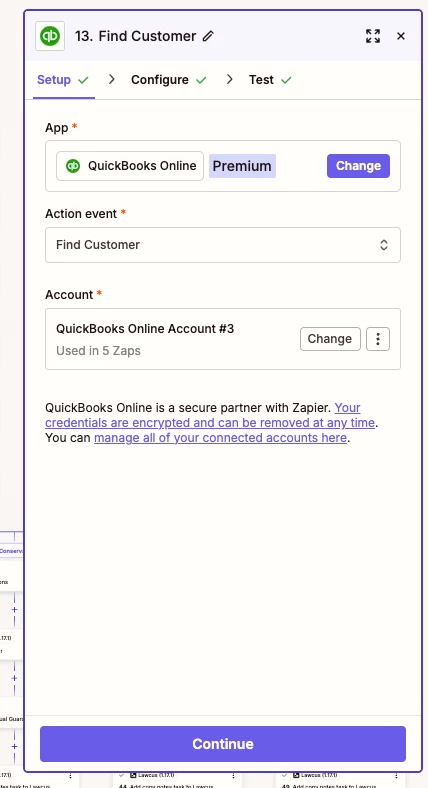
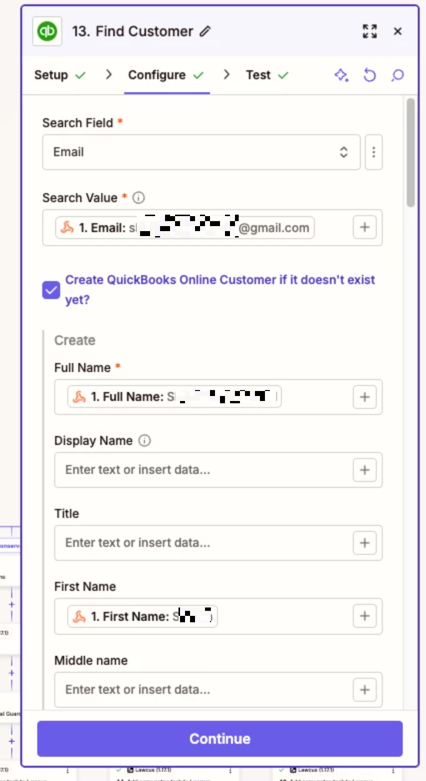
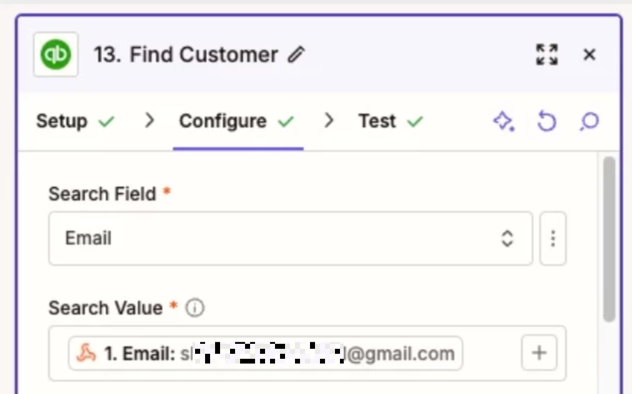
For us to have true context, post screenshots showing how your QBO Zap step is configured in each tab (SETUP/CONFIGURE).


smittym
Forum|alt.badge.img
  • Author
  • Beginner
  • January 7, 2026

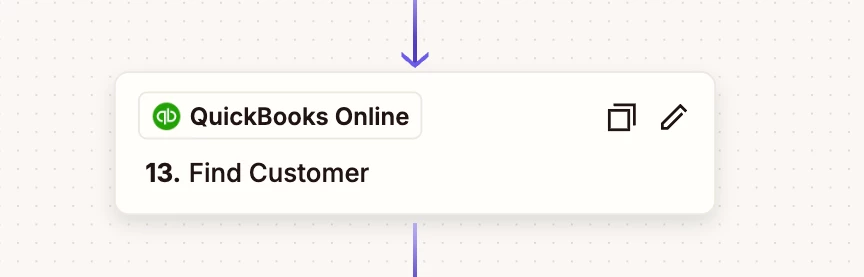
Here ya go.

This post has been edited by a moderator to remove personally identifiable information (PII). Please remember that this is a public forum and avoid sharing personal or potentially sensitive details.


Troy Tessalone
Zapier Orchestrator & Solution Partner
Forum|alt.badge.img+14
  • Zapier Orchestrator & Solution Partner
  • January 7, 2026

@smittym 

Here’s the issue, you are searching for an existing Customer by Email.

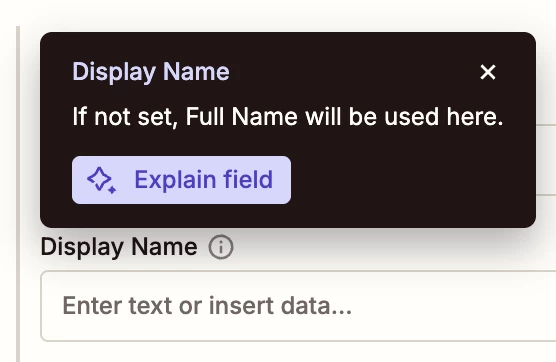
So the Zap step may not find an existing Customer by Email, but when trying to create a new Customer with no “Display Name” set, it will default to using the “Full Name”, so there may be an existing Customer with the same Display Name (aka Full Name).


You can try setting the “Display Name” field and include a unique ID value such as a UNIX Timestamp to make the Display Name unique.

Info about System Variables: https://help.zapier.com/hc/en-us/articles/36855498205453-Introducing-system-variables


This post has been edited by a moderator to remove personally identifiable information (PII). Please remember that this is a public forum and avoid sharing personal or potentially sensitive details.


smittym
Forum|alt.badge.img
  • Author
  • Beginner
  • January 7, 2026

That makes sense.


Thanks.


Troy Tessalone
Zapier Orchestrator & Solution Partner
Forum|alt.badge.img+14
  • Zapier Orchestrator & Solution Partner
  • Answer
  • January 7, 2026

@smittym 

Info about configuring error handling in Zaps: 

https://help.zapier.com/hc/en-us/articles/22495436062605-Set-up-custom-error-handling


SamB
Community Manager
Forum|alt.badge.img+11
  • Community Manager
  • January 9, 2026

Hi there ​@smittym 👋

Just wanted to check how you got on with Troy’s suggestions? Were you able to get it working?

Keep us posted on your progress, want to make sure this gets sorted!


smittym
Forum|alt.badge.img
  • Author
  • Beginner
  • January 9, 2026

Troy was correct about how it functions. I solved the issue with an error handler. 


SamB
Community Manager
Forum|alt.badge.img+11
  • Community Manager
  • January 13, 2026

Thanks for getting back to me ​@smittym! Great to hear that you got it sorted with an error handler 🎉 Thanks for helping with this ​@Troy Tessalone! 🧡

Sounds like you’re all set for now but please do reach back out if you need help with anything else. Happy Zapping! ⚡