


Hi, I'm hoping someone has run into this before because I've been stuck on it for a while.
My setup:
- Trigger: Wix Forms (new form submission)
- Step 2: Pipedrive — Find Persons (with "Create if doesn't exist" checked)
- Step 3: Pipedrive — Update Person (needs the person ID from Step 2)
- Steps further down also need the Step 2 ID
The problem:
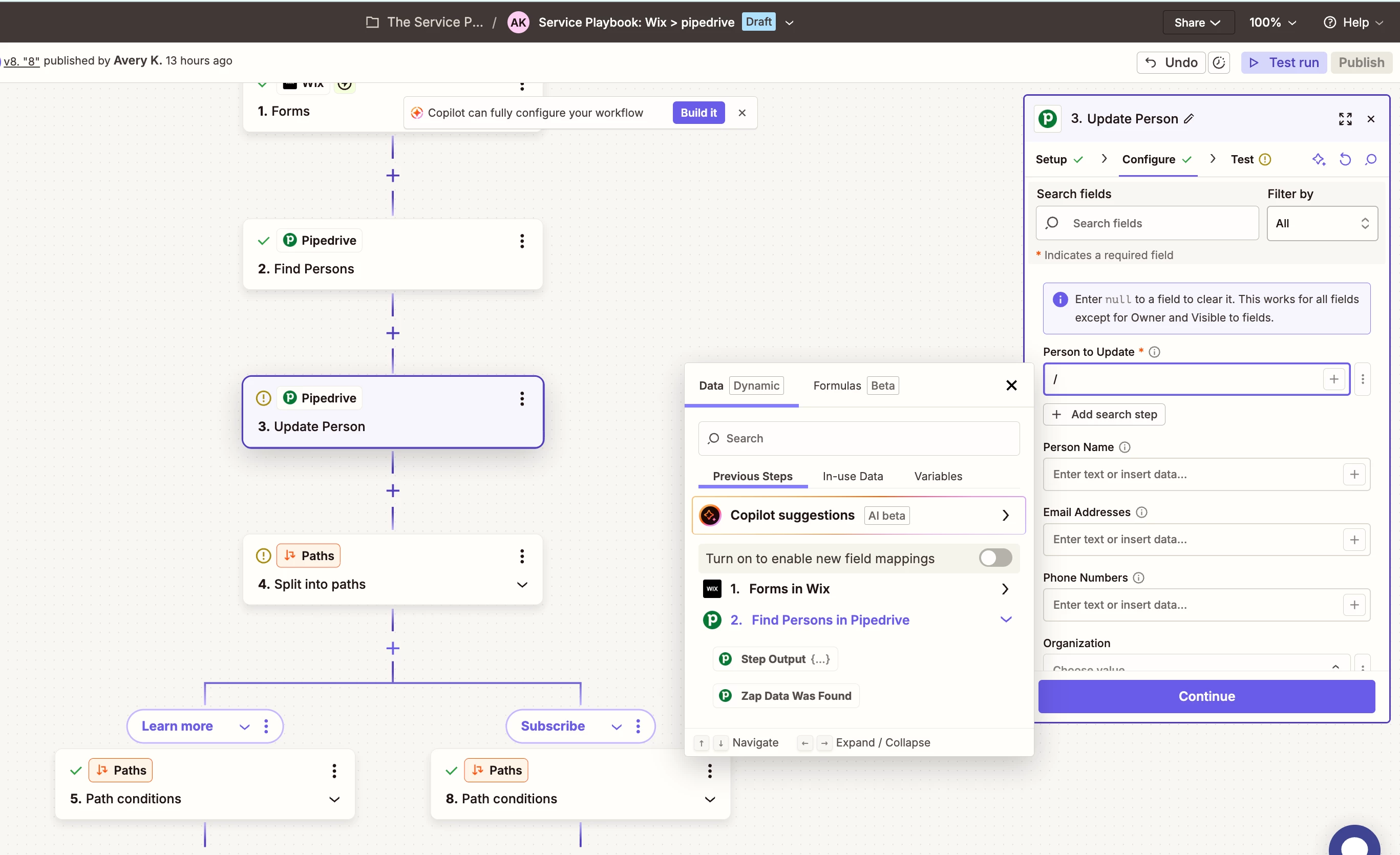
When I try to map the "Person to Update" field in Step 3, the only outputs available from Step 2 are "Raw Output {…}" and "Zap Data Was Found." Step Output is a nested object that won't expand, I can’t find any way to actually map the ID field.
I can confirm the ID is being returned correctly, when I look at the Run Details for Step 2 in Zap History, the Data Out tab clearly shows a real Pipedrive Person ID.
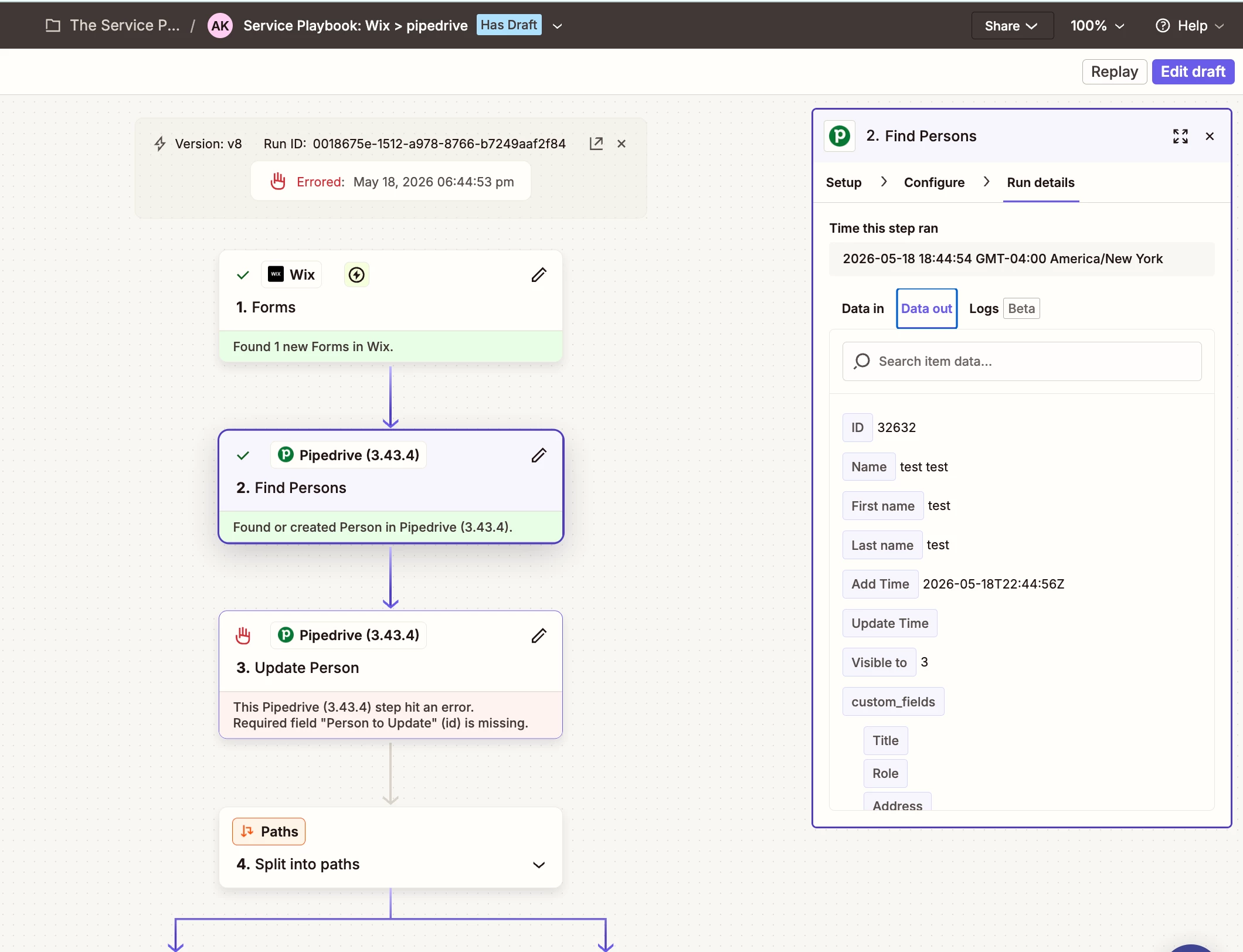
But that ID is completely inaccessible in the field mapper for any downstream step.
My theory:
I believe the issue may stem from the Wix sample data that Zapier forces me to use during testing. No matter what I do, I cannot get my actual test form submissions to appear in Zapier's trigger test. I've submitted the form multiple times, hit "Find new records" repeatedly, reopened the Zap, and tried everything I can think of, but Zapier always falls back to a generic "Forms A" sample record with placeholder values like "some Email," "some First name," etc.
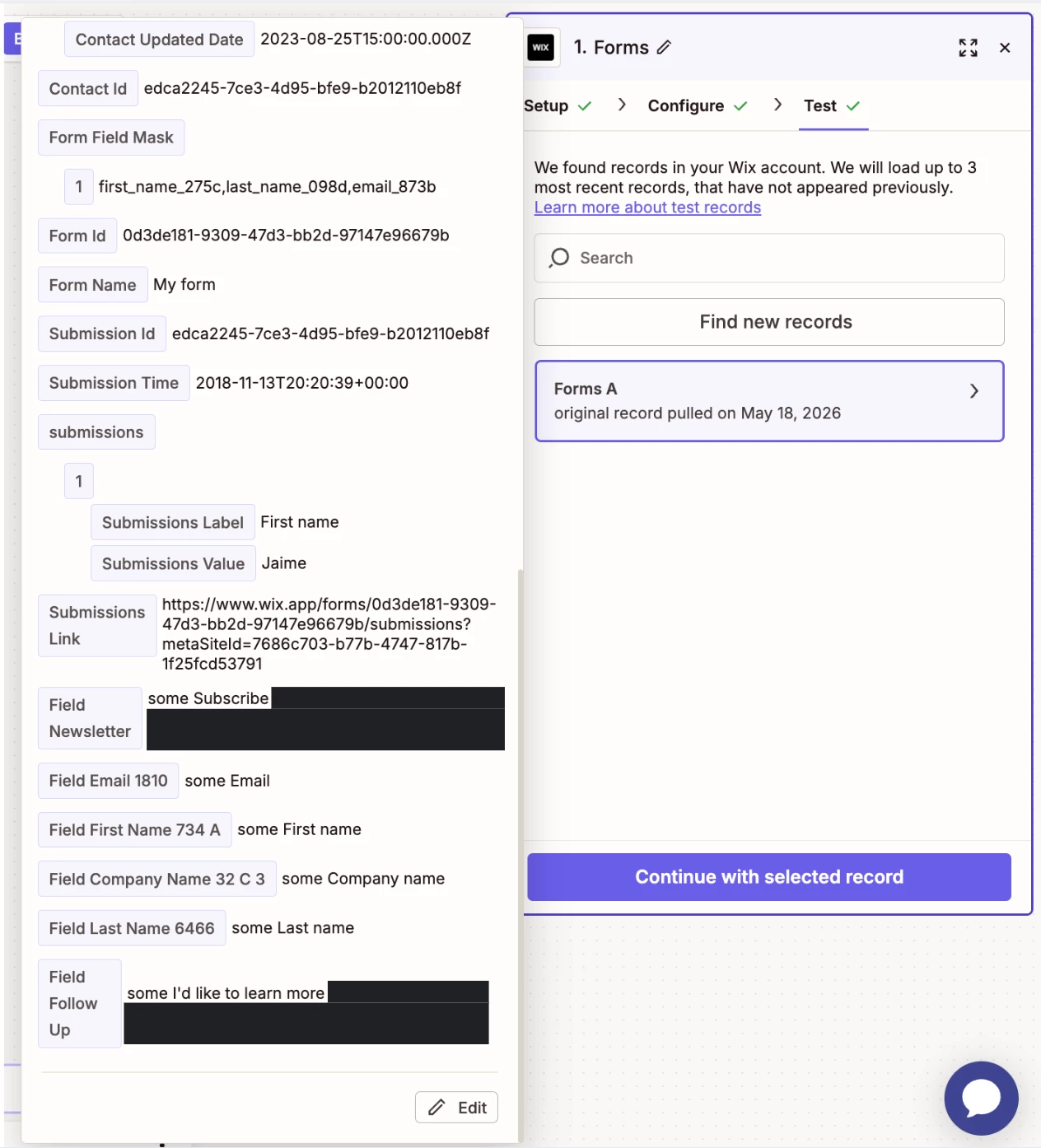
Because the sample data contains "some Email" as the email value (not a valid email address), Step 2's test fails with: "Error code 400: Validation failed: emails: The value must be a valid email."
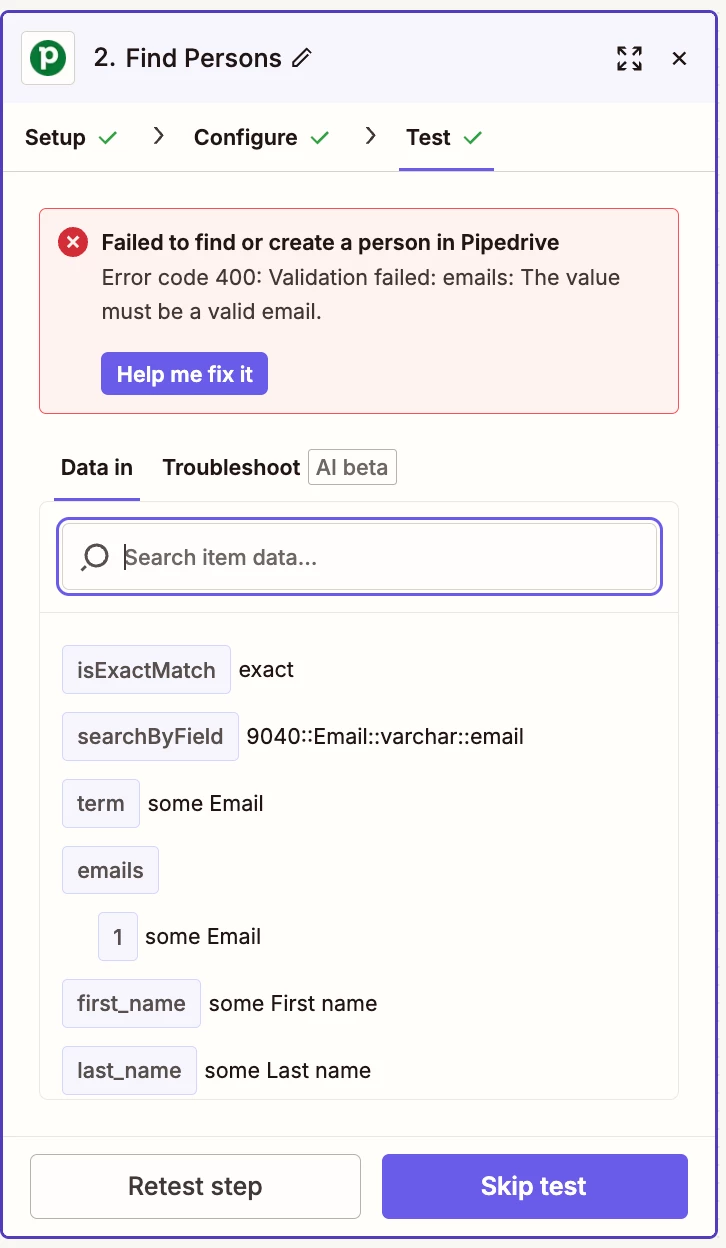
This forces me to click "Skip test" on Step 2 every time. My theory is that because Step 2 has never had a successful test run in the editor, Zapier has no test output data to populate the field mapper with, so downstream steps can only see the empty nested "Step Output {…}" object rather than the actual fields the step returns, including the ID.
In other words: I think the broken Wix sample data is dooming every step that depends on Step 2's output, and I can't break the cycle because I can't force Zapier to use my real form submission data instead.
What I've already tried:
- Searching "id" in the data picker - only returns Wix form fields (Submission Id, Contact Id, Form Id), nothing from Step 2
- Toggling "Turn on new field mappings" - when enabled, Step 2 disappears from the list entirely
- Switching to the Formulas tab and searching "id" - no results
- Deleting and re-adding both Step 2 and Step 3 fresh
- Trying {{2.id}} custom value syntax
- Submitting the Wix form multiple times and clicking "Find new records" - real submissions never appear, only the original "Forms A" sample record
The Zap has run end-to-end successfully in live runs — Step 2 finds/creates the person every time. The issue is purely that the ID can't be mapped forward in the editor, causing Steps 3, 6, and 9 to fail with "404: Person not found."
Has anyone solved this? Is there a way to force Zapier to use a real WIX form submission for testing instead of the cached sample data? Or is there a different Pipedrive action that returns a flat, mappable ID and would sidestep this entirely?
Thanks in advance.



