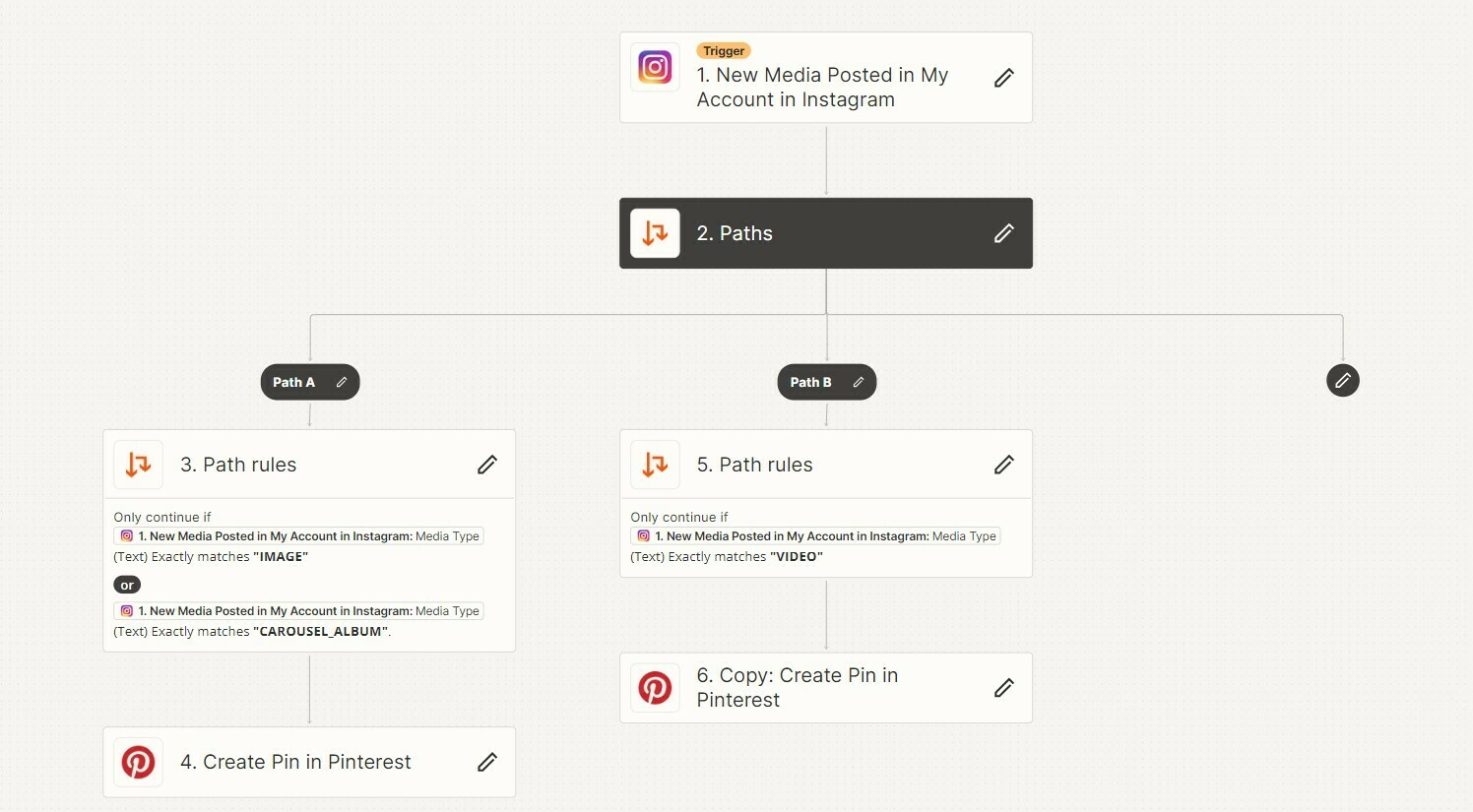
Hi, I keep getting this error on my Pinterest and Instagram Integration.
Error Message: The app returned "Invalid request: {'board_id': '1034420676851162808', 'media_source': {'source_type': 'image_url', 'url': 'https://zapier.com/engine/hydrate/1694999/.eJyFkMtugzAURP_FC1YB7BgbGwlVpI9EifpQq0htN5ZrO0AS7BR...". Invalid request: {'board_id': '
Can someone help me?
Thank you!
Best answer by ken.a
Hi @kalikayap,
It looks like you’ve reached out to our Support Team about this issue and their suggestion solved the error. I’ll be sharing the details here so that our other amazing Community members might find this helpful:
I did some googling and found that this field has a character limit of 500; the data mapped in that field are longer than 500 characters. We can fix this with a truncate step! I've recorded a short gif showing how to set that up:
It looks like you’ve reached out to our Support Team about this issue and their suggestion solved the error. I’ll be sharing the details here so that our other amazing Community members might find this helpful:
I did some googling and found that this field has a character limit of 500; the data mapped in that field are longer than 500 characters. We can fix this with a truncate step! I've recorded a short gif showing how to set that up:
I hope that helps! Let me know if you have any other questions and I'll be more than happy to assist.
Early access
Next Gen Zaps
Build and deploy automations from AI tools you already use. With Agentic Management, if anything breaks, the agent diagnoses the issue and proposes a fix.