Best answer

Paypal not pulling through real records

  • December 17, 2025
  • 3 replies
  • 20 views

Forum|alt.badge.img

Hi there,

I’m struggling to get Paypal to pull through real payment records. I keep getting the same 3 generic test records. I’ve tried publishing the zap and then running a Live payment through Paypal and it still doesn’t pick it up.

I have the trigger set to ‘Payment Sale Webhooks’

The event set to ‘ Completed - A payment sale completes’

Appreciate any help.

Thanks,

Danny
 

Best answer by SchoolOfBeatbox

Hey Sparsh,

Thanks for this - I actually found this info before.

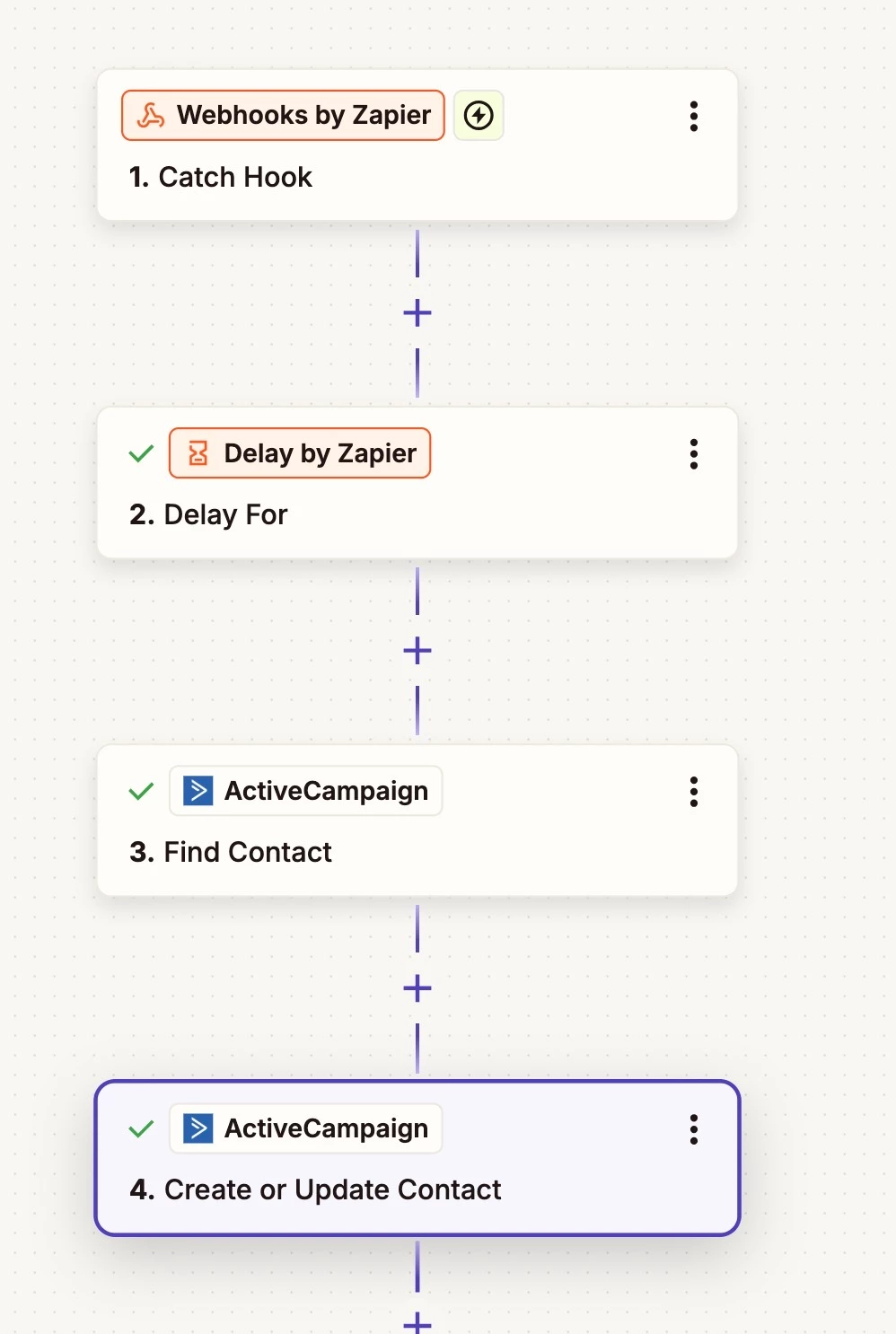
I, however, came up with another fix using ‘Webhooks by Zapier’

With this setup I was able to pull through the required data from Paypal and send what I needed to Active Campaign.

I had to add the webhook, provided by the ‘Webhooks by Zapier’ step, to the same Paypal app that is connected with Optimizecheckouts (which is the checkout plugin I use). I also added a 10 minute delay just incase.

I hope this is useful to somebody.

Thanks,

Danny


3 replies

Sparsh from Automation Jinn
Forum|alt.badge.img+6

Hey ​@SchoolOfBeatbox,

Here is a helpful article about common problems with Paypal with it-

https://help.zapier.com/hc/en-us/articles/8495968056973-Common-Problems-with-PayPal

Try this to fix your issue-

The sample data format provided in the Zap Editor doesn’t match live data.

There are times when the sample data from your PayPal Trigger, in the Zap Editor, will not match the live data that comes through when your Zap runs. This can be especially relevant if you’re trying to add a Filter step to only continue if the item sold contains specific text.

In order to get more accurate data, you can use PayPal’s IPN Simulator tool.

NOTE: you will have to log in to your PayPal account in order to use the tool, but you do NOT need a developer account.

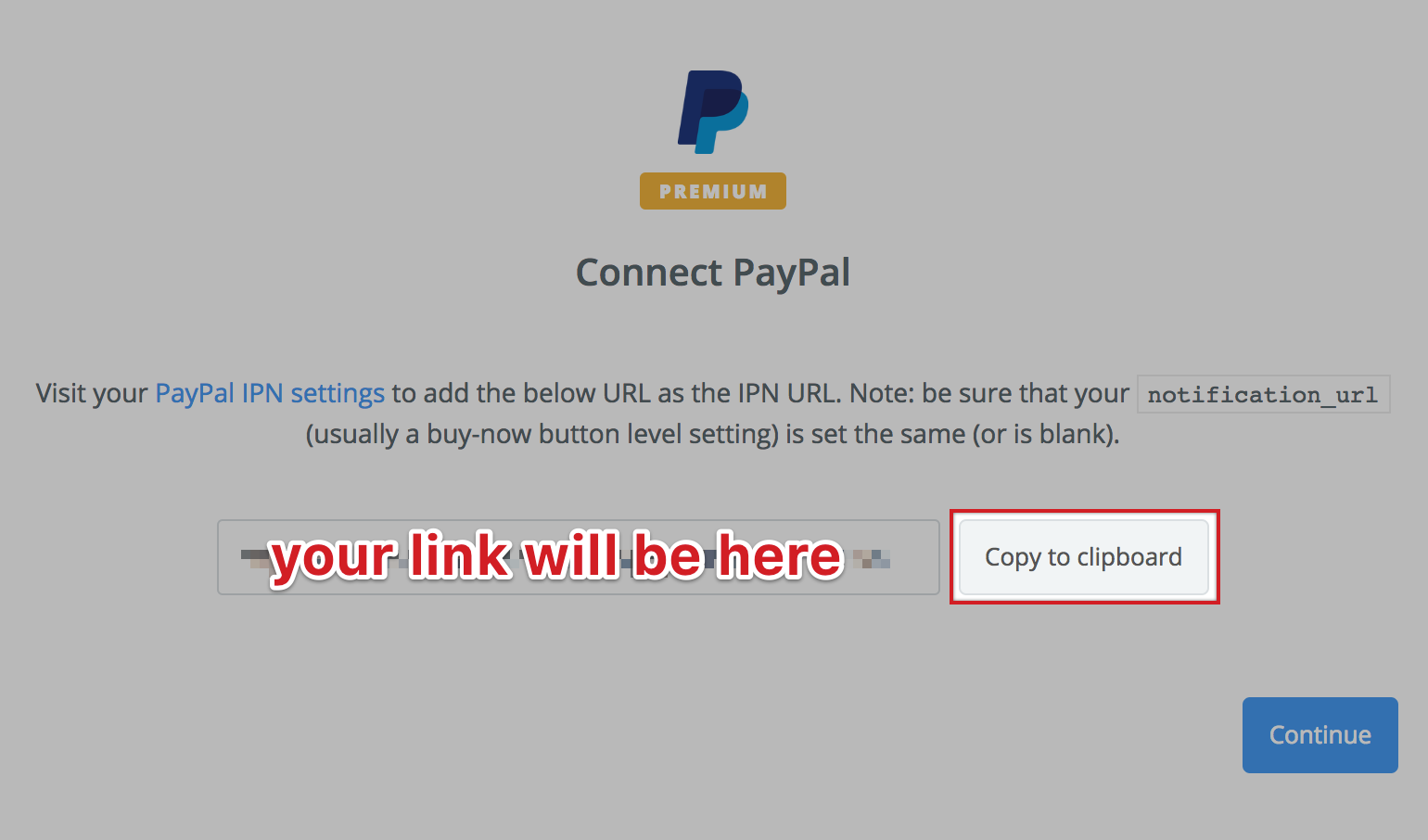
Copy the PayPal link from your Trigger step:

alt text

Access the tool here: https://developer.paypal.com/developer/ipnSimulator/

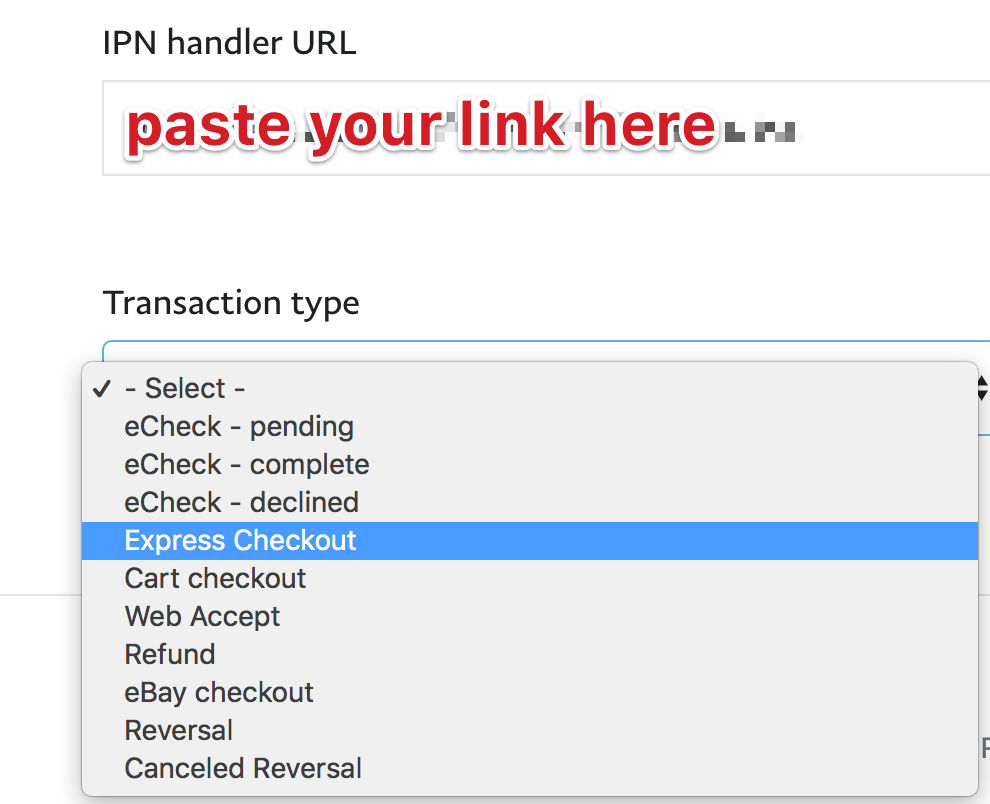
Paste your link here:

alt text

You should be able to select Express Checkout or Cart Checkout to simulate a PayPal sale. Change the sample data before submitting, if you’d like.

Back in the Zap Editor, test the Trigger step and you will now see what you sent from the IPN Simulator, instead of the default sample data we originally provide.

Now you’ll have a sample that matches how those fields will appear when your Zap has been turned on and runs live.

Hope it helps!

PS: If you need more active help, I’m happy to connect through my Zapier Solution Partner page if you’d like to reach out here- https://zapier.com/partnerdirectory/automation-jinn


Forum|alt.badge.img
  • Author
  • Beginner
  • Answer
  • December 17, 2025

Hey Sparsh,

Thanks for this - I actually found this info before.

I, however, came up with another fix using ‘Webhooks by Zapier’

With this setup I was able to pull through the required data from Paypal and send what I needed to Active Campaign.

I had to add the webhook, provided by the ‘Webhooks by Zapier’ step, to the same Paypal app that is connected with Optimizecheckouts (which is the checkout plugin I use). I also added a 10 minute delay just incase.

I hope this is useful to somebody.

Thanks,

Danny


SamB
Community Manager
Forum|alt.badge.img+11
  • Community Manager
  • December 18, 2025

Thanks so much for sharing what worked for you ​@SchoolOfBeatbox! 🤗 Really appreciate you taking the time to follow up with details of the solution you went with - it's super helpful for others running into similar trouble with PayPal.

And thank you as well to ​@Sparsh from Automation Jinn for jumping in to offer some help, love to see this! 🧡