
I have a Create/Update Contact zap connecting Calendly and Ontraport. While I’m not sure what I’m bringing up here will actually solve the primary issue I’m troubleshooting, I’m in sleuth mode, looking at all potential culprits. SO, I’m seeing these what I assume to be some kind of error icon on some of my Ontraport fields w/i the zap and there’s no indication of what they mean and no further info by clicking on them or anything. When I described what I was seeing, in words, to the AI support bot, it said that meant they are “missing fields” that Zapier can no longer find on the other platform.
NOTE: The fields are not custom, except for maybe “Calendly Contact Owner” (not shown below) and they’re definitely still in Ontraport. Previous steps and test records worked fine when navigating through this today AND the zap was updated and tested successfully (outside of Zapier) in early September 2024.
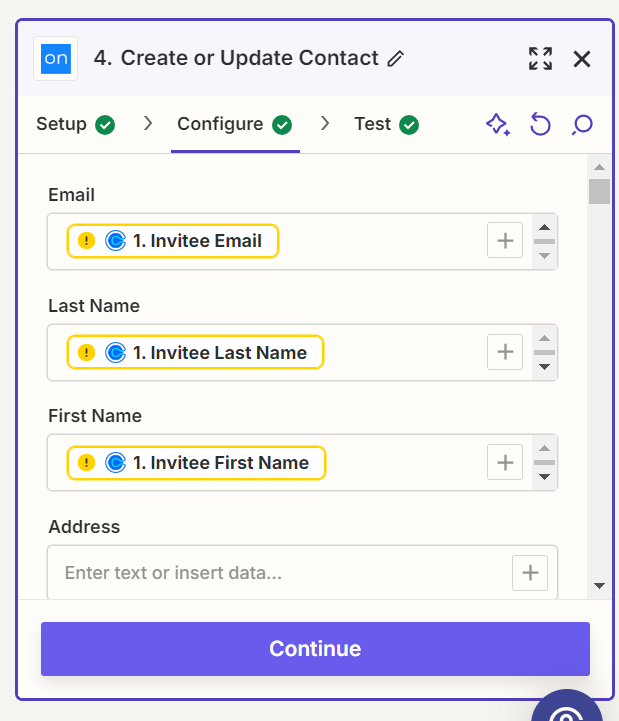
Disclaimer: I’m a Zapier novice and nothing about it is intuitive to me (I’m techy, but not developer techy). So, I ask you, kindly, to please respond in laymen’s terms, not Zap-ease, if possible. Many thanks in advance.






