Question

OneDrive url not populating in Zap

  • March 3, 2025
  • 8 replies
  • 45 views

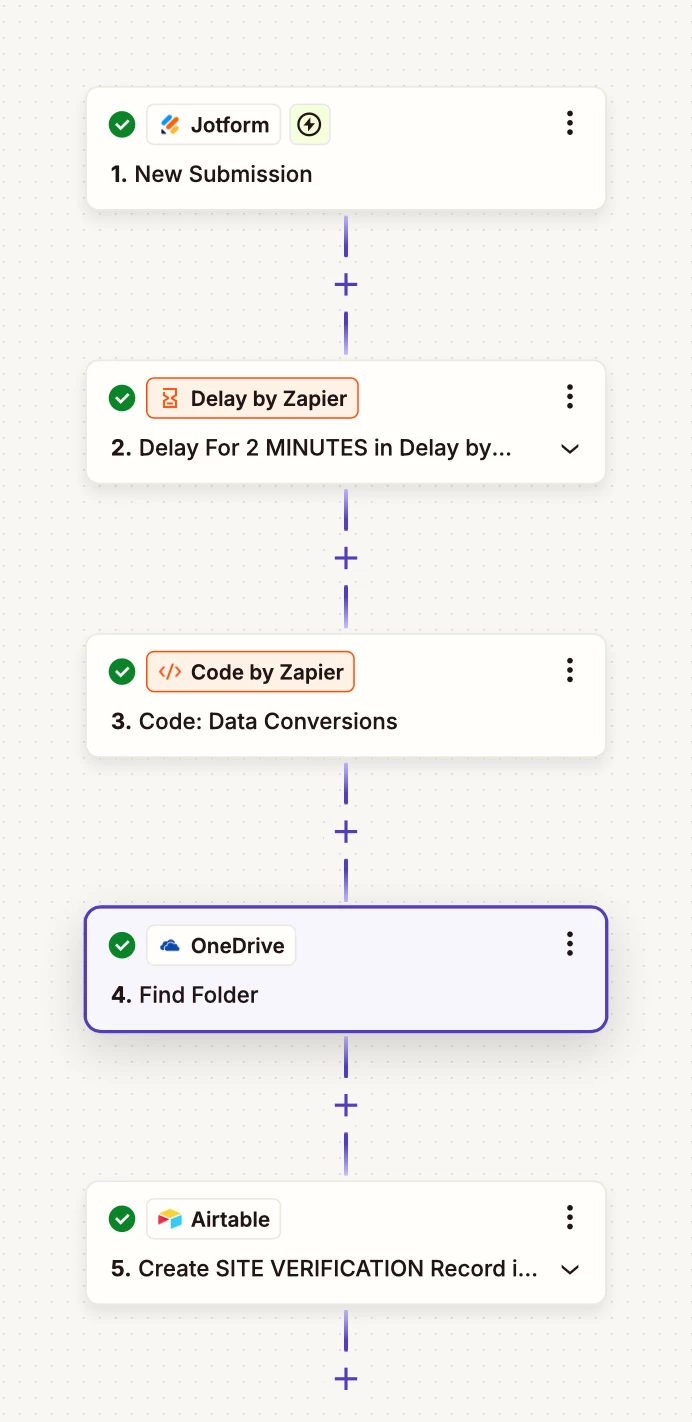
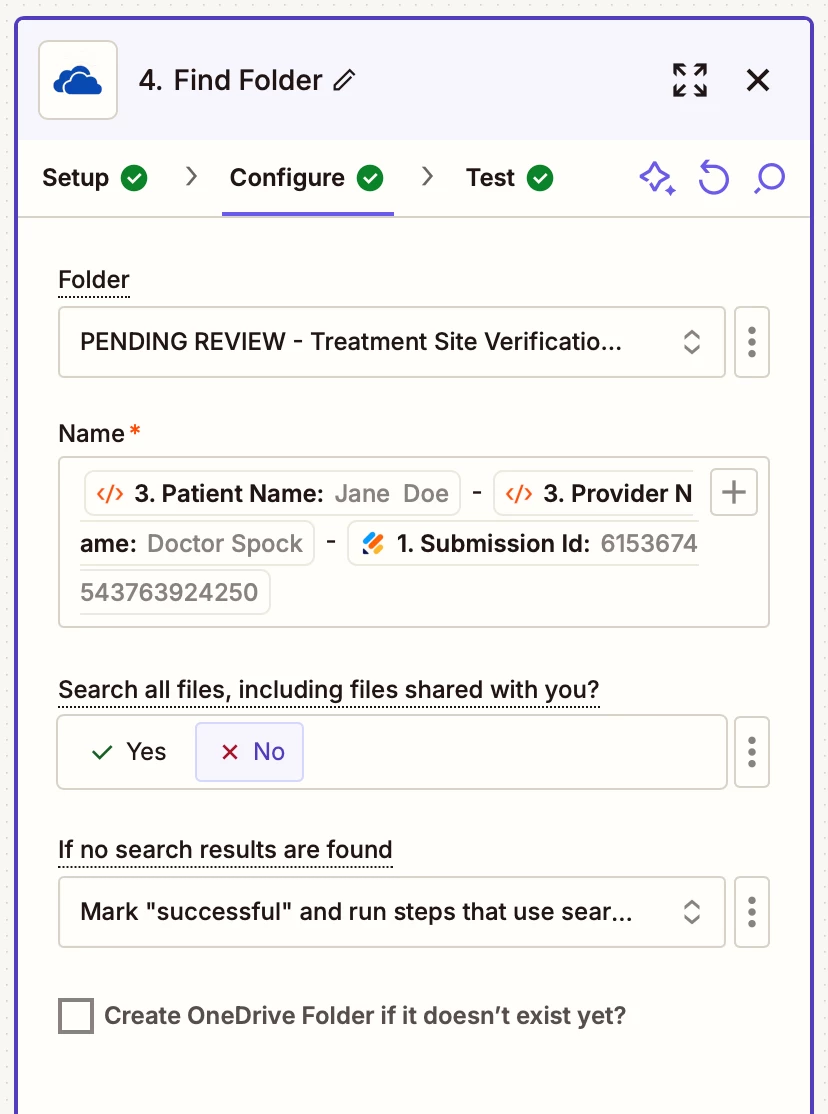
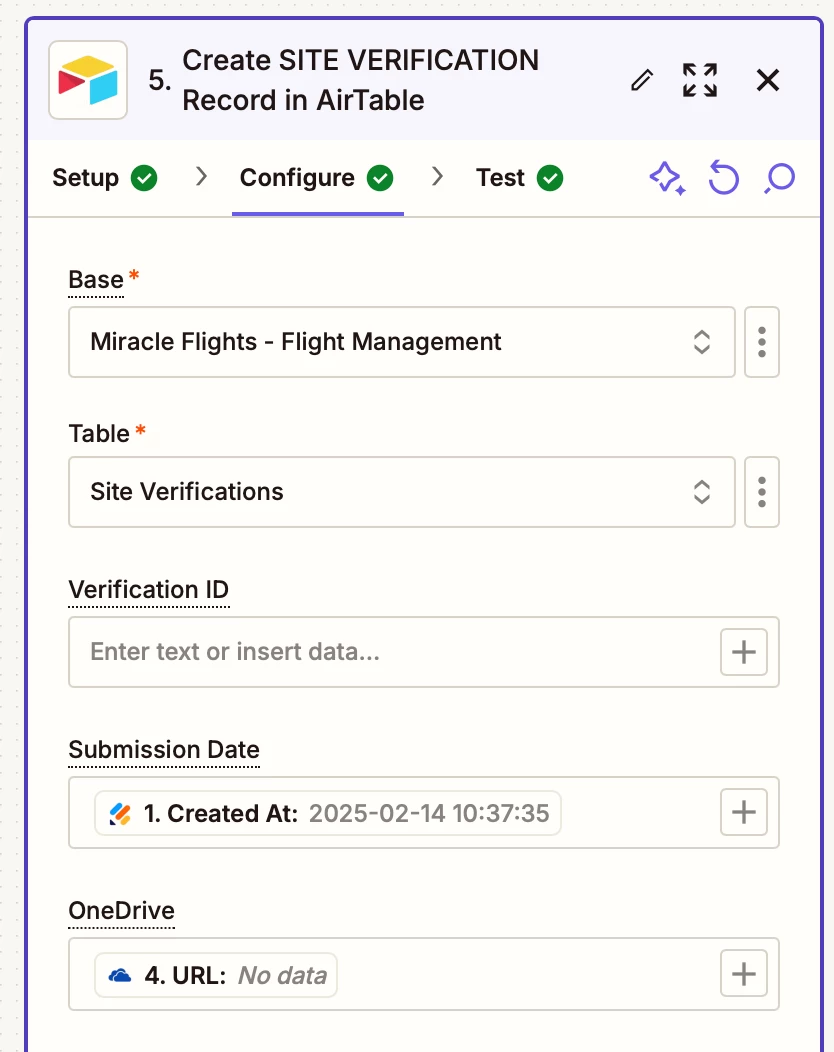
I am grabbing a file that has been uploaded from Jotform and moving it to a folder for Zap to use and I am trying to populate a url link to the folder that will be populated in Airtable. The screen grabs below are with dummy data but it appears to be finding the folder in step 4 but the url is not populated in step 5. This is my number one problem when I create Zaps. I just keep redoing the same thing over and over until eventually somehow it populates but would like to know a better way.


This post has been closed for comments. Please create a new post if you need help or have a question about this topic.

8 replies

Troy Tessalone
Zapier Orchestrator & Solution Partner
Forum|alt.badge.img+14
  • Zapier Orchestrator & Solution Partner
  • March 3, 2025

Hi ​@Deb for MF 

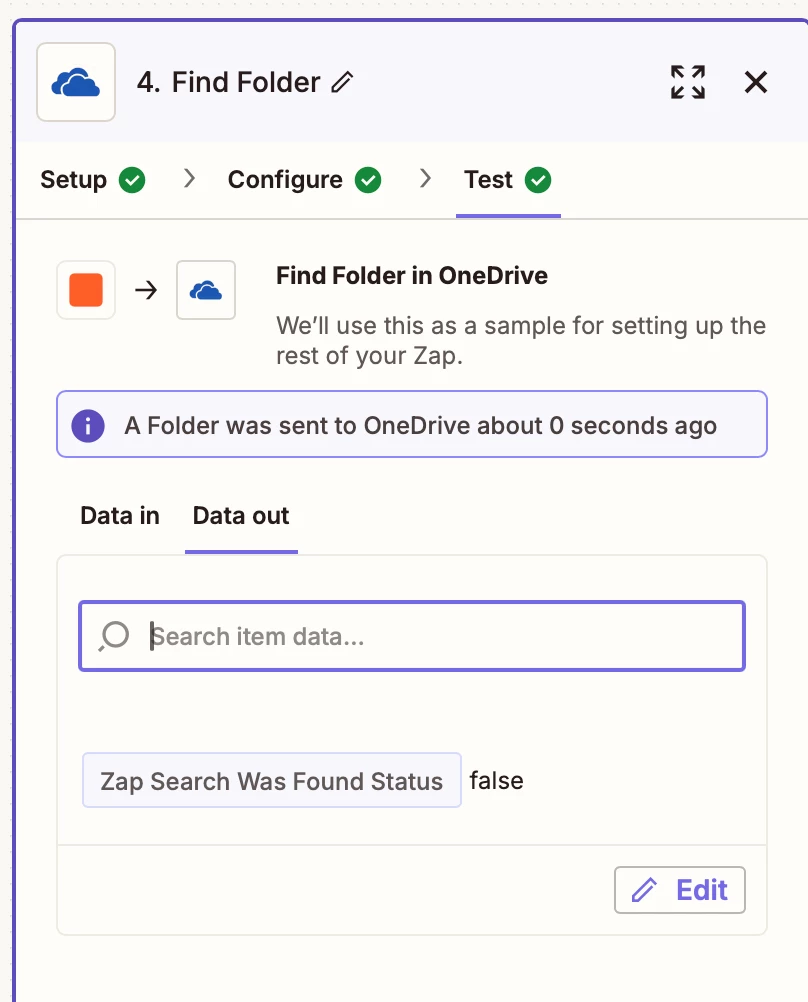
Make sure to test Zap step 4 in the TEST tab.

Post screenshots of the returned data from OneDrive.


  • Author
  • Beginner
  • March 4, 2025

Hi ​@Troy Tessalone 

Attached is the requested Test results. Thanks for replying.


Troy Tessalone
Zapier Orchestrator & Solution Partner
Forum|alt.badge.img+14
  • Zapier Orchestrator & Solution Partner
  • March 4, 2025

@Deb for MF 

Screenshot you provided shows Zap step 4 returned no found folder.
So you’ll have to add more logic steps to the Zap to determine how your want to handle that case.


  • Author
  • Beginner
  • March 6, 2025

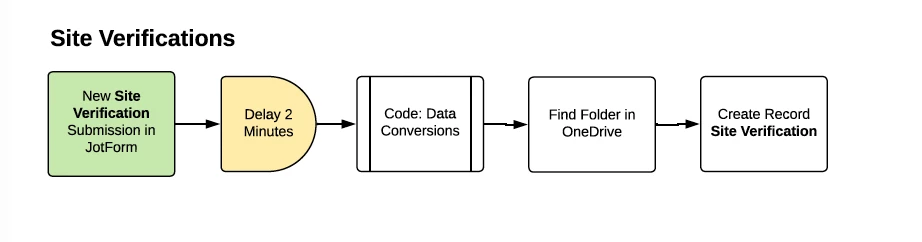
@Troy Tessalone I am following another working Zap and there isn’t more logic steps. How it’s supposed to work is a form is uploaded from Jotform. The Zap is supposed to find that folder then fill a table in Airtable. I am definitely getting lost in the folders and how they are pulling and finding the different ones. Here is the flow.


Troy Tessalone
Zapier Orchestrator & Solution Partner
Forum|alt.badge.img+14
  • Zapier Orchestrator & Solution Partner
  • March 6, 2025

@Deb for MF 

To help you troubleshoot, check your Zap Runs history details to see the DATA IN/OUT for each step: https://zapier.com/app/history/


SamB
Community Manager
Forum|alt.badge.img+11
  • Community Manager
  • March 20, 2025

Hi there, ​@Deb for MF! 👋

Were you able to get this sorted? If so, would you be up for sharing how you solved it? It could really help out other folks that might be having similar issues. 🙏

And if you’re still stuck, I wonder if it could be that the name of the folder that are created is slightly different to the folder name that the Zap is searching for. Which might explain why it’s not finding the folder. Perhaps the Find Folder action is looking for an exact search perhaps the capitalisation is slightly off or there’s an additional space character somewhere that’s causing it to not be an exact match. 🤔 Do you think that could be the case? 

Looking forward to hearing from you!


  • Author
  • Beginner
  • March 24, 2025

Hi! This has not been solved yet but I need to check on something before posting more, soon.


JammerS
Forum|alt.badge.img+6
  • Zapier Staff
  • March 25, 2025

Hi ​@Deb for MF,


We sincerely apologize, but keep us in the loop so we can further assist you with your concerns. Thank you.