Hi everyone,
I’m trying to set up a Zap using Notion as the trigger and Google Slides as the action.
Goal: When a new entry is added to my “Verification Flow Tracker” database in Notion, Zapier should automatically create a slide in my Proof Deck template in Google Slides.
Current Setup:
-
App: Notion
-
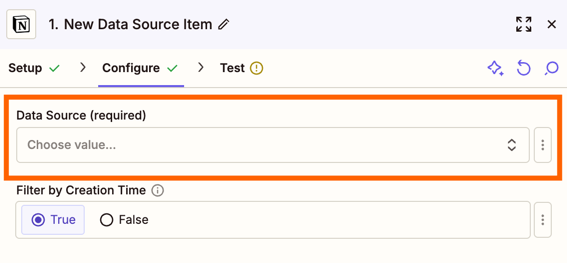
Trigger: New Data Source Item
-
Action: Create Presentation from Template (Google Slides)
-
Notion workspace: MoBettaOne
-
Notion page shared with Zapier integration ✅
Issue:
When testing the Notion trigger, Zapier returns:
“Error while retrieving: Error: Data Source or Database required. No data source or database provided for trigger.”
I’ve already confirmed:
-
Zapier is connected to the correct Notion account
-
My Notion database is shared with the integration
-
There’s data available in the page
Any idea why Zapier isn’t detecting my database?
Thanks in advance!
— Moses