
Question

Not able to pull Projects values from Pipedrive

  • December 10, 2025
  • 2 replies
  • 11 views

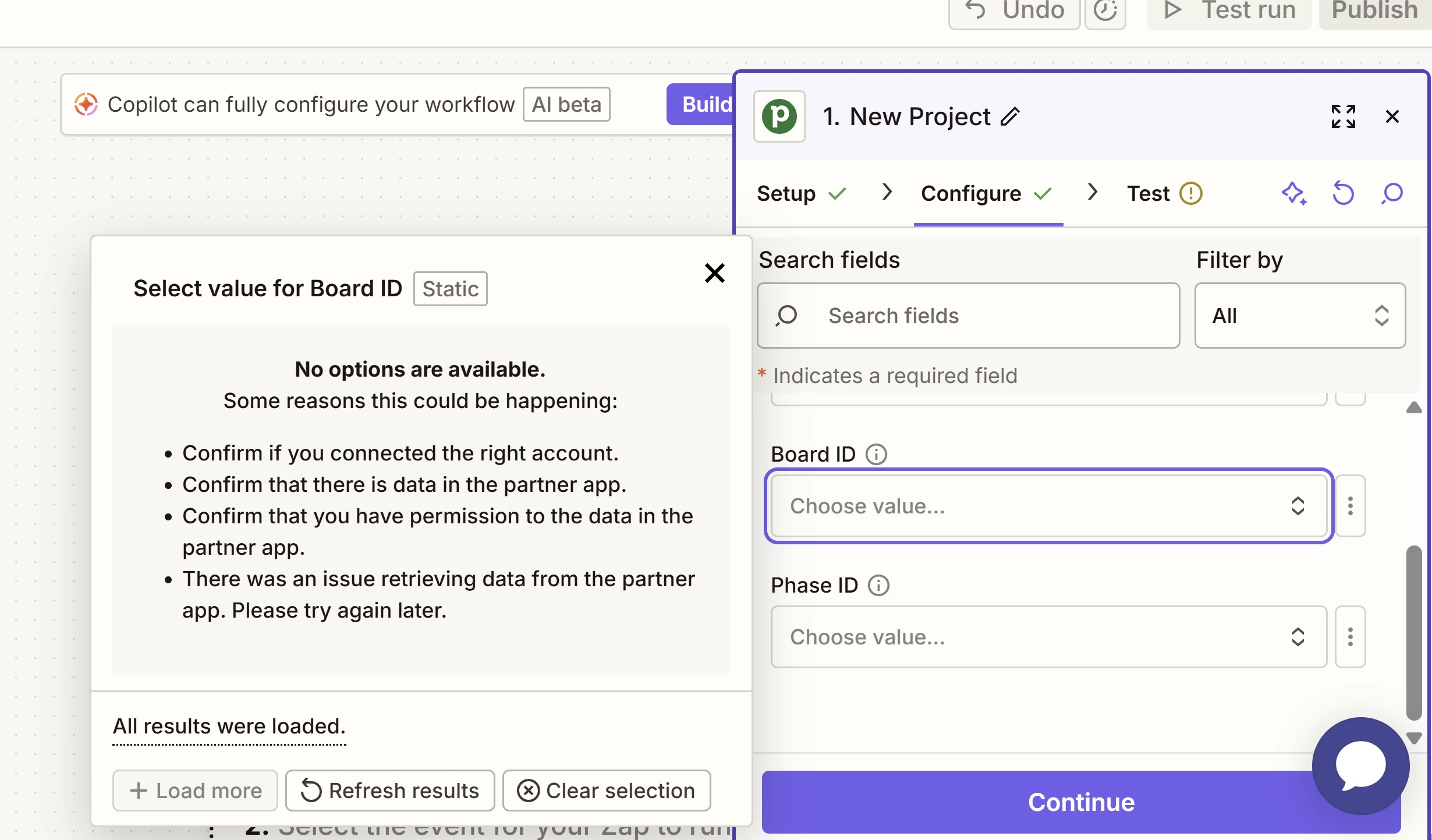
In my efforts to create zaps for projects in Pipedrive, I’m running into an error message indicating Zapier cannot retrieve any Project data. I’ve confirmed that my Pipedrive-Zap connection is active and working, and that there are Projects Boards and Projects available to retrieve in Pipedrive. Any troubleshooting advice is welcome.

 

2 replies

Troy Tessalone
Zapier Orchestrator & Solution Partner
Forum|alt.badge.img+14
  • Zapier Orchestrator & Solution Partner
  • December 10, 2025

Hi ​@AlvaEric 

If you know the Pipedrive Board ID, then you can try setting that as a static value.


Help link for expected values in dropdown fields: https://help.zapier.com/hc/en-us/articles/8496241696141-Add-custom-values-to-dropdown-menu-fields-in-Zaps


Sparsh from Automation Jinn
Forum|alt.badge.img+6

Hey ​@AlvaEric,

Try refreshing it a few times as sometimes it can give you the data. Also you can try reconnecting the Pipedrive app connection if it fixes your issue.

If it doesn’t work, you will have to get the Board ID by directly querying the Pipedrive API using API request action to get the custom fields. Here is a helpful article about it here- https://help.zapier.com/hc/en-us/articles/12899607716493-Create-an-API-Request-action. The /v1/projects/boards endpoint will be useful for you. Here is the API documentation- https://developers.pipedrive.com/docs/api/v1/Projects.

After retrieving the Board IDs from the API, you can enter it as a static value in your Zap. Sometimes the ID is also exposed in URL through the UI, you can try with that as well. Hope it helps!

PS: If you need more active help, I’m happy to connect through my Zapier Solution Partner page if you’d like to reach out here- https://zapier.com/partnerdirectory/automation-jinn






