I can’t reply to this thread, hence I’m opening a new one:
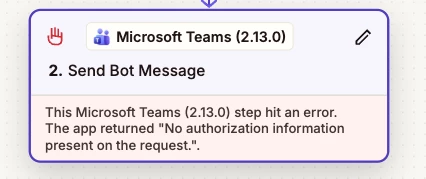
The error is the same:
The thing is that I only receive this email for one of our Zaps. The others, that use the same connection and everything(the only difference is channel/description) don’t produce this error.
What I’ve tried: Reconnecting the account/Teams connection.
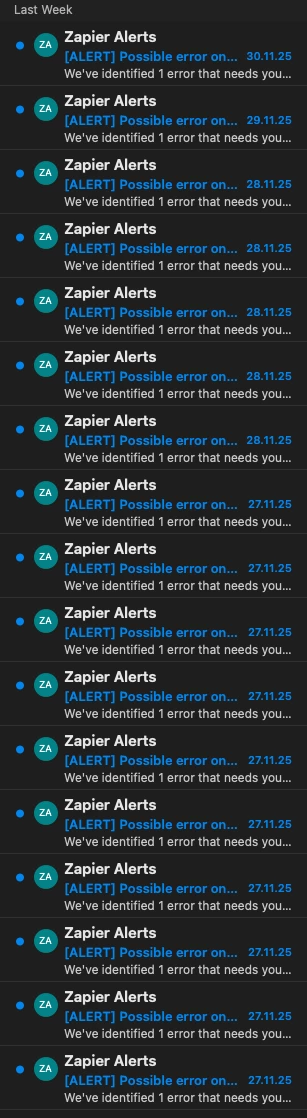
When replaying said run, the output is successful, but my Outlook is full of error messages for each separate run. :)
Can you please guide me how to fix this? Thanks in advance, Y. P.
Best answer by SamB
Hi @Y P, welcome to the Community! 🎉
I’m so sorry to hear that you’re running into "No authorization information present on the request” errors like the ones mentioned on that other community thread. I can see you also reached out to our Support team and they recommended updating the Zap to use the latest version of the Microsoft Teams app to see if that gets rid of the error notifications.
Not sure whether you’ve had a chance to give that a try yet, but please keep us posted on how it goes when you do - want to make sure this gets sorted!
I’m so sorry to hear that you’re running into "No authorization information present on the request” errors like the ones mentioned on that other community thread. I can see you also reached out to our Support team and they recommended updating the Zap to use the latest version of the Microsoft Teams app to see if that gets rid of the error notifications.
Not sure whether you’ve had a chance to give that a try yet, but please keep us posted on how it goes when you do - want to make sure this gets sorted!
Thanks for the responses. Yesterday I’ve updated the Teams app to the latest version and performed a reconnection of the used account and I haven’t received any errors so far.
I will update the post if the issue appears again, but for now it’s looking good.
YAY! 😁 Thanks for letting us know @Y P. I’m so pleased updating it to use the latest version seems to have done the trick.
Yes, please do keep an eye on it and let us know if it crops up again. In the meantime, happy Zapping! ⚡
Early access
Next Gen Zaps
Build and deploy automations from AI tools you already use. With Agentic Management, if anything breaks, the agent diagnoses the issue and proposes a fix.