


Answer

My Zap isn't running live for updating Hubspot via Respond.io even if tests are successful.

  • January 17, 2024
  • 5 replies
  • 77 views

Forum|alt.badge.img

 Good day. 

Update contact on RESPOND.IO to create / update on HUBSPOT. Test successful / Live ZAP not working


THE ZAP: Test Run - SUCCESS
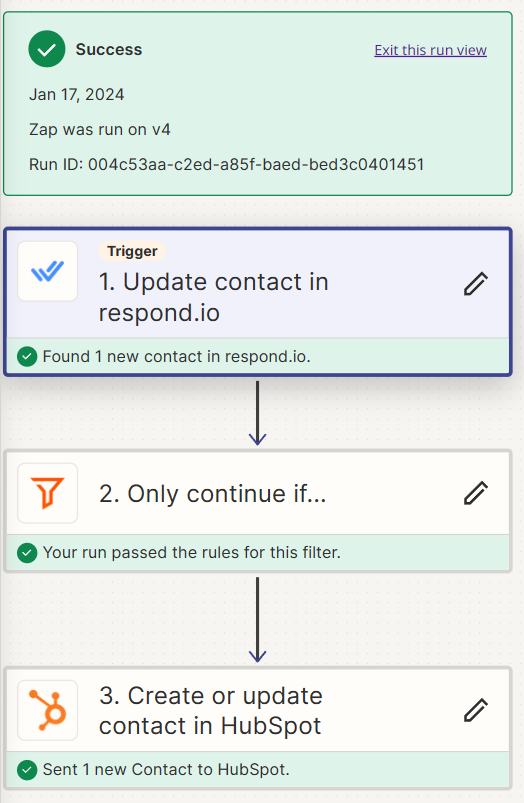
 

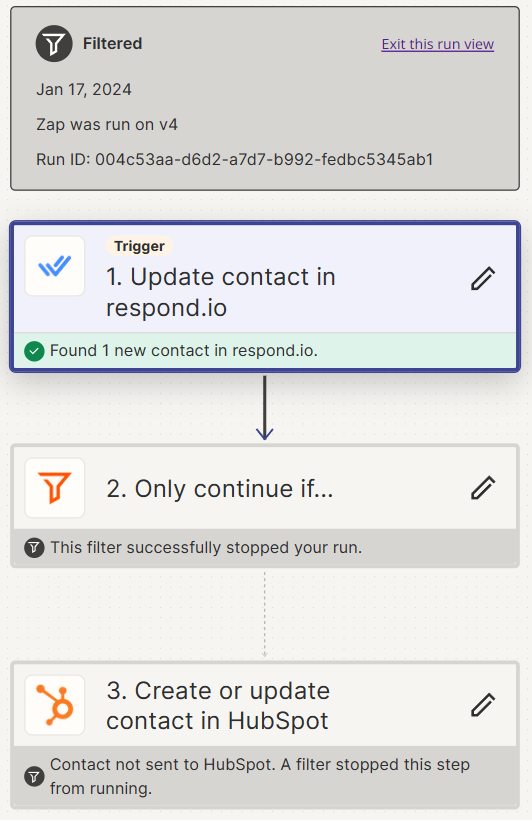
LIVE ZAP RUN: Not successful
 

CONDITION TO RUN ZAP: 

When we place the HUBSPOT or hubspot tag in the TAG BOX on RESPOND.IO this ZAP should run. 
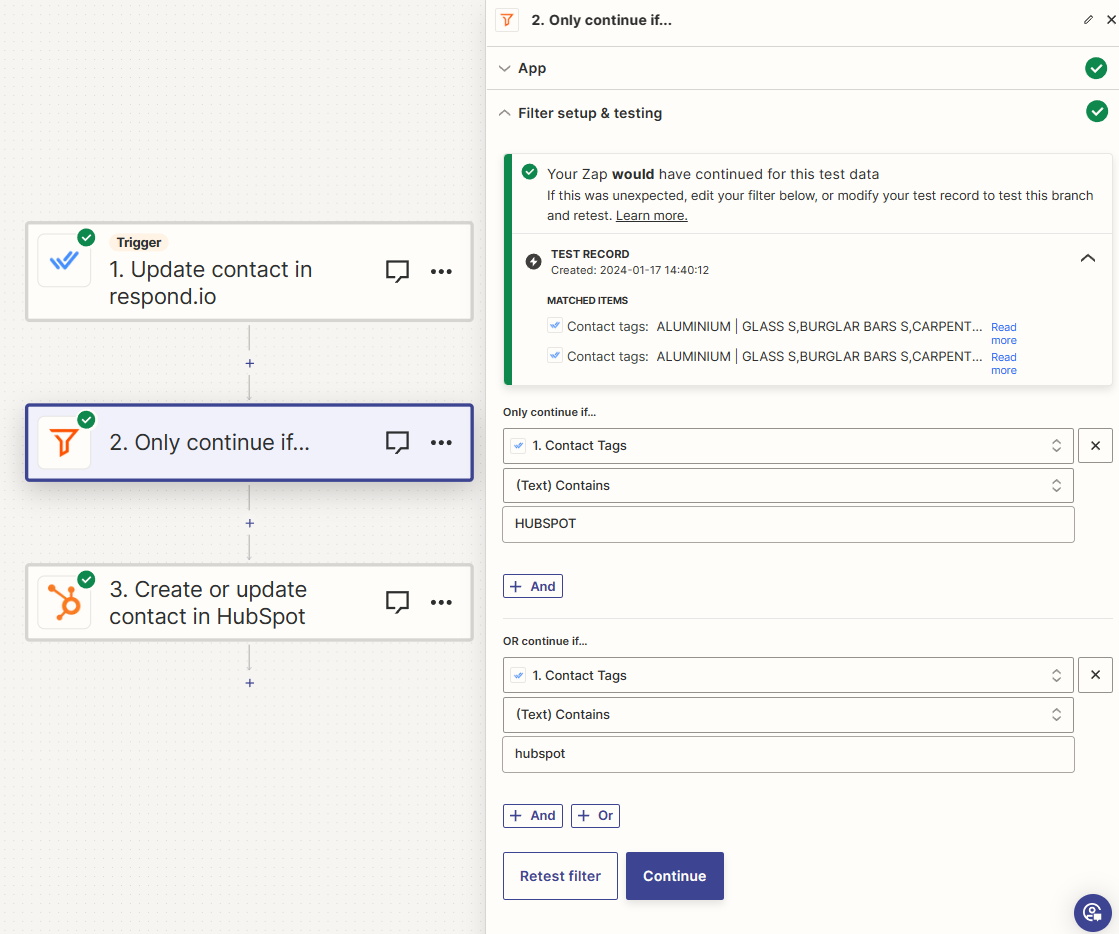
 

When I update the record and then place the HUBSPOT tag.. nothing happens?

Best answer by Francois H

From what I understand… 
The 1st Action → “Update Contact in Respond” has triggers that activate the ZAP, 

So I removed the conditional trigger as the 1st action already has conditional triggers. 

That solved my problem. 

This post has been closed for comments. Please create a new post if you need help or have a question about this topic.

5 replies

Troy Tessalone
Zapier Orchestrator & Solution Partner
Forum|alt.badge.img+14
  • Zapier Orchestrator & Solution Partner
  • January 17, 2024

Hi @Francois H 

Check your Zap Runs to see the DATA IN/OUT for each Zap step to help you troubleshoot why it was filtered: https://zapier.com/app/history/


Forum|alt.badge.img
  • Author
  • Beginner
  • January 18, 2024

Hi, I solved the challenge. 

Thank you


ken.a
Forum|alt.badge.img+6
  • Zapier Staff
  • January 19, 2024

That’s great news @Francois H! Glad to hear you were able to get it sorted!

Would you mind sharing the solution you found? This will be helpful to our other Community members who might run into a similar issue in the future.

Thanks!


Forum|alt.badge.img
  • Author
  • Beginner
  • Answer
  • January 20, 2024

From what I understand… 
The 1st Action → “Update Contact in Respond” has triggers that activate the ZAP, 

So I removed the conditional trigger as the 1st action already has conditional triggers. 

That solved my problem. 


ken.a
Forum|alt.badge.img+6
  • Zapier Staff
  • January 26, 2024

Thank you for sharing the solution here @Francois H!

If you have any other questions, please don’t hesitate to reach out to the Community. We’re always happy to help! 🤗



