Answer

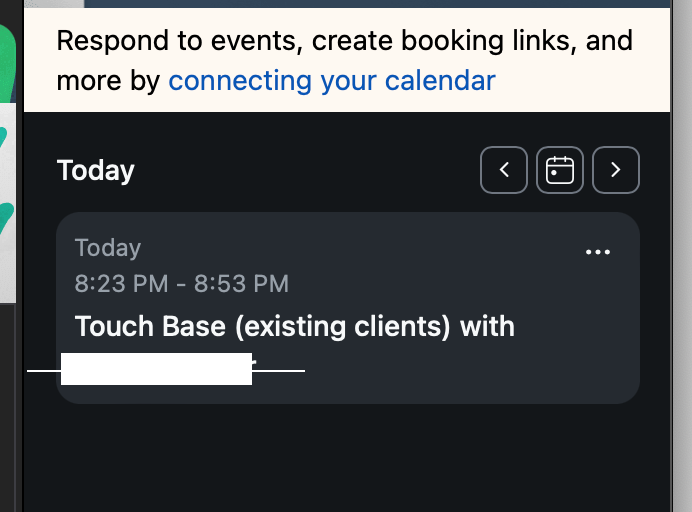
My Zap from Acuity to Zoom meeting is always set at 8:23 p.m.

  • August 25, 2023
  • 6 replies
  • 53 views

Katie C

Hey, y’all!

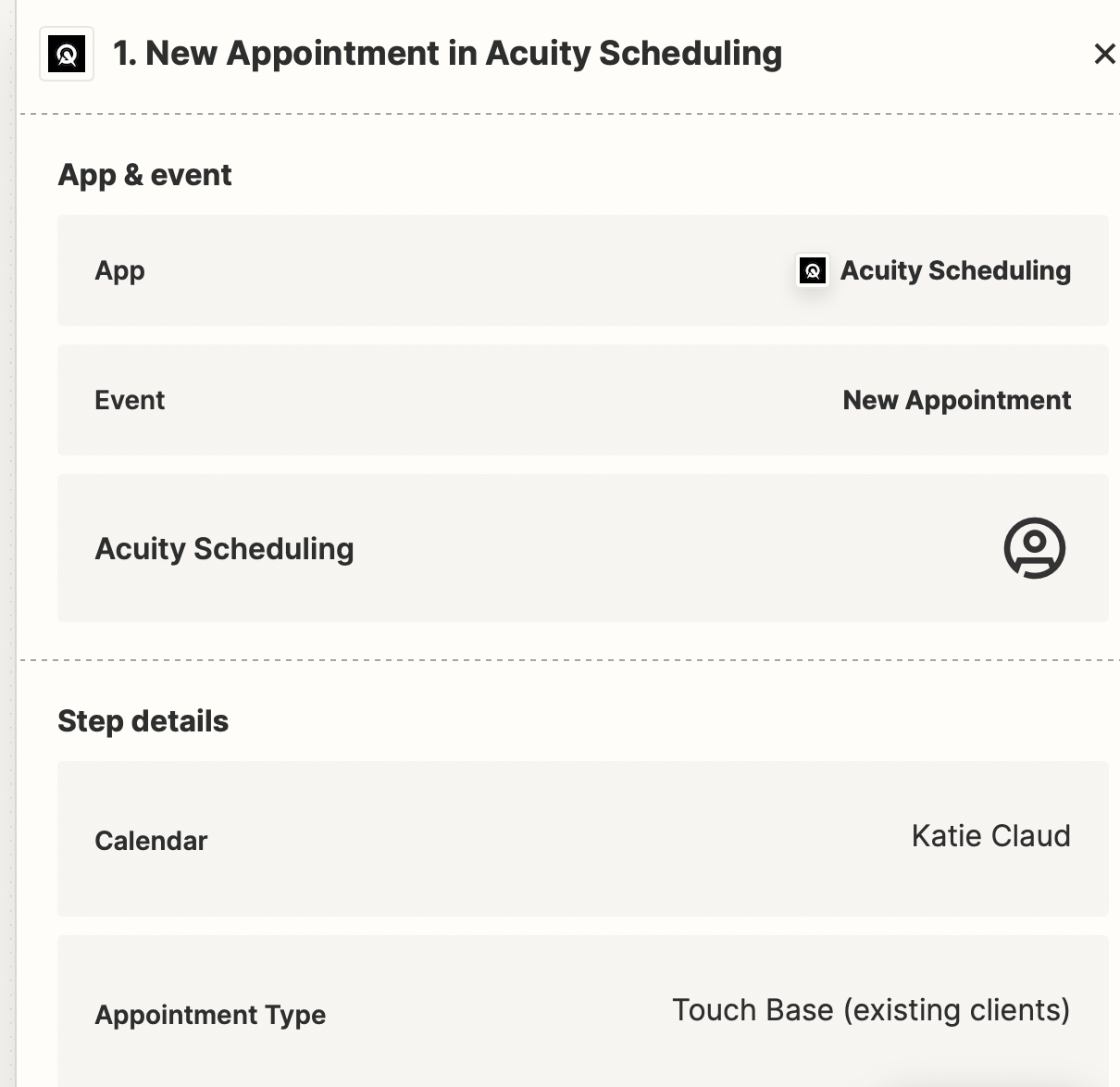
I have a zap set up so that if anyone books an appointment with me in acuity, it is supposed to automatically schedule a zoom meeting. Everything works fine, except for the time. It always fills the time in on zoom as 8:23 pm no matter what time the appointment is set for in Acuity. Can someone help me fix that? I know it has to be something ridiculously simple that I am overlooking. I’m pretty un-techsavvy but can figure things out with clear instructions. Thanks!

Best answer by Troy Tessalone

@Katie C 

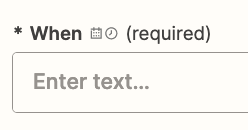
The When field expects a date/time value as indicated by the 2 icons. (calendar and clock)
 

You may need to use a Zap action to get the data from Acuity into the right format for Zoom.

Zap action: Formatter > Date & Time > Format


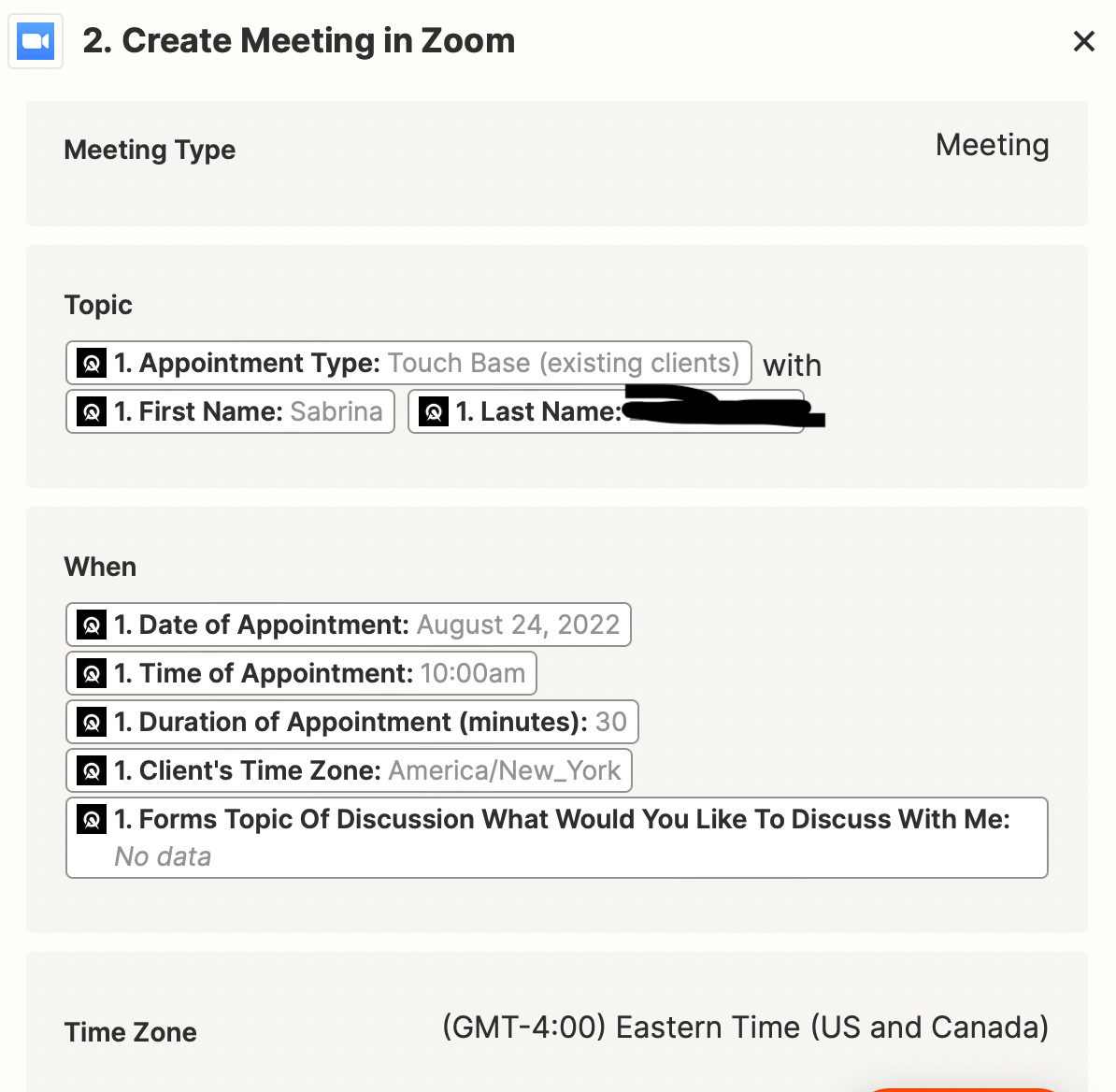
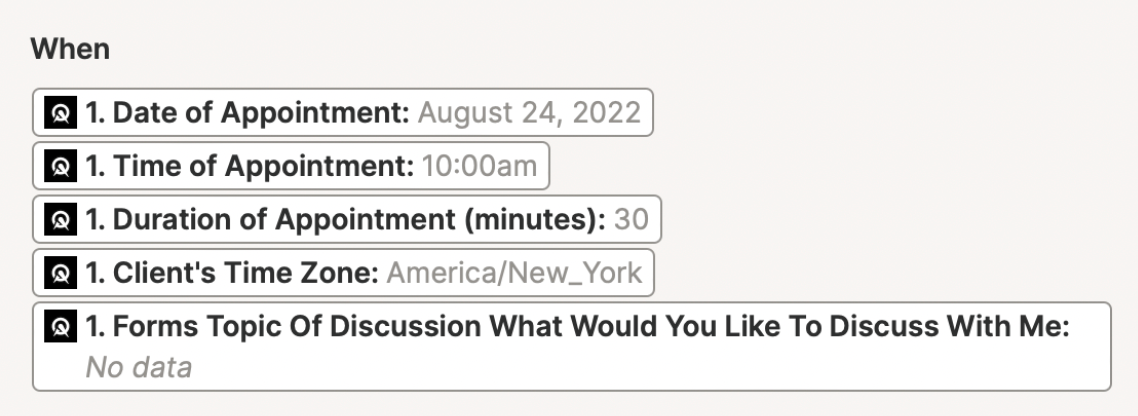
The way you have the When field configured is with 5 different data points on separate lines which is causing the issue.
 

This post has been closed for comments. Please create a new post if you need help or have a question about this topic.


6 replies

Troy Tessalone
Zapier Orchestrator & Solution Partner
Forum|alt.badge.img+14
  • Zapier Orchestrator & Solution Partner
  • August 25, 2023

Hi @Katie C 

Good question.

To help us have context, please post detailed screenshots with how your Zap steps are configured, thanks.


Katie C
  • Author
  • Beginner
  • August 30, 2023

Sure, @Troy Tessalone! Here are some screen shots as requested. I actually have a meeting coming up in 12 minutes, so I have attached what it shows in zoom when it pops up on my screen, as well as the sequence set up in Zapier.

We have a standing appointment every other Wednesday, and it always sets the time as 8:23 pm, which I recall being the exact time of the evening I set the zap up. So, not sure how to correct it. Any insight is much appreciated. Thanks!


Troy Tessalone
Zapier Orchestrator & Solution Partner
Forum|alt.badge.img+14
  • Zapier Orchestrator & Solution Partner
  • Answer
  • August 30, 2023

@Katie C 

The When field expects a date/time value as indicated by the 2 icons. (calendar and clock)


You may need to use a Zap action to get the data from Acuity into the right format for Zoom.

Zap action: Formatter > Date & Time > Format


The way you have the When field configured is with 5 different data points on separate lines which is causing the issue.


Katie C
  • Author
  • Beginner
  • August 30, 2023

Ah, that makes sense.


Katie C
  • Author
  • Beginner
  • August 30, 2023

Thanks so much, @Troy Tessalone ! You’re my hero for the day! A simple solution that I was overlooking. Just as I thought. 😎


ken.a
Forum|alt.badge.img+6
  • Zapier Staff
  • August 31, 2023

That’s great news @Katie C! We’re glad to hear everything is now sorted out, thanks to Troy’s help!

If you have any other questions, please don’t hesitate to reach out to the Community. We’re always happy to help! 😊