

How to find the page in Facebook Pages?
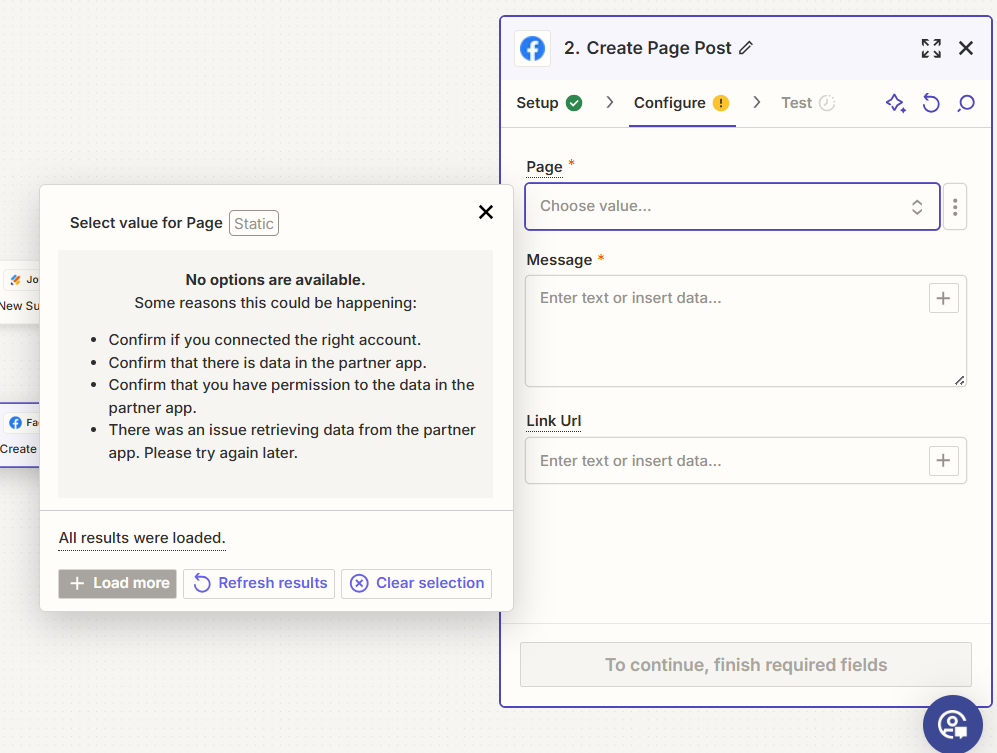

How to find the page in Facebook Pages?
Best answer by ken.a
Hi there
I understand you're still having difficulty with the Facebook Pages integration. It's possible this could be related to permissions or account verification on Facebook. Here are a few steps you could try:
1. Confirm that Zapier's permissions are set up correctly on Facebook. To do this, go to Business Integrations on Facebook. Find Zapier and click View/Edit. Ensure that the permissions are set to Public, not Only Me. You can see this process more in detail [here].
Business Integrations page
(view larger)
Please ensure Public is selected
(view larger)
2. If you've checked your permissions and they're set correctly but you're still having issues, it's possible that your permissions are cached. To fix this, go back to Business Integrations, find Zapier, and click to remove it. Then, reconnect your account on the Zapier Connected Accounts page and test the action again.
3. Finally, another possible reason for this issue is that Facebook has disabled API access permissions until you've completed a location verification for your account. You can complete this verification request [here].
Please try these steps and let me know if any of them resolve your issue. If not, please kindly send me screenshots showing that the permission is set to Public. I'm here to continue helping you troubleshoot this.

Build and deploy automations from AI tools you already use. With Agentic Management, if anything breaks, the agent diagnoses the issue and proposes a fix.
Enter your E-mail address. We'll send you an e-mail with instructions to reset your password.





