Question

Mailchimp merge tag not working

  • Oct 10, 2024 6:49 PM UTC
  • 6 replies
  • 187 views

Hi guys,

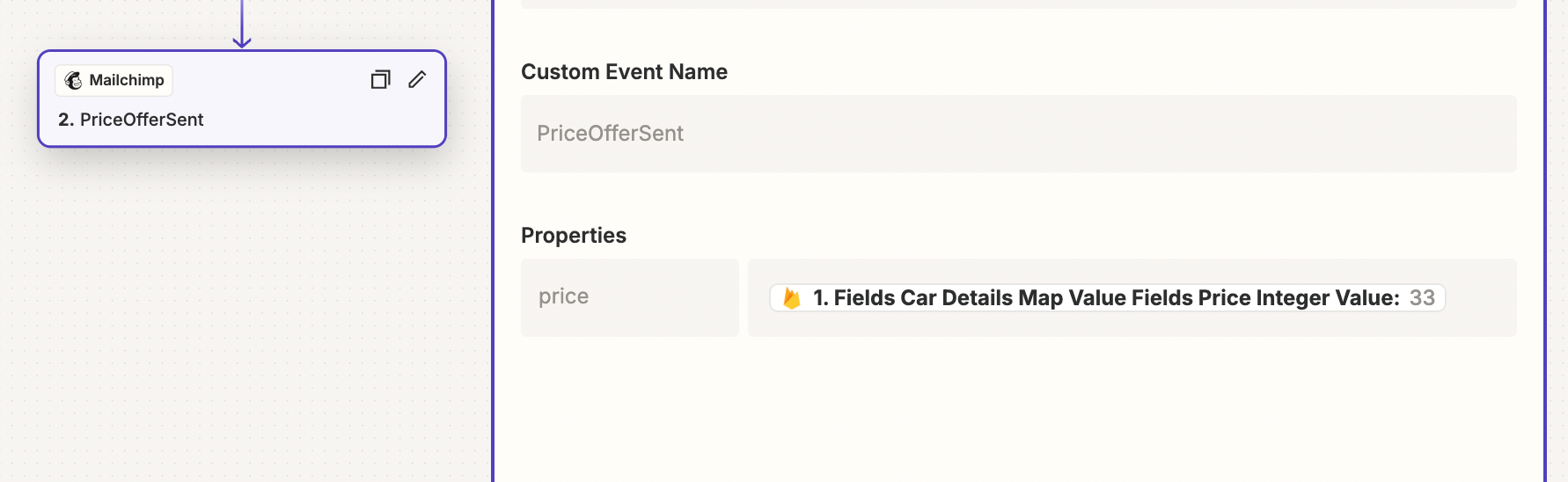
I have been trying for some time now to use Merge Tag which is passed to mailchimp through a custom zapping event. 


You can see here how it looks on the Mail and the Zap integration: 

 

Thank you for your help! 

This post has been closed for comments. Please create a new post if you need help or have a question about this topic.

6 replies

Troy Tessalone
Zapier Orchestrator & Solution Partner
Forum|alt.badge.img+14
  • Zapier Orchestrator & Solution Partner
  • Oct 10, 2024 6:55 PM UTC

@MisterCar 

In Mailchimp try this: {{PriceOfferSent.price}}


SamB
Community Manager
Forum|alt.badge.img+11
  • Community Manager
  • Oct 15, 2024 11:20 AM UTC

Hey there, @MisterCar! 👋

Were you able to get things working by updating the tag in Mailchimp as Troy suggested? 

Want to make sure this gets sorted so please keep us updated on how you’re getting on with this. Happy to assist further if you’re still stuck at all! 🙂


  • New
  • Oct 15, 2024 12:14 PM UTC

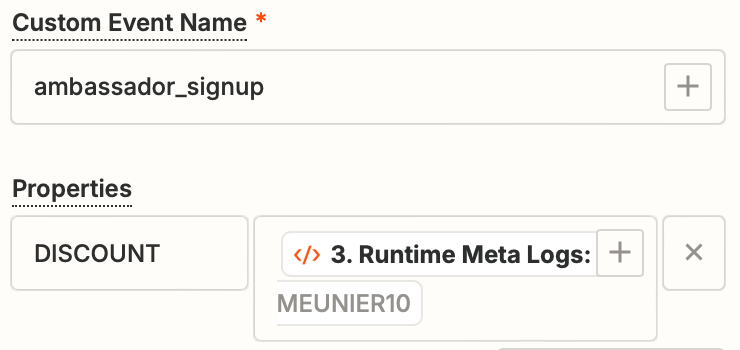
I have a similar issue. I have a ZAP that creates a custom discount code. And i’d like that discount code to be displayed on the email. 

In mailchimp I’ve used both : *|ambassador_signup:DISCOUNT|* and {{ambassador_signup:DISCOUNT}}

and neither work. Am I doing something wrong?


Troy Tessalone
Zapier Orchestrator & Solution Partner
Forum|alt.badge.img+14
  • Zapier Orchestrator & Solution Partner
  • Oct 15, 2024 2:29 PM UTC

@MisterCar @Pierre RAS 

Mailchimp help links for Merge Tags: https://mailchimp.com/help/merge-tags/


  • New
  • Oct 15, 2024 2:31 PM UTC

How does it work if we have data that comes from the created custom event in zapier?


ken.a
Forum|alt.badge.img+6
  • Zapier Staff
  • Oct 22, 2024 10:45 AM UTC

Hi there @Pierre RAS,

I’m so sorry for the delayed response here.

I’m not really familiar with Mailchimp’s “Create Custom Event” action. However, I found this help article from Mailchimp on how to use that action.

You can learn more about that here: https://mailchimp.com/help/use-events-behavioral-targeting/

Hopefully, this helps.