Answer

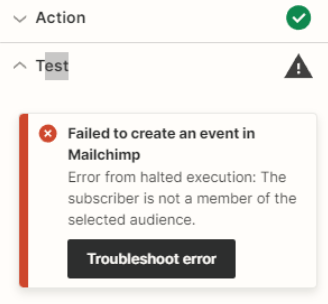
Mailchimp error: The subscriber is not a member of the selected audience

  • April 9, 2024
  • 5 replies
  • 170 views

Forum|alt.badge.img

Hello Forum, 

I’ve found this is honestly the best place to get answers on what I’m looking to accomplish with this software and I want to thank the community first for your support! 

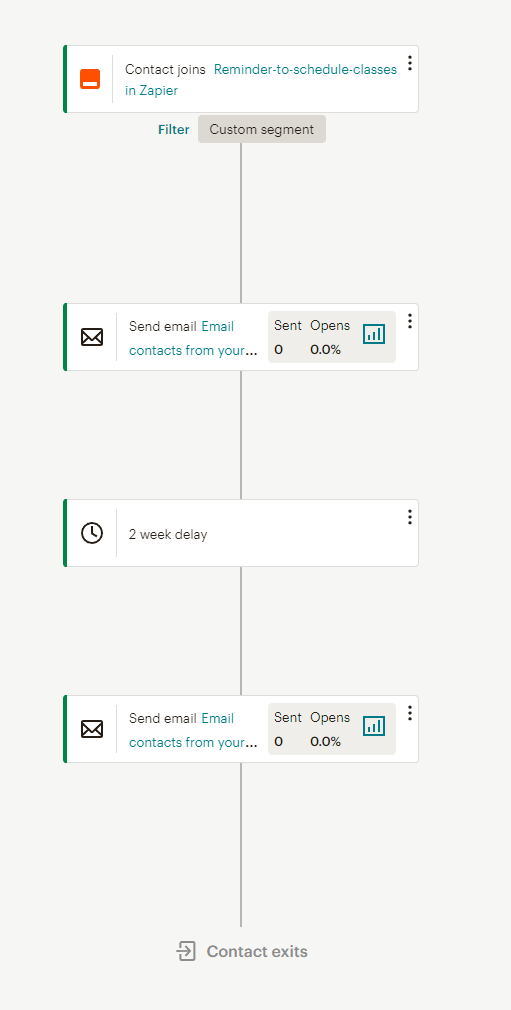
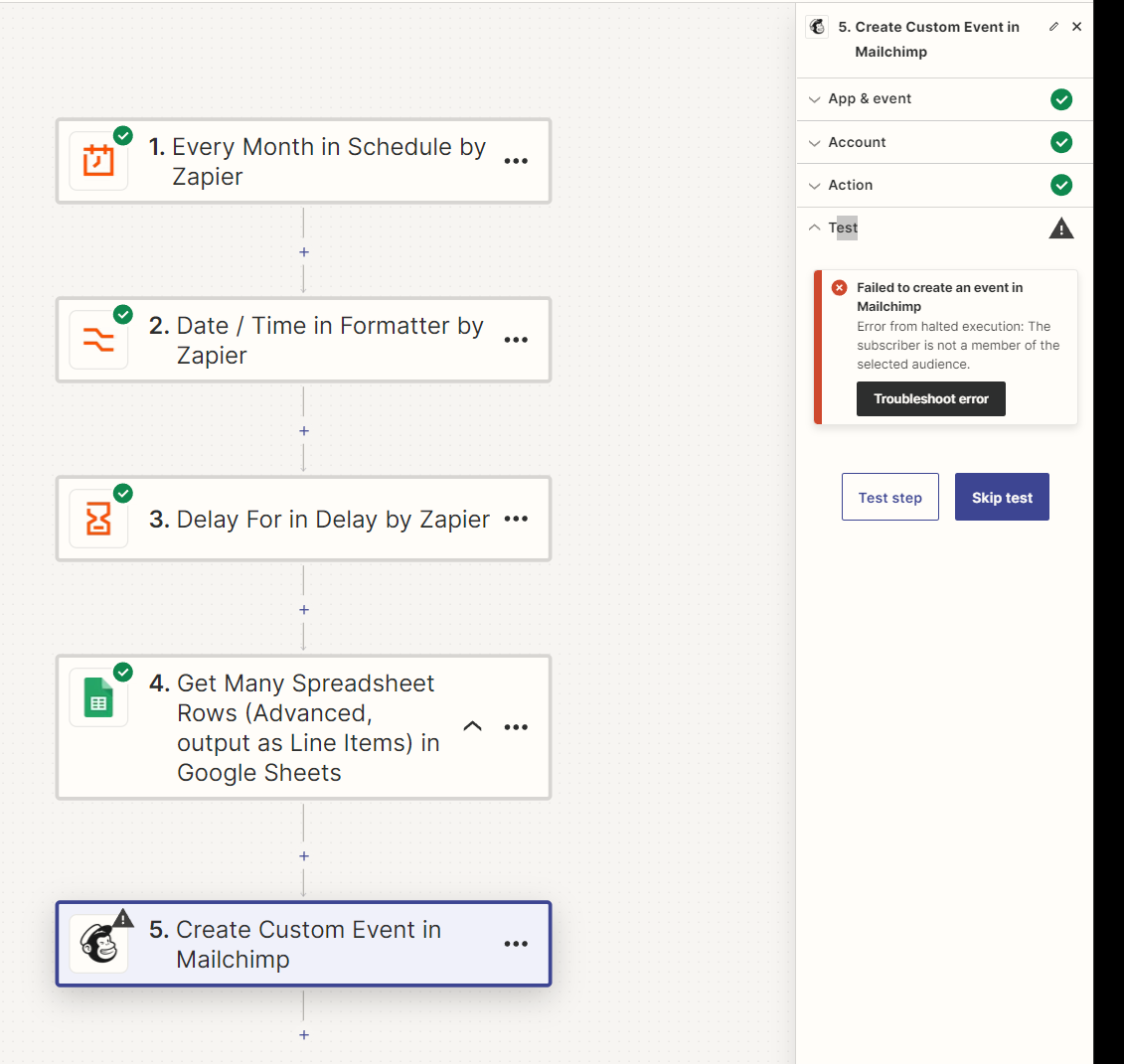
I’ve tried to create an automated Reminder to Schedule Classes Event so it will trigger the Automation in Mail chimp to send to members. I set a date trigger formatted the date and delayed for it to always send on the 1st Sunday of the month. 

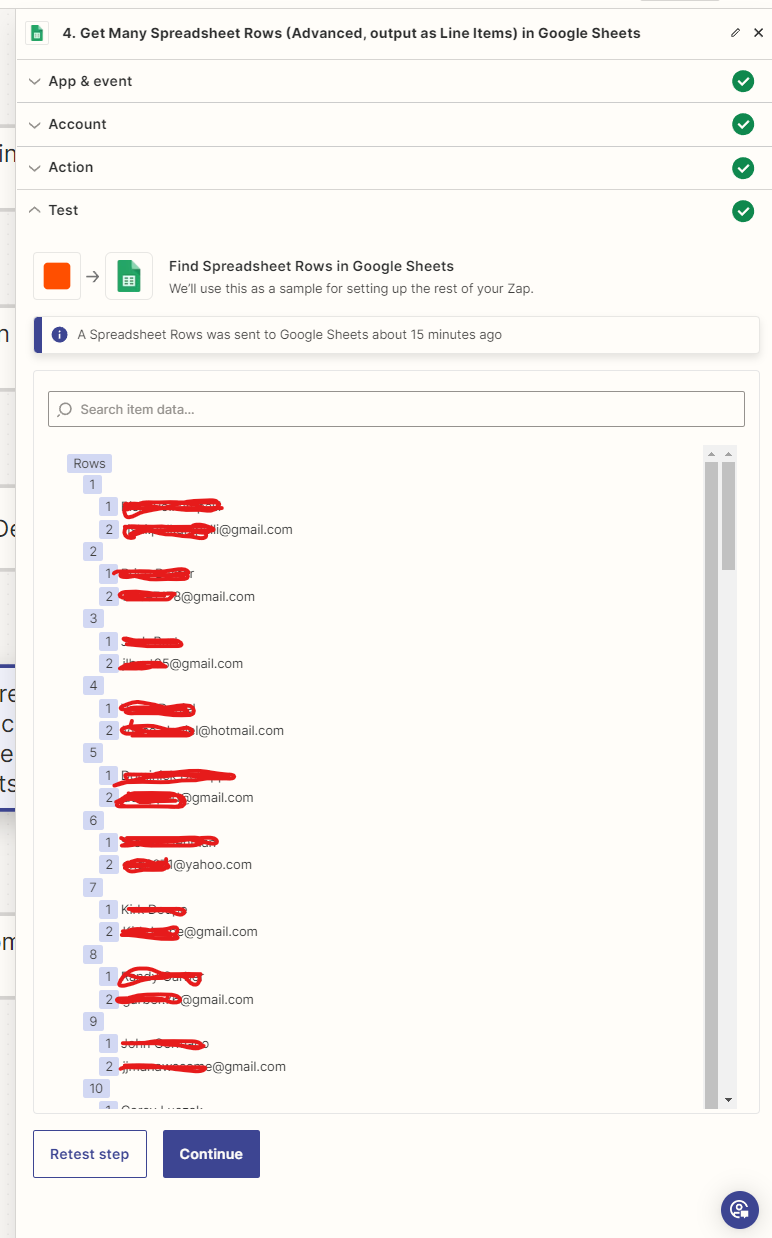
The goal is to have the custom event send to every email address from my sheet’s contact list which I do have “Get Many Spreadsheet Rows” and filtered for email addresses of students. The test for the create custom event keeps saying the subscriber is not a member of the selected audience… I’ve checked my contact list in mail chimp and it all matches my sheets contact list. These contacts are all subscribed to my mail list… any idea what’s going on?


Best answer by Troy Tessalone

@OGA Owner 

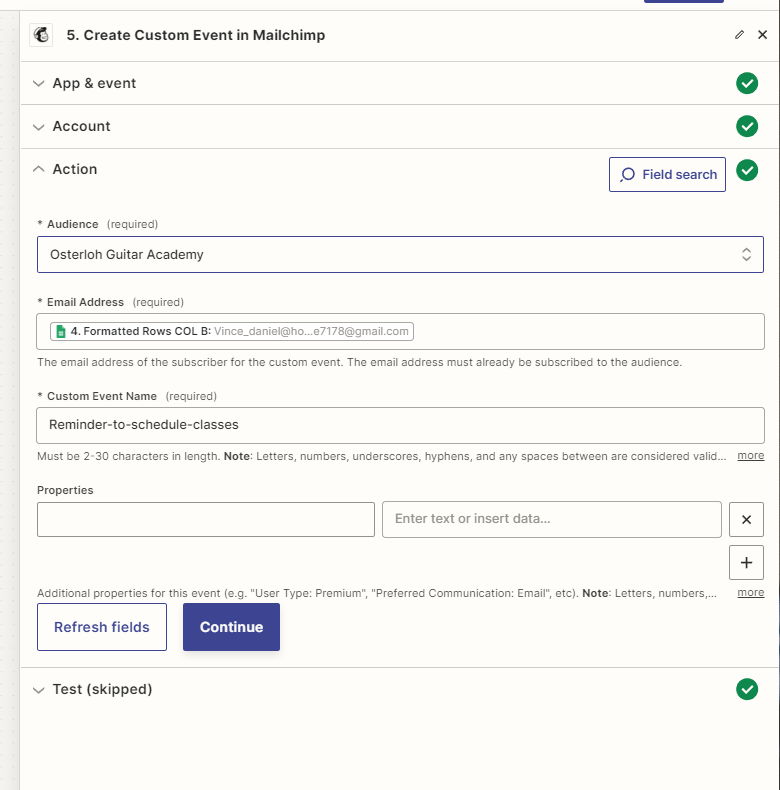
The Email Address field expects 1 email address.

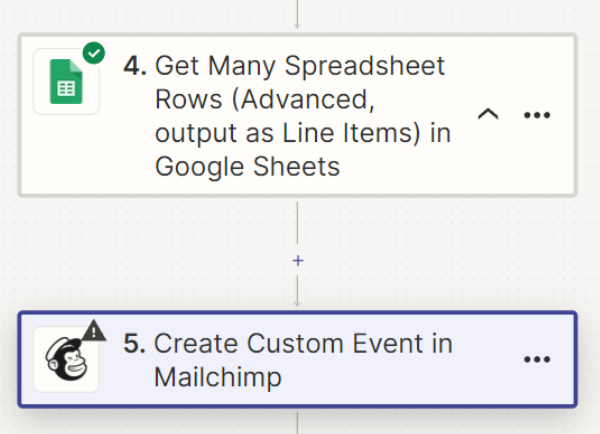
If you want to process each email address returned from Step 4, then add a Looping (Create Loop from Line Items) step: https://zapier.com/apps/looping/help


This post has been closed for comments. Please create a new post if you need help or have a question about this topic.

5 replies

Troy Tessalone
Zapier Orchestrator & Solution Partner
Forum|alt.badge.img+14
  • Zapier Orchestrator & Solution Partner
  • April 9, 2024

Hi @OGA Owner 

For us to have more context, post screenshots with how your Mailchimp step, ‘Action’ section is configured.


Forum|alt.badge.img
  • Author
  • Beginner
  • April 9, 2024


Troy Tessalone
Zapier Orchestrator & Solution Partner
Forum|alt.badge.img+14
  • Zapier Orchestrator & Solution Partner
  • Answer
  • April 9, 2024

@OGA Owner 

The Email Address field expects 1 email address.

If you want to process each email address returned from Step 4, then add a Looping (Create Loop from Line Items) step: https://zapier.com/apps/looping/help


Forum|alt.badge.img
  • Author
  • Beginner
  • April 9, 2024

Awesome, thank you much had to watch a video on properly using the looping to split the collection of line items into separate segments… now to see at the beginning of May if it correctly cycles

Thanks again Troy!

Travis


ken.a
Forum|alt.badge.img+6
  • Zapier Staff
  • April 10, 2024

That’s an amazing news @OGA Owner! A huge thanks to Troy for pointing you in the right direction!

If you have any other questions, please don’t hesitate to reach out to the Community. We’re always happy to help! 🤗