Question

Loop step won't validate even though 'Values to Loop' is configured—how do I troubleshoot this?

  • August 15, 2026
  • 4 replies
  • 41 views

"Loop step won't validate even though 'Values to Loop' is configured—how do I troubleshoot this?"

I'm building a Zap that:

  1. Captures meeting transcripts from Plaud
  2. Uses AI by Zapier with isOutputArray: true to extract multiple action items as an array
  3. Uses Looping by Zapier to iterate through each action item
  4. Creates a ClickUp task for each item in the loop

The problem: The Loop step is configured with:

  • Left field: action_item
  • Right field: {{_GEN_1786693645305__result__items[]}}

But when I try to test or publish, I get: "Error: Required field 'Values to Loop' (loop_values) is missing."

The field is clearly set, and the AI step is returning an array of objects. Has anyone encountered this? Is there a specific format the loop_values field needs, or could this be a validation bug?

4 replies

SamB
Community Manager
Forum|alt.badge.img+11
  • Community Manager
  • August 17, 2026

Hi and welcome to the Community ​@Travis73! 👋

With that error it’s usually either that a field hasn’t been selected, or the field that has been selected is empty. 

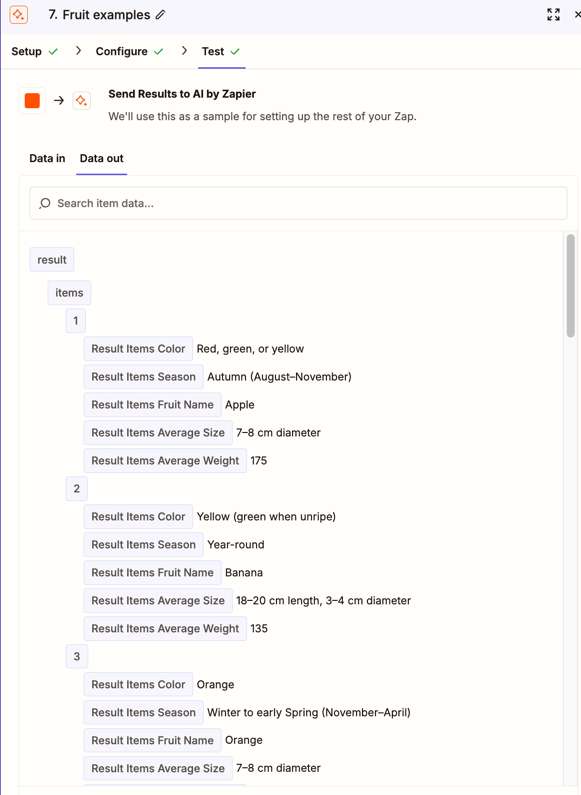
What does the output from your AI action look like exactly? Does it look similar to the following example, with multiple line item fields available for each:
f324cf6c7b7b58404fb2b027e39b8d34.png

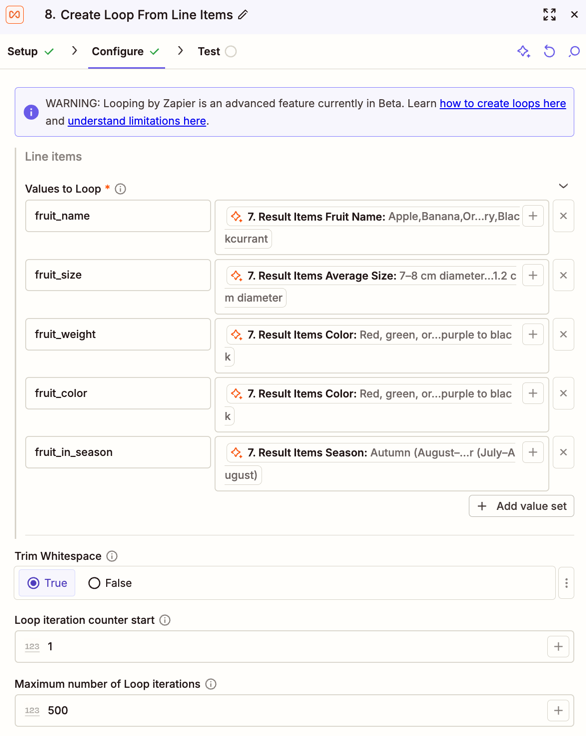
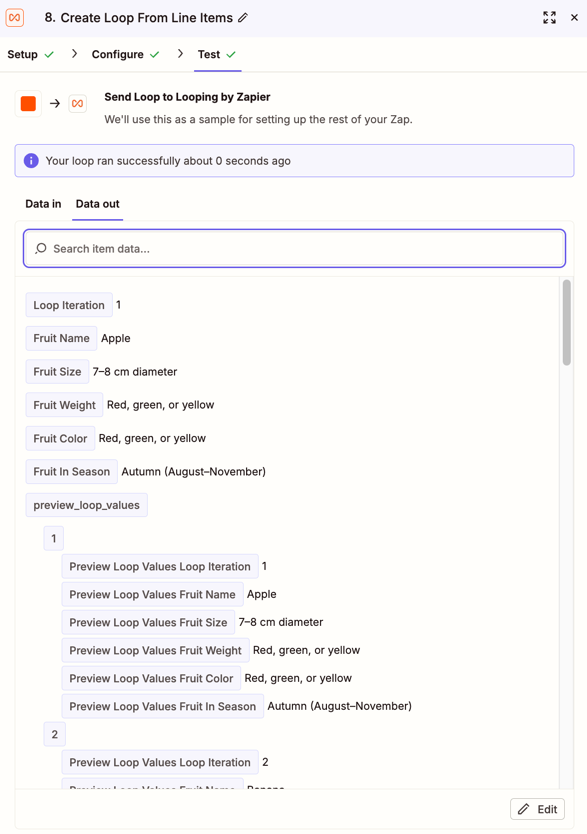
Just wondering if there’s a difference in how it’s outputting the line items as I did some testing with AI and Looping with some example line items then mapped it to the Looping action and it worked without error, so doesn’t appear to be a bug:

445437f36272cbae208c603fdad9ea6f.png
10d2ac27210c27f8de7291b727420aba.png
 

Can you share screenshots of the output from the AI action and the set up of the Looping action? Use a tool like Zappy to remove any personal or sensitive info before sharing here. That’ll help us to better determine why it’s erroring.


SamB
Community Manager
Forum|alt.badge.img+11
  • Community Manager
  • September 9, 2026

Hey ​@Travis73, just checking in! Did you manage to get it working, or are you still seeing that error? 


  • New
  • September 20, 2026

Hi Travis73 — I've run into this exact error before, and when the field looks set but Zapier insists it's missing, the culprit is almost always the test data behind the mapped field, not the mapping itself.


1. Re-test your AI step and check what it actually returned. The Looping step validates "Values to Loop" against the AI step's test output. If that test run returned an empty items array, the loop sees an empty value and throws the "missing" error even though the mapping looks correct. Re-run the AI test with a transcript that produces at least one action item, then re-select the field in the Looping step.


2. Make sure you mapped the array field itself — the one with the [] marker in the field picker — not a plain text field that happens to contain JSON. From your description it sounds like you picked the right one, but it's worth re-checking after re-testing the AI step, since the available fields refresh.


3. Clear the field and re-map it. If the AI step was re-tested or edited after you first set the mapping, the reference can go stale: it displays a value but points at an output that no longer exists. Delete what's in "Values to Loop" and pick it fresh from the AI step's dropdown.


My money is on #1 — an empty test array is the classic cause of this exact message. Let me know what the AI step's test output shows and we can dig further.


  • New
  • September 22, 2026

Since the mapping is present, I’d troubleshoot the test output first:


First, re-test the AI step with a transcript that definitely returns at least one item, then confirm the result is an actual line-item array (the field with the [] marker), not JSON text.


Next, in Looping, delete the current Values to Loop mapping and select the refreshed array field again.


Finally, test the Loop step and confirm each iteration contains the fields you expect.


An empty or stale AI test sample can produce the “missing” error even when the field looks mapped.