

Question

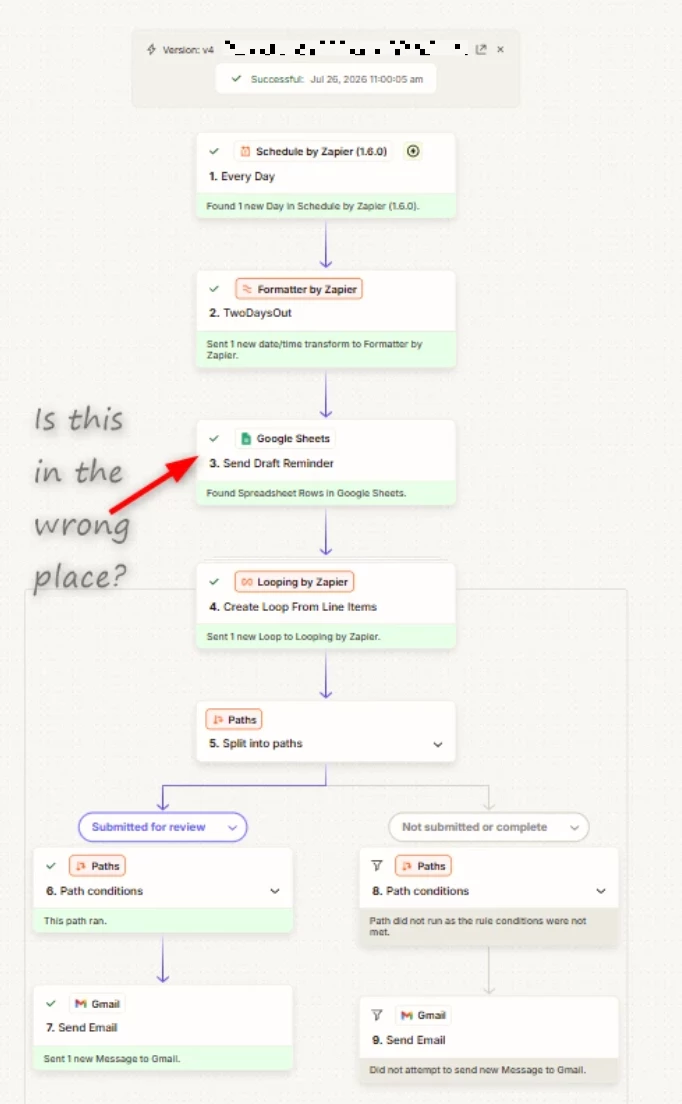
Loop only running once, including all data found instead of running multiple times

  • July 31, 2026
  • 2 replies
  • 16 views

LARPIT

This post has been edited by a moderator to remove personally identifiable information (PII). Please remember that this is a public forum and avoid sharing personal or potentially sensitive details.

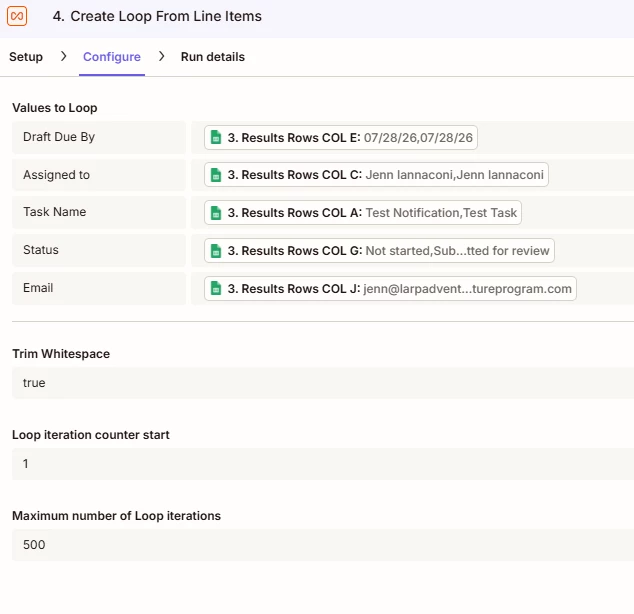
I keep staring at this zap I made and I am stumped. I am probably missing something obvious. 

I set this up to run live over the weekend so these screen shots are based on a live run not a test run.

Is it possibly combining them because the email address is the same on the 2 test records?

Is the find Spreadsheet rows in the wrong spot?

What am I missing?


From the Gmail send configuration
The actual email I recieved


2 replies

Troy Tessalone
Zapier Orchestrator & Solution Partner
Forum|alt.badge.img+14
  • Zapier Orchestrator & Solution Partner
  • August 3, 2026

Hi ​@LARPIT 

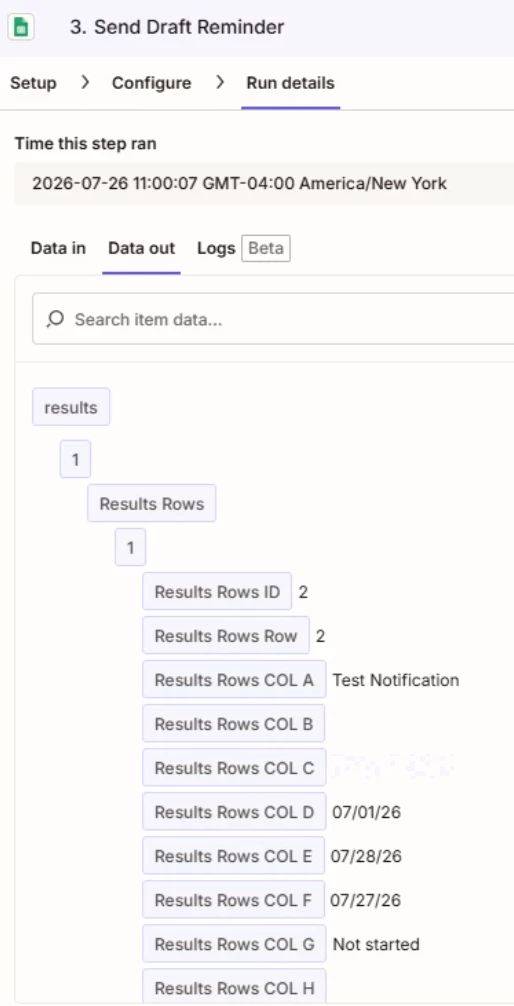
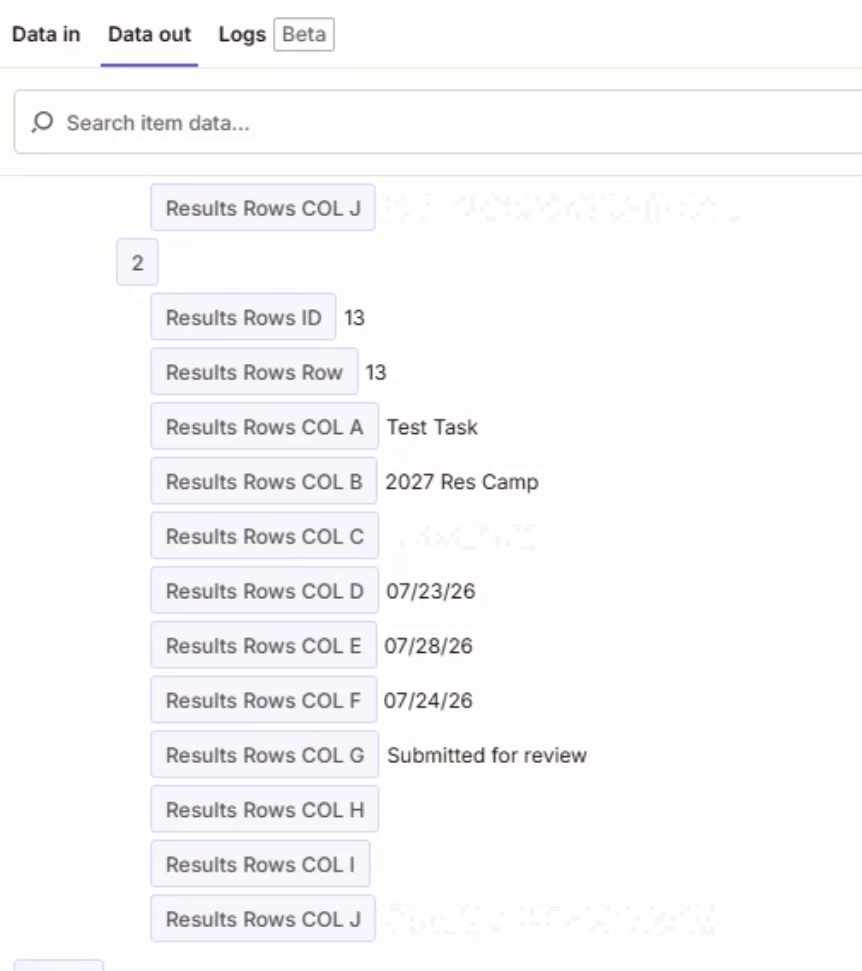
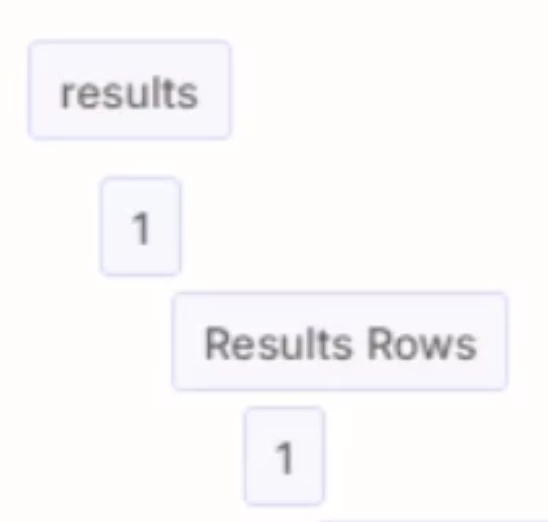
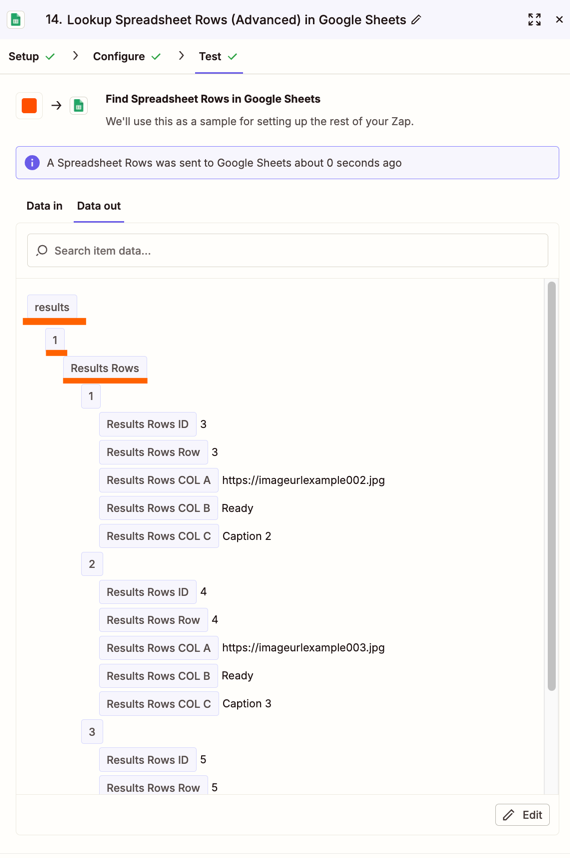
Your GSheet step is returning nested arrays, so the nested arrays get flattened.

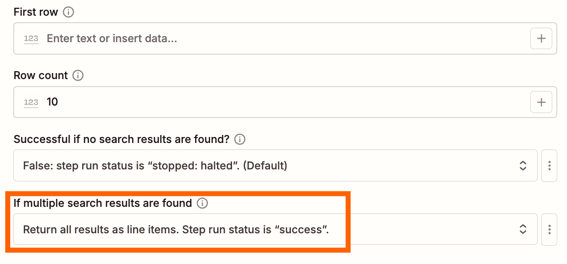
Post screenshots showing how your GSheet step is configured in these tabs: 

  • Setup
  • Configure


Forum|alt.badge.img
  • New
  • August 4, 2026

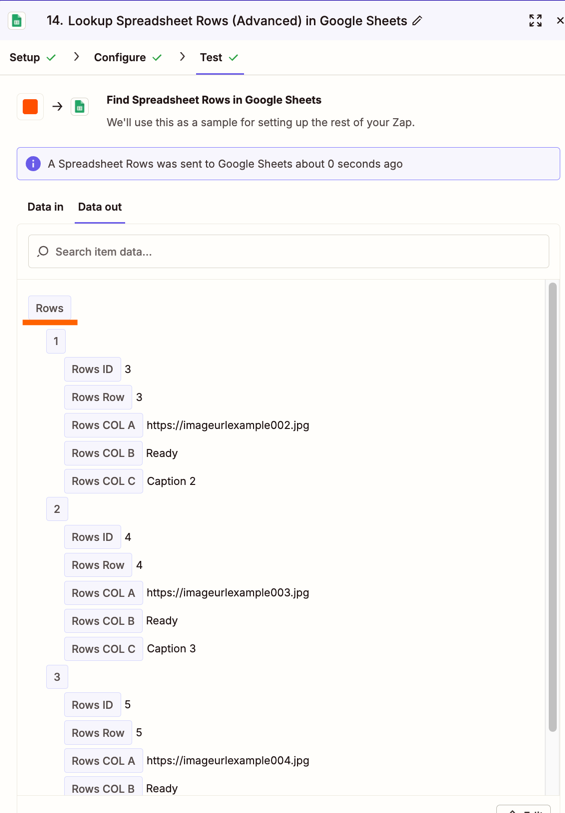
Nested arrays are probably the immediate cause. The clean test is to make the Google Sheets step return one flat line-item array per column, then map two same-length arrays into Create Loop From Line Items—for example, Row ID and Email—not the Raw Rows object. In the loop preview, iteration 1 should show one scalar Row ID and one scalar Email; if either field still shows the whole bracketed collection, the data is still nested before the loop. Keep Find Spreadsheet Rows outside the loop only if it creates the batch; any per-row lookup belongs inside. The identical email should not collapse iterations by itself, but use Row ID as the loop identity so downstream dedupe does not turn two rows into one.