Question

List of available OneDrive subfolders not loading in Zap

  • December 4, 2025
  • 9 replies
  • 33 views

Forum|alt.badge.img

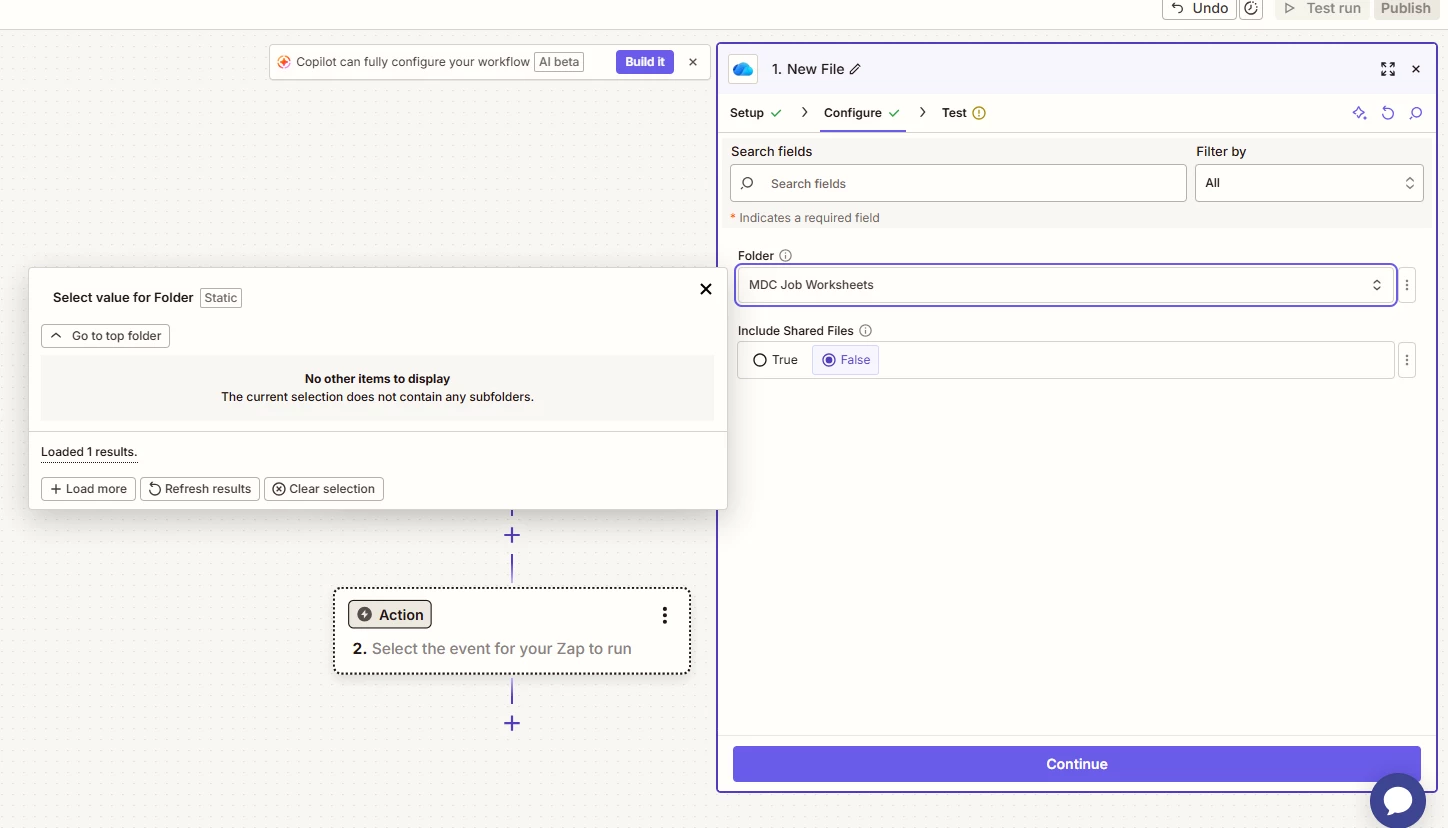
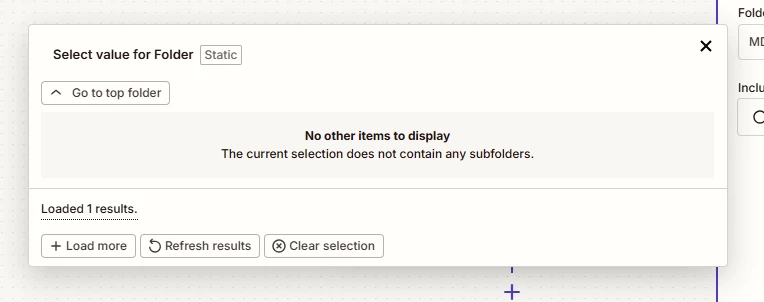
Setting up a zap where the trigger is New OneDrive file. I need it to monitor a specific folder on my OneDrive but when I’m configuring the folder, I select the parent folder and then it doesnt load any Subfolders even though there are many. I’ll click, +Load More a bunch of times and it might populate one folder but never the full list of subfolders. 


9 replies

Troy Tessalone
Zapier Orchestrator & Solution Partner
Forum|alt.badge.img+14
  • Zapier Orchestrator & Solution Partner
  • December 4, 2025

Hi ​@FrankP 

Help links for using OneDrive in Zaps: https://zapier.com/apps/onedrive/integrations#help


Can you post more screenshots showing how your Zap trigger step is configured for the other fields?


Forum|alt.badge.img
  • Author
  • Beginner
  • December 4, 2025

@Troy Tessalone  - Thanks for the response, here is the screenshot showing the configuration, I’m really just on the first step of the zap, first configuration.


Troy Tessalone
Zapier Orchestrator & Solution Partner
Forum|alt.badge.img+14
  • Zapier Orchestrator & Solution Partner
  • December 4, 2025

@FrankP 

If you know the folder ID, you can try setting a static value using the [...] button.

Help: https://help.zapier.com/hc/en-us/articles/8496241696141-Add-custom-values-to-dropdown-menu-fields-in-Zaps


Forum|alt.badge.img
  • Author
  • Beginner
  • December 4, 2025

@FrankP 

If you know the folder ID, you can try setting a static value using the [...] button.

Help: https://help.zapier.com/hc/en-us/articles/8496241696141-Add-custom-values-to-dropdown-menu-fields-in-Zaps


Thank you ​@Troy Tessalone  but I’ve researched and can’t find a way to get the Folder ID. 


Troy Tessalone
Zapier Orchestrator & Solution Partner
Forum|alt.badge.img+14
  • Zapier Orchestrator & Solution Partner
  • December 4, 2025

@FrankP 

For dropdown fields, each option to select has 2 values:

  • Top: friendly label
  • Bottom: internal ID the fields expects


Can you post screenshots showing the available dropdown options so we can see the format of the dropdown option values?

Might be able to derive the static value to set.


Sparsh from Automation Jinn
Forum|alt.badge.img+6

Hey ​@FrankP,

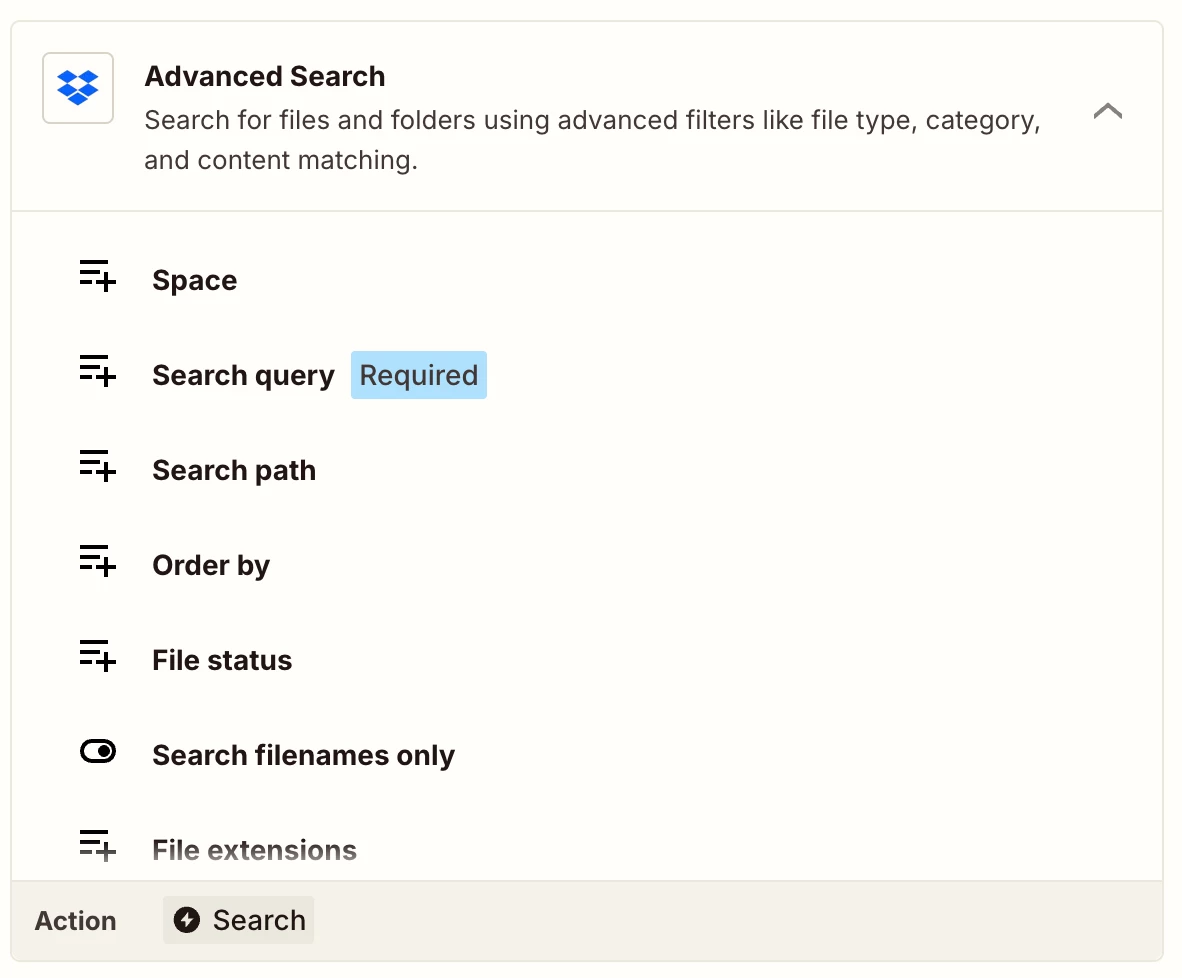
Try advanced search action in Dropbox to find the Folder ID’s.

Hope it helps!


SamB
Community Manager
Forum|alt.badge.img+11
  • Community Manager
  • December 12, 2025

Hi there ​@FrankP 👋 Did you have any luck with that Advanced Search action Sparsh mentioned, or the approach Troy suggested?

Let us know if you still need any help at all!


Forum|alt.badge.img
  • Author
  • Beginner
  • December 12, 2025

@SamB Thanks for checking, no we had to build it a different way and scratch the idea of monitoring this subfolder. There’s a glitch in the Zapier interface where it doesn’t load OneDrive subfolders.


SamB
Community Manager
Forum|alt.badge.img+11
  • Community Manager
  • December 15, 2025

Thanks for letting me know ​@FrankP! Sorry to hear that you had to scrap the idea of monitoring new files in a specific subfolder. I’d recommend getting in touch with our Support team to investigate why the subfolders aren’t loading, in case it’s a bug. If it is, they’ll be able to open up a bug report so our engineers can get it fixed.

If you change your mind and want to revisit this, I’d suggest checking the page URL when viewing or sharing the folder in your web browser to see if the ID is mentioned there. I’m not 100% certain if it’s the case with OneDrive but often apps will include the ID for things like folders within the URL. Alternatively, you could try the approach that was suggested here in Microsoft’s community (to locate the ID from the embed code).

Hope that helps! If you give either of those options a try, please keep us posted on how it goes 🙂