Best answer

LeadConnector opportunity detail’s custom field not found in Zapier

  • June 25, 2024
  • 9 replies
  • 116 views

Google Form to Lead Connector


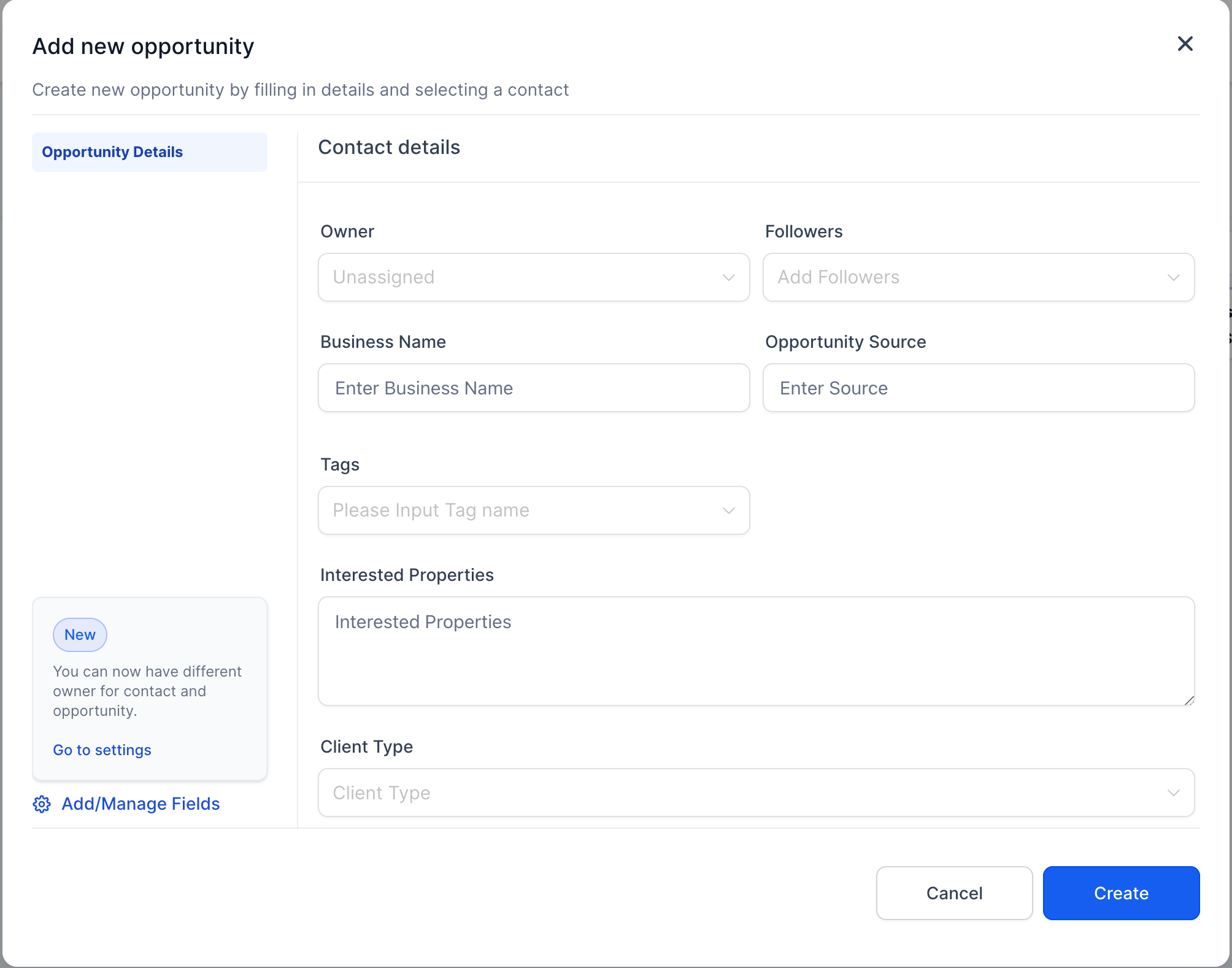
I want to update opportunity details from Google form submission to LeadConnector (Gohighlevel).

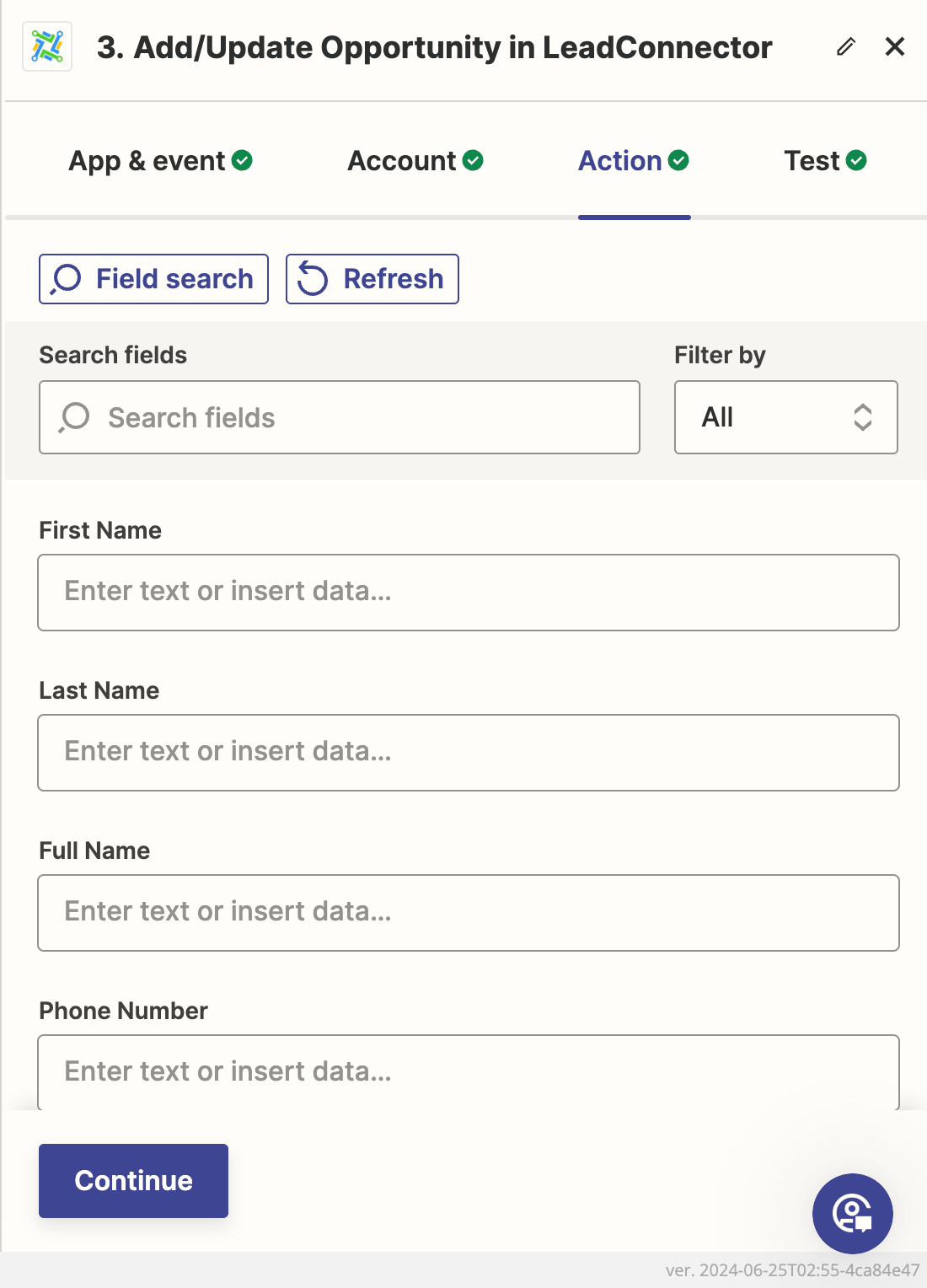
However, I can’t find the opportunity detail’s field in Zapier.


For example:

  1. I Can’t find field name “Interested Properties” and “Client Type” in Zapier.
 

Best answer by ken.a

Hi ​@ktljames and ​@WayneSLH,

I did some digging into this, and it seems like this is a known bug with the “Add/Update Opportunity” action where it’s not loading up the opportunity custom fields.

I have gone ahead and alerted this company's team using a shared issue tracking tool we have with our partners. They'll take a closer look at this for us. While I'm unable to provide an ETA for when they might be able to resolve this issue, we will notify you directly via email as soon as it is.

I appreciate your patience and understanding.

This post has been closed for comments. Please create a new post if you need help or have a question about this topic.

9 replies

Troy Tessalone
Zapier Orchestrator & Solution Partner
Forum|alt.badge.img+14
  • Zapier Orchestrator & Solution Partner
  • July 1, 2024

Hi @WayneSLH 

Try clicking the [Refresh] button.

Otherwise, you may need to explore using the GHL API: https://help.gohighlevel.com/support/solutions/articles/48001060529-highlevel-api


JammerS
Forum|alt.badge.img+6
  • Zapier Staff
  • July 24, 2024

Hi @WayneSLH,
 
We just wanted to see how everything is going with your Zap. Did Troy's recommendation get the job done? Feel free to reach out if you need further assistance with your Zap. We're glad to address any concerns and assist you.
 
We're looking forward to your response.


  • New
  • December 8, 2024

Hi ​@JammerS It appears that Zapier is not picking up custom opportunity fields - it is only picking up custom contact fields. Do you have any guidance on how to fix this? 


ken.a
Forum|alt.badge.img+6
  • Zapier Staff
  • Answer
  • December 9, 2024

Hi ​@ktljames and ​@WayneSLH,

I did some digging into this, and it seems like this is a known bug with the “Add/Update Opportunity” action where it’s not loading up the opportunity custom fields.

I have gone ahead and alerted this company's team using a shared issue tracking tool we have with our partners. They'll take a closer look at this for us. While I'm unable to provide an ETA for when they might be able to resolve this issue, we will notify you directly via email as soon as it is.

I appreciate your patience and understanding.


  • New
  • January 24, 2025

Hi ​@ken.a and ​@WayneSLH, Did this ever get sorted? I am trying to link a New SimPro quote to Leadzilla and there are missing fields for the Opportunity?


SamB
Community Manager
Forum|alt.badge.img+11
  • Community Manager
  • January 27, 2025

Hi there, ​@LisamBee! 👋

I looked into this and saw that it was recently converted from a bug to a feature request for the Add/Update Opportunity action to support custom fields. I’ve added your vote to that feature request so we can notify you by email as soon as it’s implemented.

While we can’t make any promises about when the LeadConnector app’s developers might implement this, we’ll be sure to share an update here once it’s live!

I’m sorry I don’t have a workaround to suggest right now. Thanks so much for your patience in the meantime. 🙏


Chelrich
  • New
  • January 31, 2025

@SamB I have this issue as well, would you mind adding me for notification?  Thanks!


SamB
Community Manager
Forum|alt.badge.img+11
  • Community Manager
  • February 3, 2025

You got it, ​@Chelrich! I’ve added you that feature request now so you’ll be notified via email if there are any updates. Thanks for reaching out! 🙂


SamB
Community Manager
Forum|alt.badge.img+11
  • Community Manager
  • December 1, 2025

Hey folks, just chiming in here to share that you might be able to access the custom fields using a Webhooks by Zapier action - see our Send webhooks in Zaps guide for details.

HighLevel’s API has two separate endpoints depending on whether you’re looking to update an existing opportunity or create a new one. You can learn more about them here:

This approach is a bit more advanced, but Zapier’s Copilot assistant can help to set it up for you and I’m happy to help if you run into any issues, just let me know!