Best answer

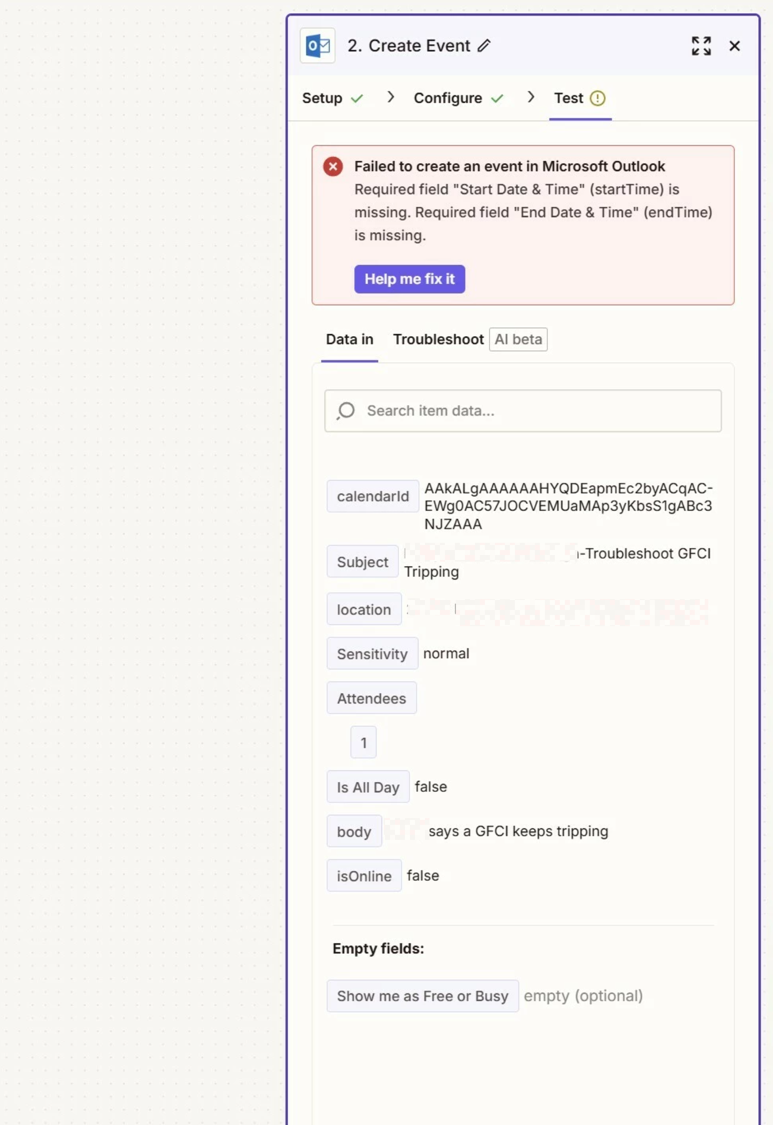
Knowify mapping for Service Jobs needs an update to the Start and End Time

  • September 18, 2025
  • 7 replies
  • 47 views

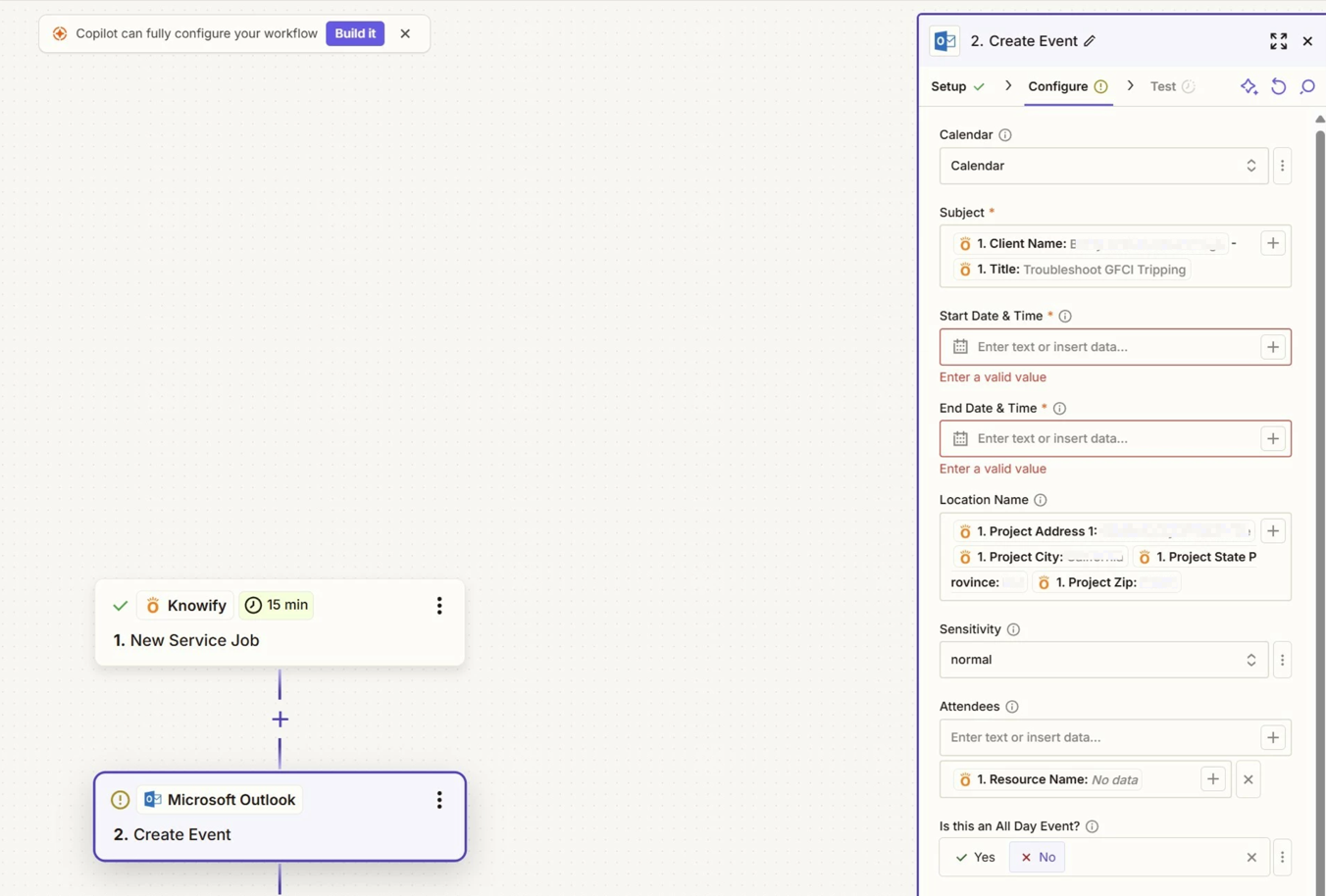
Zapier is no longer mapping the Start and End Time correctly from Knowify to Outlook Calendar for Service Jobs.  Is there a solution to this?

Best answer by Troy Tessalone

@travisridgell 

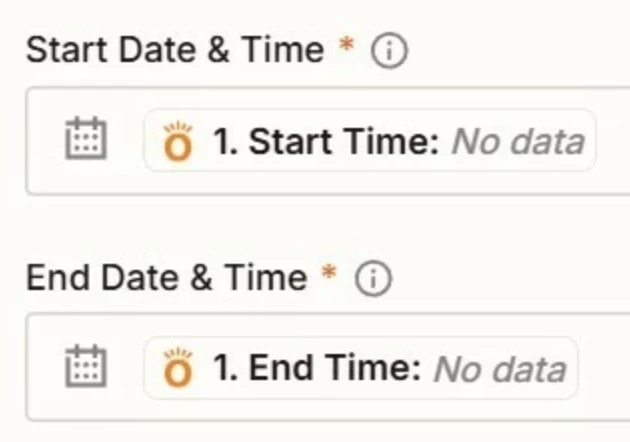
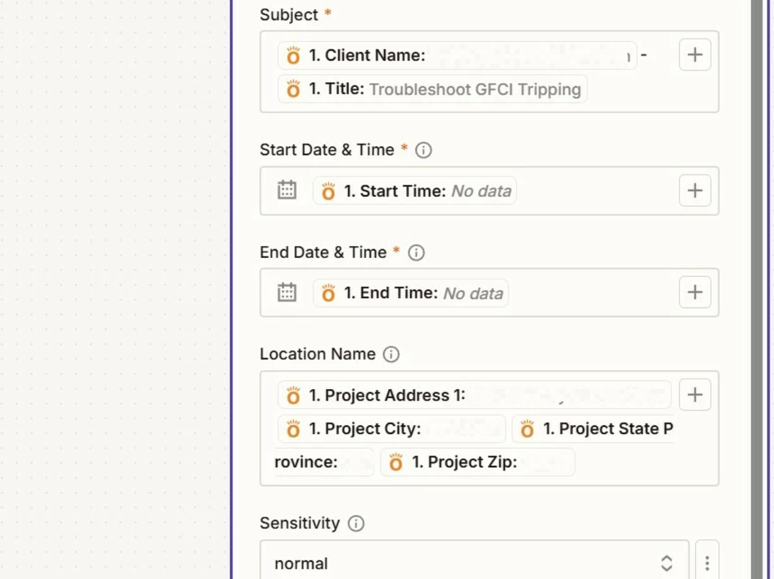
The mapped variables are valid variables, but those do not have data as indicated by “No data”.

Make sure the Zap trigger example you are using to configure and test the Zap action step has values for Start/End Time.


Otherwise, check if there are different variables you can map.


If that does not work, then you can try:


This post has been closed for comments. Please create a new post if you need help or have a question about this topic.


7 replies

Sparsh from Automation Jinn
Forum|alt.badge.img+6

Hey ​@travisridgell,

Can you post screenshots of Data In and Data out as well as how Zap steps are configured for us to have more context? 

Try some of these troubleshooting to see if it fixes your issue-

  • Check the timezone in your applications that are Knowify, Outlook and Zapier to see if that’s the cause of the issue.
  • See the format in which timezone field is expected by each application.
  • Check trigger data if it’s correct then problem is in mapping it to outlook. 
  • Test with manual values instead of dynamic to see if it outputs a different result. 
  • Were the Zaps working fine before? Then it can also be a bug or temporary glitch. You can reach Zapier support at https://zapier.com/app/get-help


Here is a helpful article about dealing with date and time in Zapier- https://help.zapier.com/hc/en-us/articles/8496257974029-Modify-date-and-time-formats-in-Zaps. Hope it helps!


Troy Tessalone
Zapier Orchestrator & Solution Partner
Forum|alt.badge.img+14
  • Zapier Orchestrator & Solution Partner
  • September 18, 2025

Hi ​@travisridgell 

For live Zap Runs, check the history details to see the DATA IN/OUT for each step to help you trace the data flow and troubleshoot: https://zapier.com/app/history/


For us to have more context about your issue we would need to see screenshots.


  • Author
  • Beginner
  • September 18, 2025

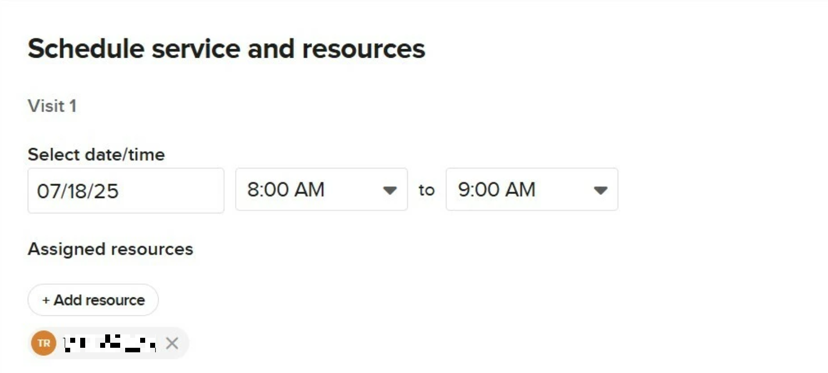
It worked fine up until knowify made a change about 6 months ago.  So I believe its because Knowify has changed the variables names (new ui).  Here are some screenshots.  How to we submit information for an update?

d123f3d35b709bdf4847f47eb558fece.png
 

38ecd93320c7964f15ed45825f03f8f2.png
3024fd7792c48beaf6f1e89bef8f7b04.png
0c609efb9b03e889ad75102c5e98f430.png

This post has been edited by a moderator to remove personally identifiable information (PII). Please remember that this is a public forum and avoid sharing personal or potentially sensitive details.


Troy Tessalone
Zapier Orchestrator & Solution Partner
Forum|alt.badge.img+14
  • Zapier Orchestrator & Solution Partner
  • Answer
  • September 18, 2025

@travisridgell 

The mapped variables are valid variables, but those do not have data as indicated by “No data”.

Make sure the Zap trigger example you are using to configure and test the Zap action step has values for Start/End Time.


Otherwise, check if there are different variables you can map.


If that does not work, then you can try:


SamB
Community Manager
Forum|alt.badge.img+11
  • Community Manager
  • September 26, 2025

Hey ​@travisridgell, just checking in - did it work when you tried testing with a trigger example (test record) that contained some date values, as Troy suggested? 

Let us know if how it went, want to make sure this gets sorted! 🙂


  • Author
  • Beginner
  • October 8, 2025

The errors have ceased.  Thank you for the ideas


SamB
Community Manager
Forum|alt.badge.img+11
  • Community Manager
  • October 13, 2025

Yay! That’s awesome news ​@travisridgell 🎉 In that case I’ll get Troy’s reply marked as the best answer to help surface it to others that might face similar issues in the future - nice work ​@Troy Tessalone! 🙌 

Feel free to reach back out if you need help with anything else. In the meantime, happy Zapping!