Question

Issues with task consumption in Zapier automation steps

  • August 19, 2026
  • 4 replies
  • 17 views

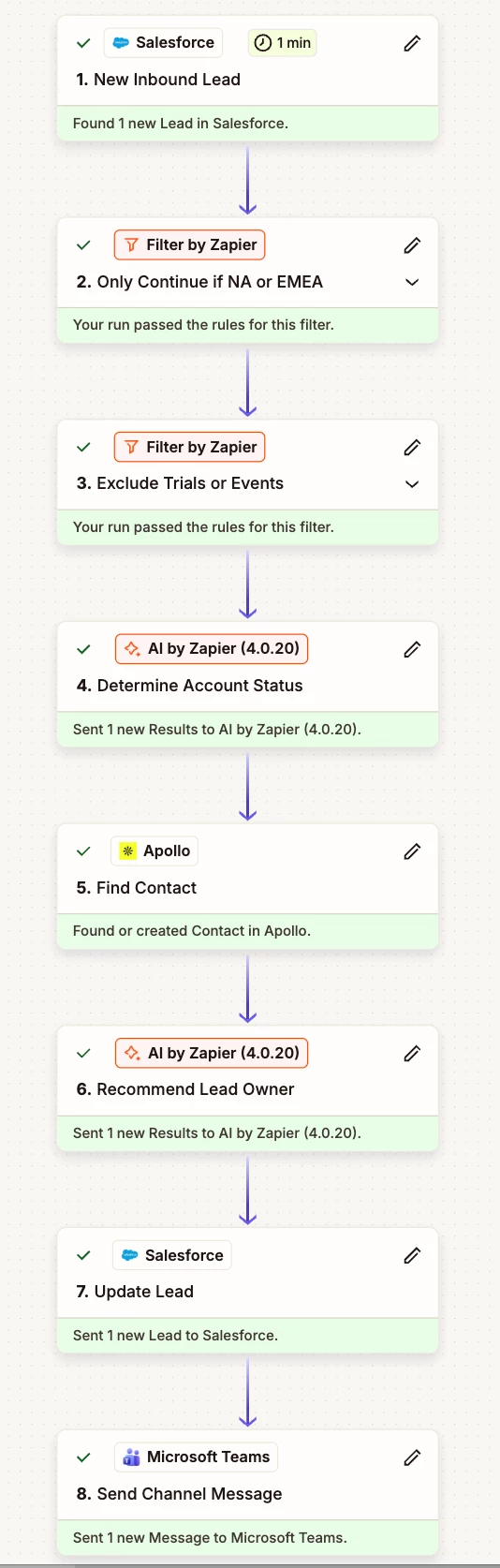
I have an 8 step zap that is consuming 48 tasks.  It has 2 AI steps.  One is a simple 1 task step.  The 2nd is one requiring external connectors and consumes 5 tasks.  There is no way I should see 48 steps consumed.  Has anyone else faced similar issues?

4 replies

Troy Tessalone
Zapier Orchestrator & Solution Partner
Forum|alt.badge.img+14
  • Zapier Orchestrator & Solution Partner
  • August 19, 2026

Hi ​@dvano 

Help links about how Task usage is measured in Zaps: https://help.zapier.com/hc/en-us/articles/8496196837261-How-is-task-usage-measured-in-Zapier

  • AI steps can use 1+ Tasks depending on the settings.
  • Code steps can use 1+ Tasks depending on the settings.


For us to have more context about your Zap, post screenshots showing how your Zap steps are outlined and configured in the CONFIGURE tab while in EDIT mode.


Also, post screenshots with proof of the 48 Tasks used that you referred to.


  • Author
  • New
  • August 19, 2026

Hi ​@Troy Tessalone.  No code, just 2 AI steps (1 complex, 1 simple).  I count 14 tasks max.


Troy Tessalone
Zapier Orchestrator & Solution Partner
Forum|alt.badge.img+14
  • Zapier Orchestrator & Solution Partner
  • August 19, 2026

@dvano 

You can try opening a ticket with Zapier Support: https://zapier.com/app/get-help


NOTE: It looks like you need to update your AI by Zapier steps to the newest version.

Help: https://help.zapier.com/hc/en-us/articles/18755649454989-App-versions-in-Zapier


For us to have true context, post screenshots showing how your Zap steps are configured in the CONFIGURE tab while in EDIT mode with the field mappings visible.


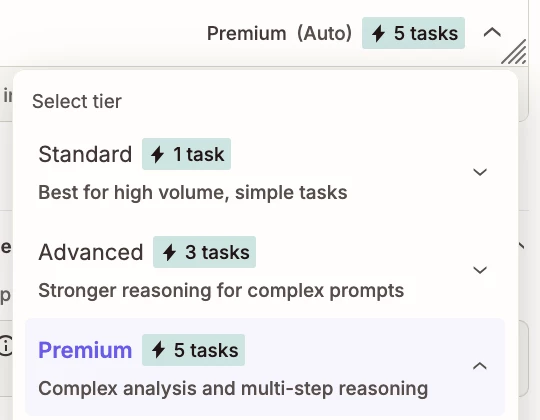
Check how your AI by Zapier steps are configured for the Tier to use:

  • Standard: 1 Task
  • Advanced: 3 Tasks
  • Premium: 5 Tasks


SamB
Community Manager
Forum|alt.badge.img+11
  • Community Manager
  • August 20, 2026

Hi ​@dvano 👋

Sorry to hear about the unexpected task usage here. Adding to what Troy said, the 1 task, 3 tasks, 5 tasks you see there are the model tier rates which apply when that action is run. The following formula can be used to calculate how many tasks an AI by Zapier action will use:

Tasks used per Zap run = (1 × model rate) + (total number of tool calls × model rate)

Also, if you’re using knowledge sources on those AI actions, any successful calls the AI action makes to those knowledge sources would be included in the total number of tool calls. So if you’ve got knowledge sources that are being referenced then that might be why the Zap used so many tasks. You can learn more about this in our AI by Zapier model tier pricing guide.

If you try using that formula and it still doesn’t add up, I’d suggest reaching out to our Support team directly so they can look into that further.

Let us know how it goes!